You've finally built a budget that reflects real life, then your bank feed stops updating. A recurring charge slips past you, a shared household spreadsheet turns into administrative work, or an app imports a transaction twice and makes your monthly review harder than it should be. That's why a search for the best budgeting app Reddit recommendations rarely has one universal answer.
Reddit is most useful as a source of practical friction points, not as a final authority. The right choice depends on how much control you want over your data, whether your Canadian or US banks connect reliably, how closely you need to track subscriptions and rewards, whether you're budgeting with a partner, and how much work you're willing to do when switching systems.
This comparison evaluates ten options against those decision points. It also includes Fintrack, which combines budgeting, expense tracking, subscription discovery, spending alerts, rewards visibility, household planning, and manual entry, so a bank connection doesn't have to be the foundation of your system. If you want to start with category limits and progress monitoring, Fintrack's budget-planning tools are the most direct place to begin.
For students comparing lightweight options, this guide to budgeting apps for student life is also worth bookmarking.
What Reddit Gets Right About Choosing a Budgeting App
The strongest Reddit recommendations usually answer a narrower question than “Which app is best?” A person may want a zero-based method, a private manual tracker, dependable Canadian bank connectivity, a household dashboard, or a way to find subscriptions they forgot about. Those needs point to different products.
Bank connectivity is often the first practical test. Canadian budgeting apps commonly use third-party aggregators rather than direct bank links, and some services use an encrypted token instead of retaining a bank password. Canadian bank-sync guidance also explains that read-only connections are designed to prevent an app from moving money or changing accounts, but reliability can still vary by institution.
Manual entry remains a sensible choice when privacy, unsupported accounts, or feed reliability matters more than automation. Some Canadian app coverage specifically treats hand-entered spending as a workable alternative when bank syncing isn't available. Manual budgeting without bank linking is slower, but it gives you a clean boundary between your financial institution and your tracking system.
The category itself is already crowded. In a 1,057-person personal-finance app survey, 42.19% reported installing budgeting apps, while 20.91% used Mint and 47.40% named Credit Karma as a commonly installed finance app. The same survey found 46.29% of respondents used iOS and 52.28% used Android, which makes cross-platform consistency important for app teams and households. Origin's 2024 personal-finance app survey supports a practical conclusion: people often use several money tools, so the winner is the app that reduces duplication rather than adding another disconnected dashboard.
1. Fintrack
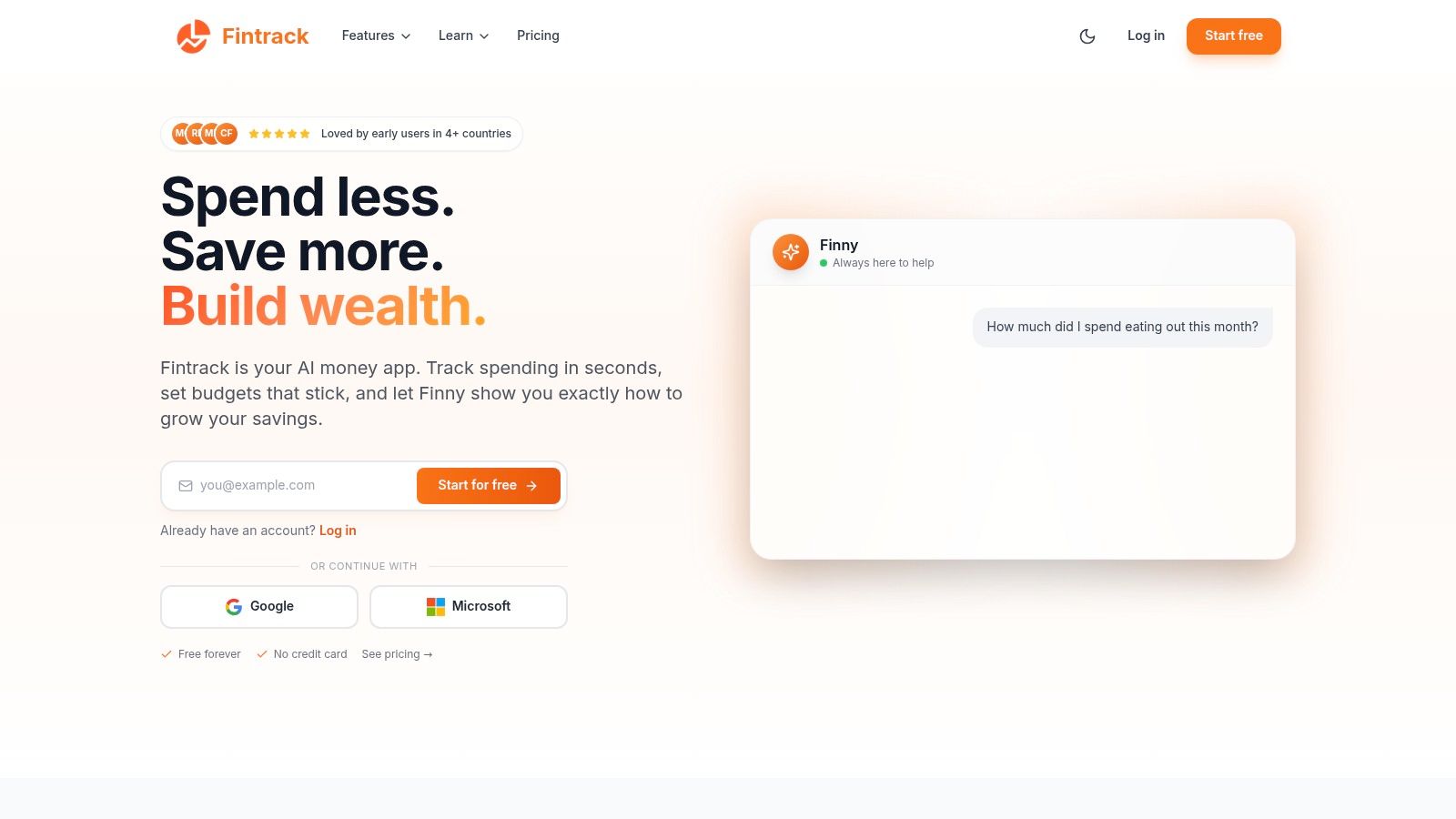
A useful Fintrack setup starts with a practical question: do you need another transaction list, or a system that helps decide what to do next? Fintrack is designed for the latter. Its AI assistant, Finny, answers plain-English questions such as how much you spent eating out this month, then turns the result into trends, suggestions, and next steps.
Fintrack covers manual and automated expense tracking, automatic categorization, budget limits, progress monitoring, household planning, and real-time alerts. It also checks beyond ordinary categories, with subscription discovery, duplicate-charge detection, and the Benefits Wallet for cashback, unused credits, loyalty points, discounts, and expiring offers.
Where Fintrack fits best
Fintrack suits people who want income, expenses, goals, recurring charges, and available rewards in one working view. Its bank-free manual option also helps users who prefer not to connect every account, have unsupported institutions, or want to keep selected records separate. The trade-off is clear: manual entry takes more discipline, while automated tracking reduces routine work but introduces privacy and connection concerns.
Households may benefit from shared planning and alerts, especially when partners divide financial tasks. Canadian and US users should still check which institutions connect reliably and decide whether convenience outweighs the effort of correcting missed or misclassified transactions.
California households face added pressure from local costs. United Ways of California's Real Cost Measure uses about 1,200 household budget calculations across all 58 counties, and its 2023 analysis estimated that 33% of California households, nearly 3.3 million families, did not earn enough to meet basic needs. United Ways of California's Real Cost Measure illustrates why housing, food, health care, and child-care costs can make a generic template less useful.
Fintrack is broader than a strict envelope system. Users who want every dollar assigned before spending may prefer YNAB or Actual Budget. For people comparing Reddit recommendations, Fintrack's advantage is the combination of conversational guidance, alerts, subscription visibility, rewards tracking, and manual entry without requiring every account connection.
Practical rule: Choose Fintrack when scattered information, recurring charges, unused benefits, and inconsistent tracking are bigger problems than category setup alone.
2. YNAB
YNAB is the clearest choice for a structured behaviour change system. Its zero-based method asks you to give every dollar a job, then adjust the plan as real spending arrives. Reddit users often recommend it because it teaches an operating habit rather than reporting what already happened.
The workflow is deliberate. You assign available money to categories, set targets, review progress, and build an “age of money” perspective over time. Direct import supports selected institutions in the US, Canada, the UK, and the EU, while file or CSV imports provide a fallback when a bank connection isn't available.
Where the method works and struggles
YNAB is a strong fit for a person who wants clear rules and is prepared to review the budget regularly. It can also work for households because one subscription can be shared with up to 6 people, and the service offers a 34-day free trial plus a free year for eligible college students. Those are product terms, so check the current offer before relying on them.
The main friction is currency and pricing. YNAB doesn't support multiple currencies inside one budget, which can complicate a household that mixes CAD and USD accounts. Canadian users may also find USD billing less comfortable, especially when another app offers more locally oriented pricing.
For a deeper comparison, see YNAB alternatives for different budgeting styles. The useful question isn't whether YNAB is powerful. It is whether you want a method that requires active assignment and regular reconciliation.
3. Lunch Money
Lunch Money has a different feel from large personal-finance suites. It's an indie, privacy-minded budgeting and net-worth tracker founded by a Canadian team, and that origin matters to users who want multi-currency support and a more transparent product relationship.
The app supports Plaid connections for Canadian institutions, CSV imports, a rules engine, and a dedicated subscriptions view. It also handles multi-currency budgets and net-worth tracking, while billing can be switched to CAD. The web-first design suits people who prefer a full browser workspace, with iOS and Android companions available for mobile access.
The trade-off is focus
Lunch Money's appeal is its flexibility. Rules can reduce repetitive categorization, CSV import gives you control when a connection fails, and multi-currency support is useful for Canadians who earn, spend, or hold money across borders. The possibility of locking in an account price for life can also appeal to users who dislike indefinite subscription uncertainty, though current terms should be checked directly.
The compromise is scale. Lunch Money has fewer banking extras than a large financial suite, and investment brokerage linking is less developed. That won't matter to someone focused on expenses, bills, and net worth basics, but it can matter to a user who wants a deep investment command centre.
The broader lesson is covered in our budget app reviews. Lunch Money works when you value transparency, multi-currency flexibility, and a rules-based workflow more than a heavily polished household platform.
A smaller product can be the better choice when its boundaries are clearer and its import options match the way you actually manage money.
4. Monarch Money
Monarch Money is a polished Mint-style option built around a broad financial picture. It combines budgeting, cash-flow planning, goals, investment views, transaction review, and household sharing in a dashboard that feels designed for people who want everything visible at once.
Its “needs review” transaction workflow gives you a practical place to correct categories and confirm imported activity. Couples and families may prefer Monarch because the product treats shared financial visibility as a central feature rather than an afterthought.
Test Canadian bank feeds before committing
Monarch is officially available in Canada, but Canadian bank connectivity can vary by institution and fintech. That makes the 7-day trial important. Link the accounts you use, inspect whether transactions arrive consistently, and check how transfers, credit-card payments, and recurring charges appear before moving your entire history.
The product is also billed in USD, and pricing or tier details may be less straightforward for Canadians than a domestic-first alternative. A beautiful dashboard can't compensate for a feed that needs constant repair.
For readers comparing similar products, Monarch Money alternatives can help separate collaboration needs from dashboard preferences. Monarch is the sensible pick when household coordination and a polished overview matter more than avoiding account aggregation.
Test before switching: Connect your real Canadian accounts during the trial, not just a sample account, because a successful login doesn't guarantee a useful ongoing feed.
5. Actual Budget
Actual Budget is for people who want open-source control and are comfortable trading convenience for ownership. It uses an envelope or zero-based workflow, runs quickly, and can be hosted locally or self-hosted so your data stays under your control.
That makes it a natural Reddit recommendation for privacy-focused Canadians and Americans who don't want to send banking credentials through a third-party aggregation chain. The project has an active community, and self-hosted sync can support multiple devices when configured properly.
Privacy comes with setup work
Actual Budget's biggest advantage is also its main limitation. There's no official bank sync, so you'll rely on manual imports, file uploads, or self-managed solutions. That can be exactly what you want if your bank isn't supported or you prefer deliberate transaction review, but it adds maintenance.
The mobile experience is generally based on a web or PWA approach, with community clients available. Self-hosting and multi-device syncing can become technical, especially for someone who wants a ready-made app rather than a personal infrastructure project.
The practical distinction is not “private versus unsafe.” It's managed convenience versus personal control. Fintrack's guide to budgeting without a bank connection is useful for comparing manual workflows that don't require you to maintain your own server.
Actual Budget is a strong choice for a technically comfortable user who values open source, local data, and a free-to-use system. It's a weaker choice if missed transactions and setup tasks will cause you to stop budgeting.
6. Neontra
Neontra is the most explicitly Canada-first option in this list. Its interface, planning tools, and account context are designed around Canadian users, including people who want to see TFSA and RRSP information alongside ordinary spending.
The app goes beyond category budgets by tracking net worth across financial accounts and real assets such as homes, vehicles, and metals. It also includes planning calculators for goals such as education, travel, and a car, which gives the product a wider planning role than a basic expense ledger.
Canadian context is the point
Neontra is a good fit when CAD presentation, Canadian content, and local account types matter more than the size of an international ecosystem. Its web and mobile apps make it accessible for regular reviews, and the product communicates SOC 2 security messaging on its site.
The trade-off is smaller scale. You may find fewer integrations, community discussions, or adjacent tools than with global incumbents. Bank-feed quality can also vary by institution, so a trial is sensible before importing years of data or cancelling another system.
Canadian budgeting conversations are increasingly moving beyond generic category tracking. Recent Canada-focused coverage says users care about Big Six and digital-bank syncing, CAD pricing, and registered accounts such as TFSA, RRSP, and FHSA, while also warning that reliability varies by institution. This Canadian budgeting app comparison captures why a Canada-first dashboard can be more useful than a globally popular app that treats local account types as secondary.
7. MoneyWiz
MoneyWiz is built for the power user with a complicated financial life. It supports bank connections through multiple aggregators, cross-platform cloud sync, extensive reporting, and export and import tools. People with accounts across countries, several institutions, or unusual account structures may value that coverage more than a beginner-friendly interface.
The product supports connections to 40,000+ banks, and cloud syncing can cover up to 15 devices. Those figures are product claims and should be verified against current availability for your specific country and institutions. Broad coverage still doesn't guarantee that every account will import cleanly.
Choose reporting over polish
MoneyWiz is more utilitarian than Monarch or Fintrack. That isn't necessarily a flaw. A traveller, consultant, or household with multiple currencies may prefer a dense reporting environment that exposes detailed account data instead of hiding it behind a simple overview.
Bank syncing requires the premium subscription, which creates a clear cost decision. If you only need manual expense recording, paying for automated connections may not be worthwhile. If you need broad coverage and recurring reporting across many accounts, the subscription may be easier to justify.
MoneyWiz works best when you already know what reports you need. It's less suitable for someone who wants an app to teach budgeting from scratch or explain spending in conversational language.
8. Toshl Finance
Toshl Finance is a lightweight, friendly option for people who find serious budgeting software intimidating. Its visual style makes manual expense entry approachable, while its cross-platform availability supports users who move between web, iOS, and Android.
Toshl separates its manual-first Pro tier from the Medici tier, which adds automatic bank syncing through Plaid and Salt Edge. That structure is useful because you don't have to accept bank aggregation to use the core tracking workflow. Canadian coverage can benefit from the mix of connectors, but you should still test your own institutions.
A good entry point for simple tracking
The app offers a 30-day trial, and its tiered design lets you decide whether automatic import is worth paying for. Pricing can vary by store and region, and the main pricing information is shown in-app, so Canadian and US users should confirm the local terms before subscribing.
Toshl is not the strongest choice for household collaboration. Couples who need shared goals, joint review, and detailed role separation will likely find Monarch or YNAB more suitable. It also has fewer advanced planning features than a broader financial dashboard.
For an individual who wants a pleasant spending log, international support, and the option to remain manual, Toshl is easy to understand. Its value drops when your central problem is household coordination or deep net-worth planning.
9. Wallet by BudgetBakers
Wallet by BudgetBakers is a long-standing expense tracker with a free manual tier and an optional Premium plan. It covers web, iOS, and Android, and its export and reporting tools make it practical for users who want to retain their records or inspect spending in more detail.
Automatic bank sync and automatic categorization require Premium. That creates a straightforward dividing line: manual trackers can use the lower-friction path, while users who want ongoing imports need to evaluate the paid plan and the quality of their local bank connection.
Look carefully at regional terms
Wallet is often mentioned as a good-value choice for people who find a lifetime Premium offer, although those offers are occasional and terms can change. Exact pricing is surfaced in-app and varies by region, so don't rely on a price mentioned in an old Reddit thread.
The main weakness is connection variability. A bank may work well for one user and poorly for another because institutions and regional connector coverage differ. Exporting your data before a trial ends is also wise if you're testing several products at once.
Wallet suits a manual-first user who wants a mature cross-platform app without immediately committing to a complex budgeting method. It's less compelling if subscription discovery, rewards visibility, or conversational analysis are the features you care about most.
10. Emma
Emma combines account aggregation, category budgets, recurring-charge visibility, weekly reports, and alerts. It's available in Canada, the US, and the UK, which makes it appealing to people who want a clean account overview across regions.
Subscription detection is the standout use case. Emma can bring recurring charges into view alongside budgets and reports, helping you investigate the bills that continue after the original purchase has faded from memory. Its tiered Basic, Plus, Pro, and Ultimate plans let users select a feature level, but the exact regional price and feature mix should be confirmed in-app.
Subscription visibility is only useful when it leads to action
Canadian consumers continue to face a busy recurring-bill environment. Government consumer research treats subscription awareness as an active issue, while CRTC reporting tracks subscription growth in communications markets. The CRTC publication on subscription trends provides context for why recurring-charge review deserves more attention than a simple category total.
Emma's main limitation is regional complexity. Canadian pricing, promotions, and available features may differ from UK or US pages, and account aggregation still depends on connector performance. It's a good fit for people who prioritise a clean overview of accounts and subscriptions, but manual-first users may prefer Fintrack, Actual Budget, Toshl, or Wallet.
See free budgeting apps before subscribing, especially if your immediate need is basic manual tracking rather than full aggregation.
Reddits Top 10 Budgeting Apps Comparison
| App | Core features | UX & Security | Unique selling point | Target audience | Price & availability |
|---|---|---|---|---|---|
| Fintrack | AI dashboard, Finny conversational assistant, Benefits Wallet (cashback/credits/points), real-time alerts, subscription detection | Web & mobile; household planning; bank-level encryption, SOC 2 & GDPR-ready | Automatically surfaces hidden value + natural‑language insights and step‑by‑step actions | Everyday users, households, reward recovery & savings seekers | Free & premium plans; web/mobile (visit site) |
| YNAB (You Need A Budget) | Zero‑based budgeting, direct bank import, CSV import, shared household subscription | Strong educational resources, habit‑building focus | "Give every dollar a job" methodology for disciplined budgeting | Users wanting strict budgeting discipline and households | Subscription (USD); 34‑day trial; free year for students |
| Lunch Money | Plaid bank sync (incl. Canada), CSV import, multi‑currency, rules engine, subscriptions view | Web‑first with iOS/Android companions; privacy‑minded | Indie transparency, multi‑currency support, CAD billing/lifetime price lock | Canadians, multi‑currency users, fast workflows | Affordable tiers; CAD billing; lifetime option available |
| Monarch Money | Account aggregation, goals, investment views, household sharing, cash‑flow planning | Polished dashboards; transaction review tools; available in Canada | Mint‑style polished UX with strong household tools | Couples/households and former Mint users | Billed in USD; 7‑day trial to test bank sync |
| Actual Budget | Envelope / zero‑based workflow, open‑source, self‑host sync, local app | Privacy‑first; data stays local; self‑hosting option | 100% open‑source and fully local/self‑hostable for data ownership | Privacy‑focused, DIY users comfortable with manual workflows | Free (open‑source); optional self‑host setup |
| Neontra | CAD‑first bank connectivity, net worth (homes, vehicles, metals), planning calculators | Web & mobile; SOC 2 messaging; Canada‑focused UI | Canadian account context (TFSA/RRSP) and real‑asset tracking | Canadian users needing tax‑aware planning | CAD pricing and plans on site |
| MoneyWiz | Bank sync to 40,000+ banks, cross‑platform cloud sync, deep reporting & export | Mature, power‑user interface; frequent updates | Broad global bank coverage and advanced reporting | Users with many accounts, travelers, power users | Premium required for bank sync; cross‑platform apps |
| Toshl Finance | Tiered plans (Pro manual; Medici adds bank sync), Plaid & Salt Edge connectors, multi‑platform | Playful, lightweight UI; easy onboarding; international connectors | Flexible tiers + global connector mix for wider bank support | Casual users and international customers | Pro/Medici tiers; 30‑day trial; region pricing in‑app |
| Wallet by BudgetBakers | Manual tracking free tier, auto bank sync & categorization (Premium), export & reports | Web, iOS, Android; large user base | Generous free tier and occasional lifetime Premium deals | Manual trackers and value‑seekers | Free + Premium; pricing varies by region/in‑app |
| Emma | Account aggregation, subscription detection, category budgets, weekly reports, tiered plans | Clean UI; available in UK/US/Canada; alerts & review tools | Strong subscription tracking and multiple plan options | Users tracking recurring charges and budgets | Tiered plans (Basic→Ultimate); region‑specific pricing |
Choose the System You Will Keep Using
The best budgeting app Reddit users recommend is usually the one that matches a specific behaviour. A disciplined zero-based budget needs a different tool from a private manual ledger, a multi-currency net-worth tracker, or a household dashboard.
Use this short framework:
- Choose YNAB if you want structured habit change, category targets, and a method that makes you assign available money deliberately.
- Choose Lunch Money if you're privacy-minded, need multi-currency support, and prefer an indie product with strong import and rules tools.
- Choose Monarch Money if you're coordinating money with a partner or family and want polished dashboards, goals, cash-flow planning, and investment views.
- Choose Actual Budget if open-source software, local storage, and maximum control matter more than official bank syncing.
- Choose Neontra if you're in Canada and want CAD-first planning with context for accounts such as TFSA and RRSP.
- Choose MoneyWiz if you manage complex global accounts and need broad bank coverage, exports, cloud sync, and detailed reports.
- Choose Toshl Finance if you want lightweight international tracking with a manual-first option and a friendly interface.
- Choose Wallet if you prefer manual tracking, cross-platform access, exports, and the possibility of a lifetime Premium offer.
- Choose Emma if account aggregation and subscription visibility are your main priorities across Canada, the US, or the UK.
- Choose Fintrack if you want AI-guided spending insight, manual or automated tracking, household planning, subscription discovery, alerts, and rewards visibility in one system.
The financial context matters too. California's statewide basic-budget materials estimate that housing and utilities represented 32.1% of a single adult's monthly budget and food represented 13.2%. For a two-parent, one-working family, the corresponding figures were 24.6% for housing and utilities and 19.9% for food. The California Budget Project's Making Ends Meet materials show why a useful app needs flexible categories and household context rather than a one-size-fits-all template.
Active use is another meaningful filter. An Academy Bank summary found that 47.7% of budgeting-app users relied on bank-provided apps, 29.4% used third-party tools such as YNAB or Rocket Money, and 22.9% used both. It also reported that nearly 80% opened budgeting apps at least weekly, including 50% weekly users and 29.9% daily users, while 88% found them helpful. Academy Bank's budgeting-app overview supports a practical product test: the app must make repeated review quick enough that you'll return to it.
A switching checklist that prevents avoidable pain
- Export your old data first. Save transactions, categories, account balances, goals, and recurring bills in a format you can keep outside the old app.
- List recurring bills and active goals. Include subscriptions, debt payments, savings targets, and household obligations before rebuilding the new system.
- Test every important bank connection. Use the trial period to check your actual Canadian or US institutions, not just whether the login screen accepts your credentials.
- Choose manual entry when it's the better boundary. Privacy concerns, unsupported accounts, or unreliable feeds are valid reasons to record transactions yourself.
- Run both systems briefly. Compare categories, transfers, recurring charges, and balances before you make the old app the only source of truth.
- Cancel only after the workflow works. Confirm that imports, categorisation, alerts, and recurring transactions behave as expected.
If you want the visibility of a modern finance dashboard without making bank access mandatory, try Fintrack's expense tracker without a bank connection. It gives you a practical manual path while still leaving room for automated tracking, Finny's spending analysis, subscription discovery, household planning, alerts, and the Benefits Wallet.
Fintrack combines category budgeting, AI-guided spending answers, subscription discovery, real-time alerts, duplicate-charge detection, household planning, and rewards visibility in one dashboard. If you want to compare a bank-free manual workflow with automated tracking, visit Fintrack and start with the setup that gives you the most control.