
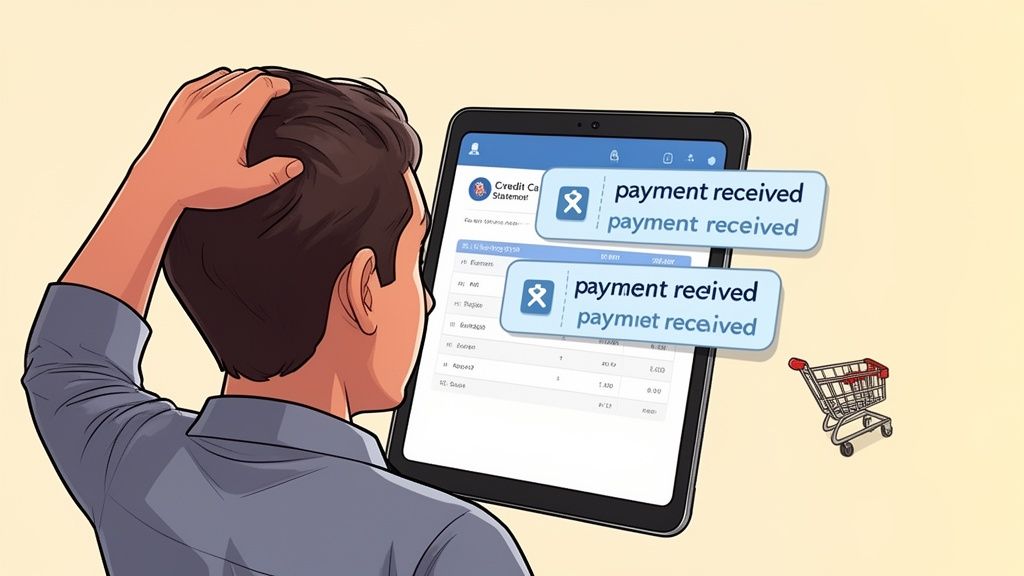
You pay your credit card, feel organised, and then notice something odd a day later. Your scheduled autopay also went through. Or a refund for a returned item lands after you already paid the full balance.
That is how many people overpay a credit card without meaning to.
The mistake usually does not create a credit problem. The main issue is cash flow. Money that should still be in your chequing account ends up sitting on your card as a credit balance, doing nothing while your other bills keep moving.
What It Means to Overpay a Credit Card
You check your card and see -$100. That can look backwards if you are used to negative numbers meaning bad news.
On a credit card, a negative balance usually means you paid more than the amount you owed. If your balance was $200 and $300 reached the account, the extra $100 sits there as a credit.
What a negative balance means
A negative balance means the card issuer owes money back to you.
Store credit works as a close comparison. The card keeps that extra money on file and applies it to your next purchases first. If your account shows -$100, the next $100 you spend is covered by your own money, not by borrowed money.
That sounds harmless, and often it is.
The catch is cash flow. That extra $100 is no longer sitting in your chequing account, ready for groceries, rent, or another bill. In effect, you have given your bank an interest-free loan until you spend the credit or ask for it back. Generic guides often skip that part, but it is the piece that can create stress even when your credit score is unaffected.
Why this confuses so many cardholders
Credit cards run on timing, and several numbers can exist at once. One screen may show what you owe right now. Another shows what was on your last statement. Your bank may also have an autopay queued, while a refund or statement credit is still waiting to post.
It works a bit like checking a group chat while two messages are still sending. You are seeing part of the conversation, but not the full sequence yet.
That is why a person can believe they are paying the bill, then end up with a surplus on the card instead.
Key takeaway: Overpaying a credit card usually creates a credit balance on the account. The bigger risk is not a penalty. It is letting useful cash sit with the card issuer when you may need that money elsewhere.
Common Reasons You Might Accidentally Overpay
You open your banking app, pay your card, and feel done for the month. A day later, the account shows a credit balance. Nothing went wrong with your intentions. The timing went wrong.
That is the pattern behind many overpayments. Credit cards are a bit like two cash registers running at once. One register is your bank payment screen. The other is the card issuer’s system posting refunds, credits, and scheduled withdrawals. If those registers do not update in the same order you expect, extra money can land on the card.
The usual triggers
Autopay and manual payment overlap You send a payment yourself to get ahead, but your scheduled autopay still goes through. This often happens when the manual payment is made close to the due date and the automatic withdrawal was already queued.
A refund posts after you already paid the bill You return a coat, appliance, or flight booking after paying the statement balance in full. When the merchant refund arrives, the account drops below zero.
Rewards or statement credits arrive after your payment Cashback, annual fee reversals, travel credits, or billing adjustments do not always post on the same day you make your payment. If you already paid the full amount, those credits can create an overpayment.
Two payment systems are active at the same time Some cardholders pay through their everyday bank app while also keeping issuer-side autopay turned on. It is easy to forget one payment is already scheduled when you are checking balances in two different places.
You pay the current balance instead of the statement balance This one trips people up. If new purchases posted after the statement closed, paying the full current balance can be more than necessary, especially if a credit or refund is still pending.
A quick self-check
Ask yourself three simple questions:
- Did I make a manual payment while autopay was still active?
- Did any refund, cashback credit, or fee reversal post after I paid?
- Do I manage the same card in more than one app or portal?
A yes to any of these means your system has a timing gap.
That matters because an overpayment is not only a bookkeeping quirk. It can pull cash out of your chequing account before you meant to part with it. In plain language, your bank gets to hold your money until you spend it back down or request a refund. That is the hidden cash flow risk many generic guides skip.
A better habit is to use one last checkpoint before you pay. Open your card account, confirm whether autopay is pending, then compare the statement balance with any recent refunds or credits. If you use Fintrack, make that check part of your weekly routine so you can spot duplicate payments and odd timing before your money gets parked on the card.
The Practical Consequences of an Overpayment
You make a payment, check your card later, and the balance shows minus $100. It can look harmless, even a little satisfying. In practice, it means part of your spending money has been parked inside the card account.
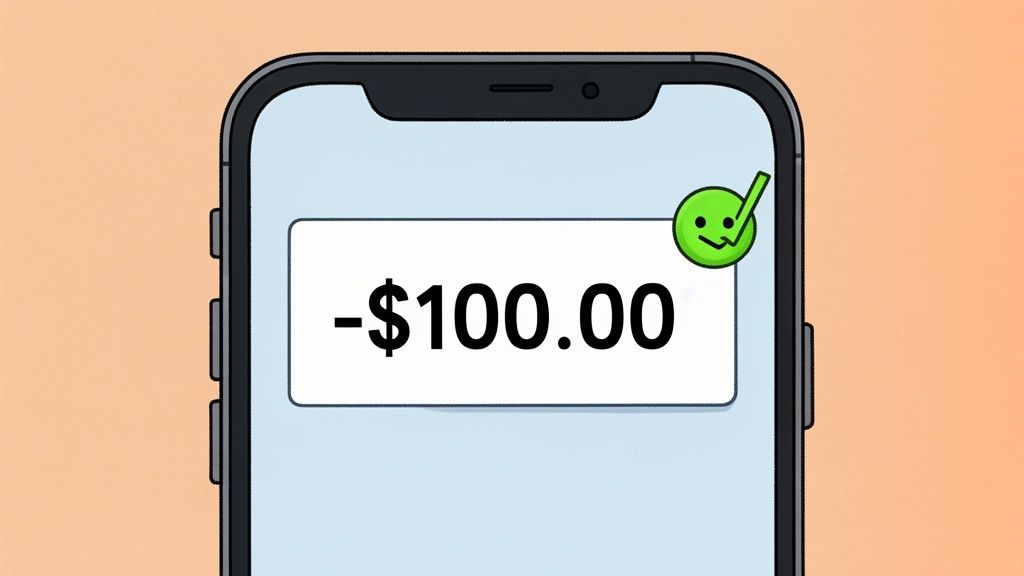
A negative balance is a credit balance. Your card issuer now owes you money instead of the other way around. The account still works, but your cash is sitting in the wrong bucket.
Credit score impact
The good news is that overpaying does not usually hurt your credit score in a standard Canadian setup.
According to Experian’s overview of what happens when you overpay a credit card, lower reported balances can help utilization, which is one factor credit scoring models consider. So a temporary overpayment may slightly improve how your balance looks on paper.
That said, this is not a smart score-building habit. Good credit comes from paying on time and keeping balances manageable. Locking away extra cash just to make utilization look lower is like putting too much money into a prepaid transit card. The card is funded, but your wallet is lighter than it needs to be.
It can create temporary spending room
A credit balance can also make the card feel like it has extra room for new purchases.
If your account is at minus $100, the next $100 you spend uses your own money first. That can be useful for a day or two, but it can also blur what is really happening. The issuer has not given you more borrowing power. You have front-loaded your own cash.
The core problem is cash flow
Here, overpayments become more than a small admin mistake.
Money in a credit balance usually does not earn interest, and it is not sitting in your chequing account ready for rent, groceries, or a transfer to savings. In simple terms, you have given the card issuer a short-term, interest-free use of your money.
That hidden cash flow risk matters more than many generic guides admit. If your budget is tight, even a modest overpayment can force awkward timing. You might have money showing on the card and still feel short in your bank account.
A simple way to look at it:
| If the money stays on the card | What that means for you |
|---|---|
| It offsets future purchases | Useful only if you will spend it soon |
| It sits there for weeks | Your day-to-day cash stays lower than expected |
| You need the cash elsewhere | You may have to request a refund and wait |
Large overpayments can trigger extra review
Small overpayments are usually easy to sort out.
A much larger overpayment can raise fraud or compliance flags with some issuers, especially if the amount is unusual for your account history. That can lead to delays, extra verification, or a temporary hold while the issuer checks the activity.
If you spot a negative balance and are not sure whether it is harmless or worth fixing right away, use Fintrack’s feedback and support tools to document the issue and decide your next step.
Practical rule: A small overpayment is often a minor annoyance. A larger one can turn into a real cash access problem.
How to Get Your Overpaid Money Back
You spot a negative balance on your credit card, but your chequing account feels tighter than it should. That usually means part of your everyday cash is stuck on the card for now.
You have two practical options. Leave the credit there and let future purchases use it up, or ask the issuer to return the money.
Let future spending absorb the credit
This is usually fine for a small overpayment on a card you use often.
A credit balance works like store credit. Each new purchase chips away at it until the account returns to zero. If you buy groceries, fuel, or recurring subscriptions on that card every week, the overpayment may disappear on its own without any extra admin.
This approach makes sense if:
- You use the card regularly
- The overpayment is small
- You will likely spend the amount soon
- You do not need that cash back in your bank account for bills or savings
Request a refund if the cash matters now
If the amount is large, or if your monthly cash flow is already tight, ask for the money back promptly.
That is often the better move because an overpayment is not doing much for you while it sits on the card. It does not help with rent, groceries, or your emergency buffer. In plain terms, you are letting the card issuer hold your money until you ask for it or spend against it.
Use this simple process:
Confirm the credit balance has posted Wait until the negative amount shows as a posted balance, not a pending transaction.
Contact your card issuer Call the number on the back of the card or use secure chat in the issuer's app. Ask for a refund of the credit balance to your bank account or by cheque.
Be specific about what you want Say the account is overpaid and you want the credit balance refunded. Clear wording helps the agent route the request correctly.
Write down the details Save the date, time, agent name, and any reference number. If you track money issues digitally, keep those notes in one place with Fintrack's feedback and support tools.
Check for the refund before relying on it Treat the money as unavailable until it lands in your account.
If the issuer asks questions, do not panic. Large or unusual overpayments sometimes trigger extra verification. That is usually a routine fraud or compliance check, not a sign that you did something wrong.
Practical tip: If the overpayment creates a cash squeeze this week, request the refund now. Waiting can turn a simple mistake into an avoidable budgeting problem.
A Smarter Way to Prevent Overpaying Your Credit Card
You check your chequing account after paying your card and the number feels lower than expected. The card looks fine. Your cash does not. That is the moment overpayments usually become real.
A better habit is Log, Ask, Pay. It is simple, fast, and built to protect your cash flow, not just your card balance.
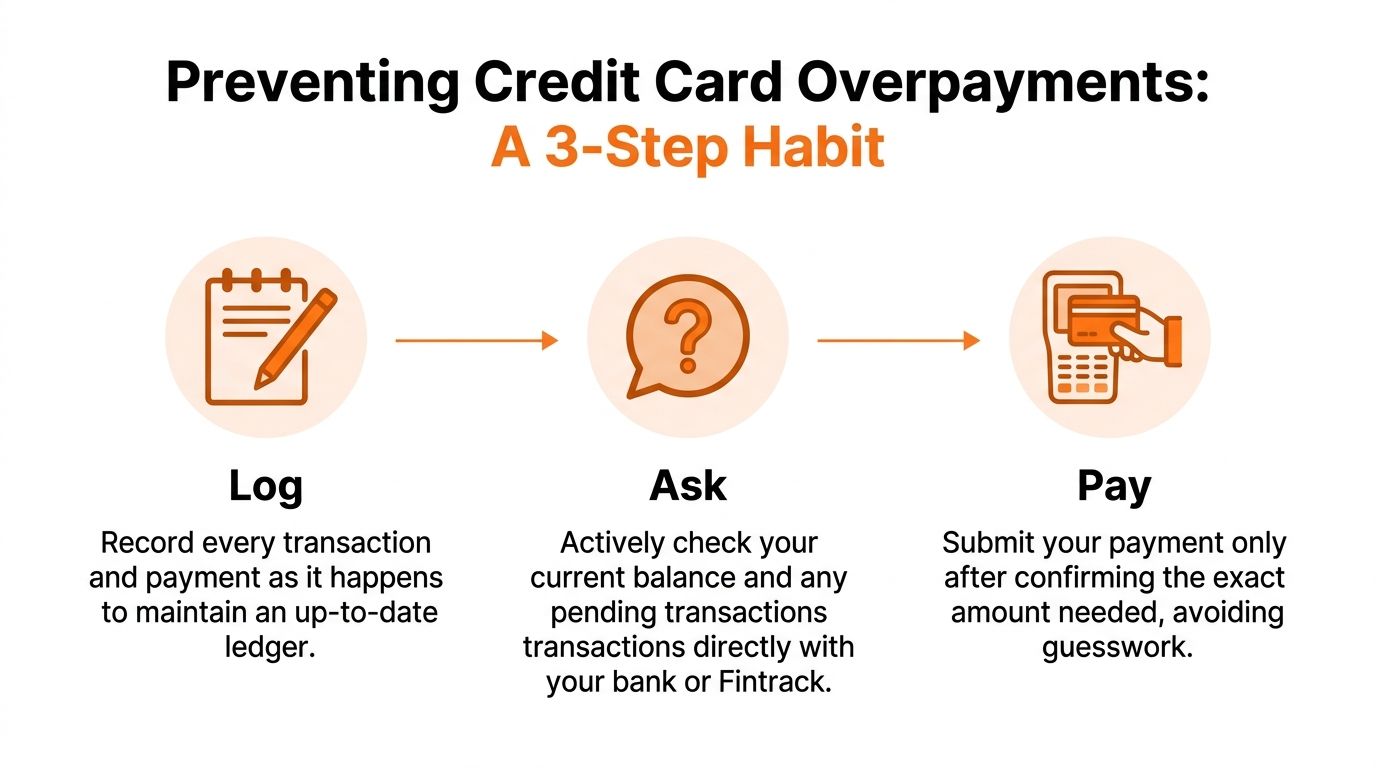
Log
Record purchases, refunds, and payments close to when they happen.
Credit cards can be misleading because the number you remember is often a snapshot from a few days ago. A refund may have posted. A payment may still be pending. A statement balance may no longer match what you owe today. Keeping a live record gives you a truer picture than memory.
If you want help keeping that picture current, Transactions with AI can sort purchases, credits, and payments in one place so your running card balance is easier to read.
Ask
Pause before you pay and confirm one number. Your current balance after posted payments, credits, and refunds.
That question sounds small, but it clears up a common point of confusion. Many cardholders pay the statement balance out of habit, even after a return or extra payment changed the amount due. Others copy a number from an earlier app notification and assume it is still accurate.
A financial dashboard makes this step faster because you can compare your card activity with your bank cash in the same routine, instead of hopping between screens.
Pay
Send the payment only after the first two steps match.
If something still looks off, wait a few minutes and check again. Pending transactions can settle later, and recent refunds can take time to appear. Paying from a confirmed number is like using the current total at a grocery checkout instead of guessing based on what you put in the cart ten minutes ago.
Why this habit is smarter than a simple “pay it and forget it” rule
The goal is not only to avoid a correction later. The goal is to keep your money available for the jobs it needs to do now.
An overpayment can drain flexibility from the rest of your month. Maybe your utility bill clears tomorrow. Maybe you need petrol, groceries, or a transfer to savings. When extra cash gets stuck on the card, the issuer is holding money you may need elsewhere. It works like giving the bank an interest-free advance and then waiting to use it or request it back.
That is why prevention works better than cleanup. A quick Log, Ask, Pay check helps you catch the mismatch before your card balance and your bank balance drift apart.
Using Your Fintrack Dashboard to Stay Ahead
You open your banking app, send a payment, and feel done for the month. Later that day, you notice a refund hit the card first. Now extra cash is sitting on the account instead of in your chequing balance, where you may need it for groceries, fuel, or a bill due tomorrow.
That is the primary value of a dashboard. It helps you catch a cash flow mistake before your bank ends up holding your money for free.
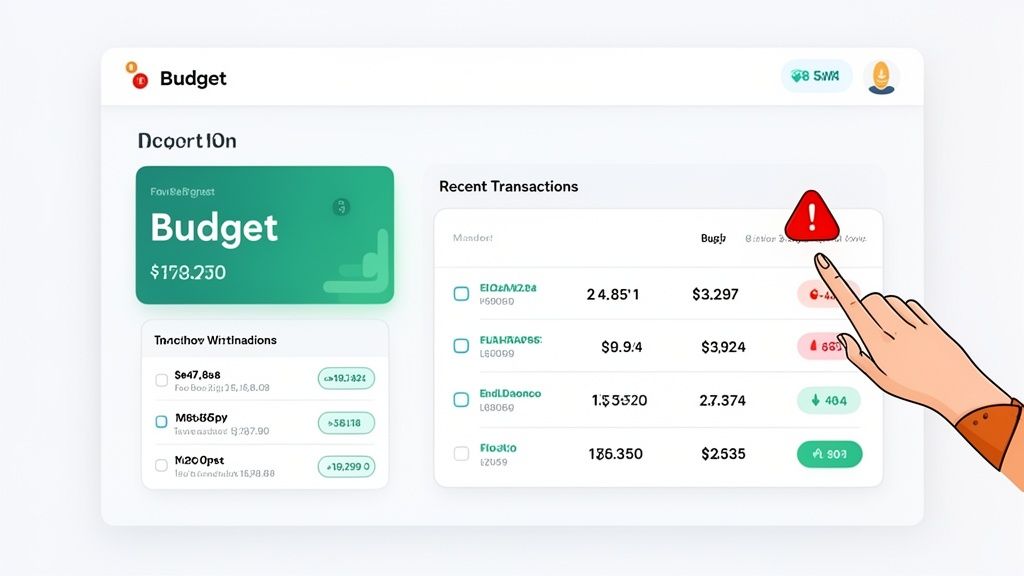
A good dashboard works like the instrument panel in a car. You do not check only the speedometer and ignore the fuel gauge. In the same way, you should not look only at the card balance and ignore your available cash and recent account activity.
What to check before you send a payment
Use your dashboard to review three areas together, not one at a time.
Budget progress If your monthly card spending looks much lower than the payment you are about to make, stop and confirm the amount.
Recent refunds, credits, or reversals A returned purchase or statement credit can lower what you owe after you last checked.
Cash in chequing This is the hidden risk. Money that lands as an overpayment on your card is money that cannot cover the rest of your month until you spend it or request it back.
A simple digital habit that prevents the mistake
Use the same short routine every time you pay.
Open your dashboard. Check the live card balance. Scan for recent credits. Then compare that payment amount with the cash still needed for upcoming expenses.
If you want extra help spotting mismatches, the Fintrack AI Assistant for payment checks and account review can help you review current balances, recent changes, and your broader budget in one place.
That habit matters because overpaying is not just a card issue. It is a timing issue. Your money may be safe, but it is briefly parked in the wrong place.
Small signals that should make you pause
A few patterns deserve a second look:
- You are paying from an old notification
- You recently got a refund
- Your statement balance and current balance are different
- Your chequing account will be tight after the payment
These are the moments when a quick review can protect your flexibility for the week ahead.
Clear visibility helps you keep cash where it can do the most good, instead of leaving it stuck on a credit card by accident.
Frequently Asked Questions About Credit Card Overpayment
Can I intentionally overpay to make a big purchase?
You can, but be careful.
A small overpayment is usually harmless. A large one may trigger account reviews. According to NerdWallet’s discussion of overpayment flags and fraud reviews, overpayments greater than $1,000 CAD can trigger fraud alerts under Canadian AML rules, and an RBC report noted that a notable percentage of credit card account freezes stemmed from overpayments flagged as suspicious.
If you are trying to make a large purchase, it is safer to confirm with the issuer first than to assume a big overpayment will go smoothly.
What if I overpay a card I barely use now?
Request a refund.
If you do not plan to spend on that card soon, leaving the money there just ties it up. A refund gets the cash back where it can help your day-to-day finances.
Do I still earn rewards when I spend against a negative balance?
Usually, rewards depend on the purchase itself, not on whether part of your available room comes from a credit balance.
Still, rewards rules vary by issuer. Check your card terms if the purchase is important for a welcome bonus, category multiplier, or statement credit.
Is overpaying ever a good budgeting tactic?
Not really.
It can create the illusion of being ahead while weakening your cash flow. A better tactic is to track spending closely, verify your current balance, and pay the right amount at the right time.
If you want a clearer view of card balances, spending, budgets, and credits before you pay, Fintrack helps you keep everything in one place so you can spot overpayments before they happen.