
You send money, then your stomach drops.
Maybe you paid the wrong person. Maybe you meant to buy one thing and clicked the wrong checkout button. Maybe a subscription renewed and you swear you already cancelled it. Or maybe you open PayPal and realise the payment has already gone through before you've even had time to think.
That moment feels urgent, but it helps to know one thing right away. Not every PayPal payment can be cancelled the same way. The right next step depends on what kind of payment it is and what status it shows in your account.
If you're trying to cancel payment in paypal, there are really three different paths. A pending or unclaimed payment may be cancellable right away. A recurring payment usually needs to be stopped from your automatic payments settings. A completed payment usually can't be cancelled directly, so you'll need to ask for a refund or use PayPal's Resolution Centre if things go sideways.
If this happened because you're juggling too many bills and renewals at once, a simple monthly bill tracker can make these mistakes a lot easier to catch early.
That Sinking Feeling When You Click 'Send'
A lot of payment mistakes happen in ordinary moments. You're moving quickly, buying something on your phone, paying a seller from a marketplace chat, or clearing a bill between meetings. Then you notice the wrong email address, the wrong amount, or a second charge that doesn't look right.
PayPal can feel confusing here because the word sent doesn't always tell you what you need to know. Some payments are still sitting in a state where you can stop them. Others are already done, which means the job changes from cancellation to refund or dispute.
That difference matters more than people expect. It's also why many readers get frustrated. They look for a cancel button that isn't available for their type of transaction.
Practical rule: Before you do anything else, check the payment status inside PayPal. That one detail tells you whether you can cancel it, stop future charges, or start a refund process.
The good news is that each of those paths is fairly straightforward once you know which one applies. The hard part isn't usually the clicks. It's knowing which set of clicks matches your situation.
The Most Important Question Is Your Payment 'Pending' or 'Completed'
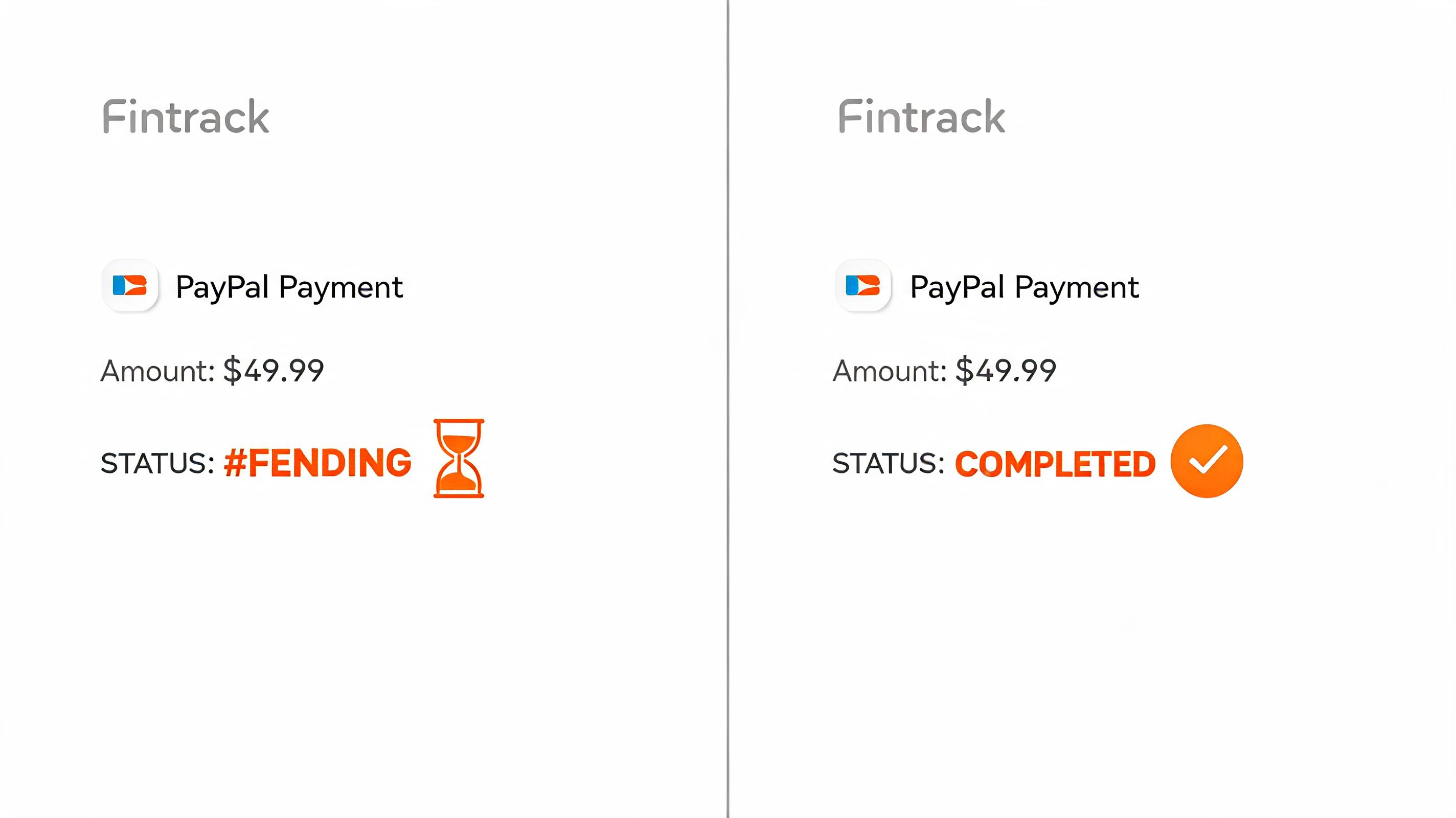
If you remember only one thing from this guide, make it this. A PayPal payment can only be cancelled if it still shows as Pending or Unclaimed. If it shows as Completed, you're no longer cancelling it. You're asking for money back.
That sounds like a small distinction, but it changes everything.
A pending payment is closer to a letter that hasn't been opened yet. A completed payment is closer to cash already handed over. Once the recipient has it, PayPal doesn't pull it back because you changed your mind.
How to check the status
Open PayPal and go to your Activity area. Find the payment and look closely at the label beside it.
You're looking for one of these:
- Pending or Unclaimed. The recipient hasn't accepted the money yet, so cancellation may still be possible.
- Completed. The money has already been claimed or processed, so the cancel option usually won't appear.
One practical point catches a lot of people. A payment that looks merely “sent” may already be processed. According to Wise's explanation of PayPal cancellation timing, PayPal payments can only be cancelled when they remain in Pending or Unclaimed status, and approximately 70 to 80% of cancellation attempts fail because users try after the payment has already been claimed and processed.
What usually works and what usually doesn't
Here's the short version:
| Status | Can you cancel it directly? | Best next move |
|---|---|---|
| Pending | Usually yes | Open the transaction and look for Cancel |
| Unclaimed | Usually yes | Cancel it from Activity |
| Completed | Usually no | Contact seller for refund or open dispute if needed |
| Recurring automatic payment | Not from Activity | Cancel the merchant authorisation |
If you're trying to sort out a transaction that came from a card or linked payment source, it also helps to understand how the original credit card payment process affects what posts where and when.
How to Cancel a Pending PayPal Payment
You sent money, spotted the mistake a few seconds later, and now the only thing that matters is whether PayPal will still let you stop it. If the payment is still marked Pending or Unclaimed, this is the one situation where a direct cancellation usually works.
The step by step path
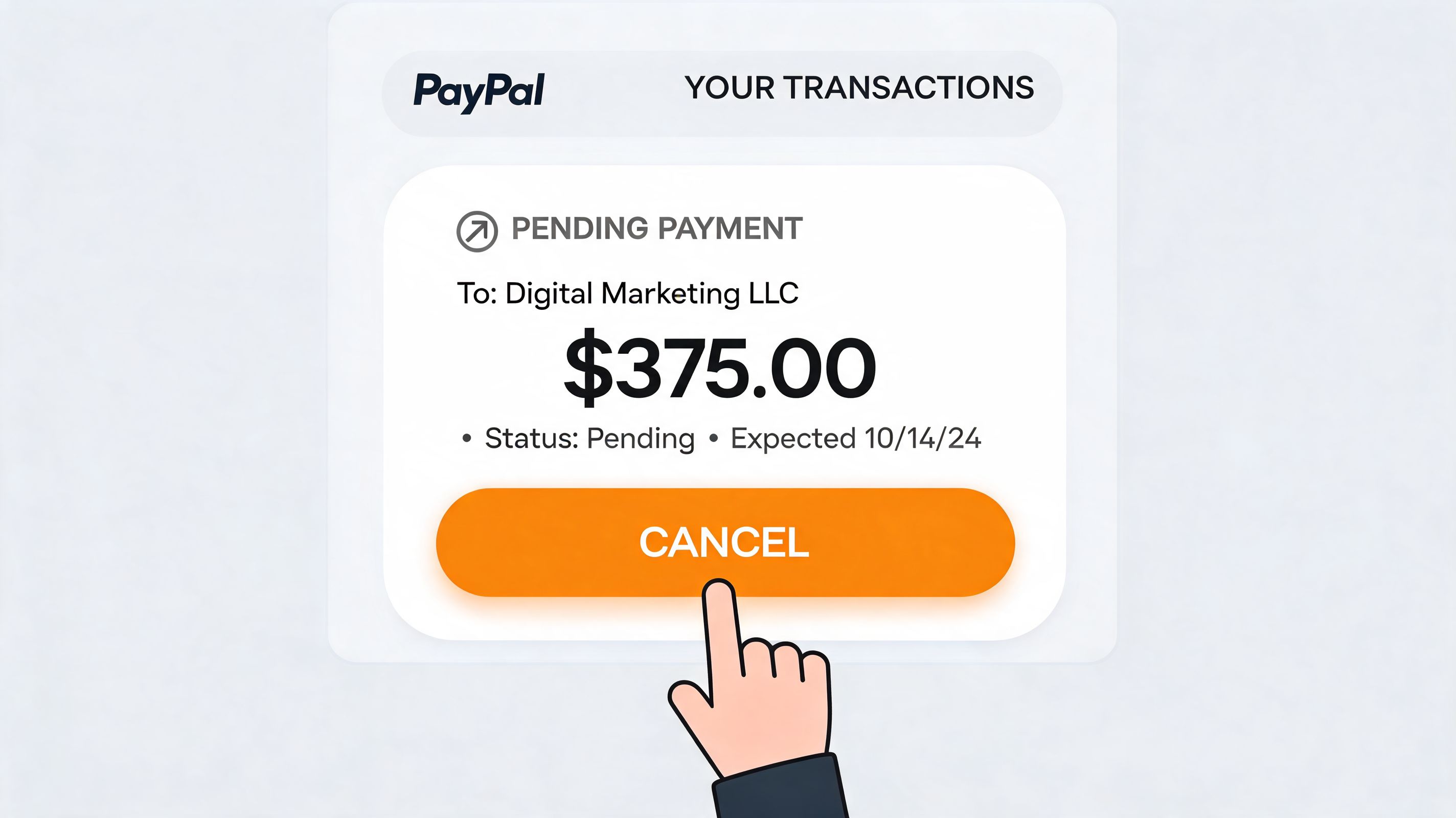
- Log in to PayPal and open your Activity tab.
- Select the payment you want to stop.
- Open the transaction details and confirm the status is still Pending or Unclaimed.
- Click Cancel if that option appears.
- Approve the cancellation when PayPal prompts you.
- Check Activity again to confirm the payment no longer shows as active.
The practical trade-off is simple. If the button is there, use it right away. If it is missing, the payment has usually moved into a state that cannot be cancelled from Activity, and spending another ten minutes clicking through menus rarely changes that.
Why some payments stay unclaimed
An unclaimed payment usually means the recipient has not accepted it yet. That can happen when the money was sent to an email address the recipient has not added to PayPal, a phone number tied to the wrong account, or an account that still needs setup before it can receive funds.
That delay gives you a small window to fix the mistake.
If the payment is linked to an order you no longer want, it also helps to understand the merchant side of post-purchase cancellation management, especially when the seller needs to reverse the order before money is released back to you.
Checks to make before you close the tab
A cancelled PayPal payment and a posted refund are not always reflected on the same timeline, especially if the original funding source was a bank account or card.
Before you move on, confirm these points:
- The payment status changed in PayPal.
- The funding source is noted, so you know where the reversal should appear.
- Your own records reflect the reversal. If you track transactions carefully, a tool for AI transaction tracking and categorisation can help you avoid counting a cancelled payment as money that left your budget.
If PayPal shows the payment as cancelled, the next step is usually just waiting for the reversal to settle in the original funding source.
Stopping Subscriptions and Recurring Automatic Payments
Recurring payments are where people lose time.
They open the last charge in Activity, try to cancel that single transaction, and assume the subscription is gone. Then the next billing date arrives and the merchant charges them again. That happens because the control point isn't the latest payment. It's the pre-approved merchant authorisation behind it.
Where recurring payments actually live
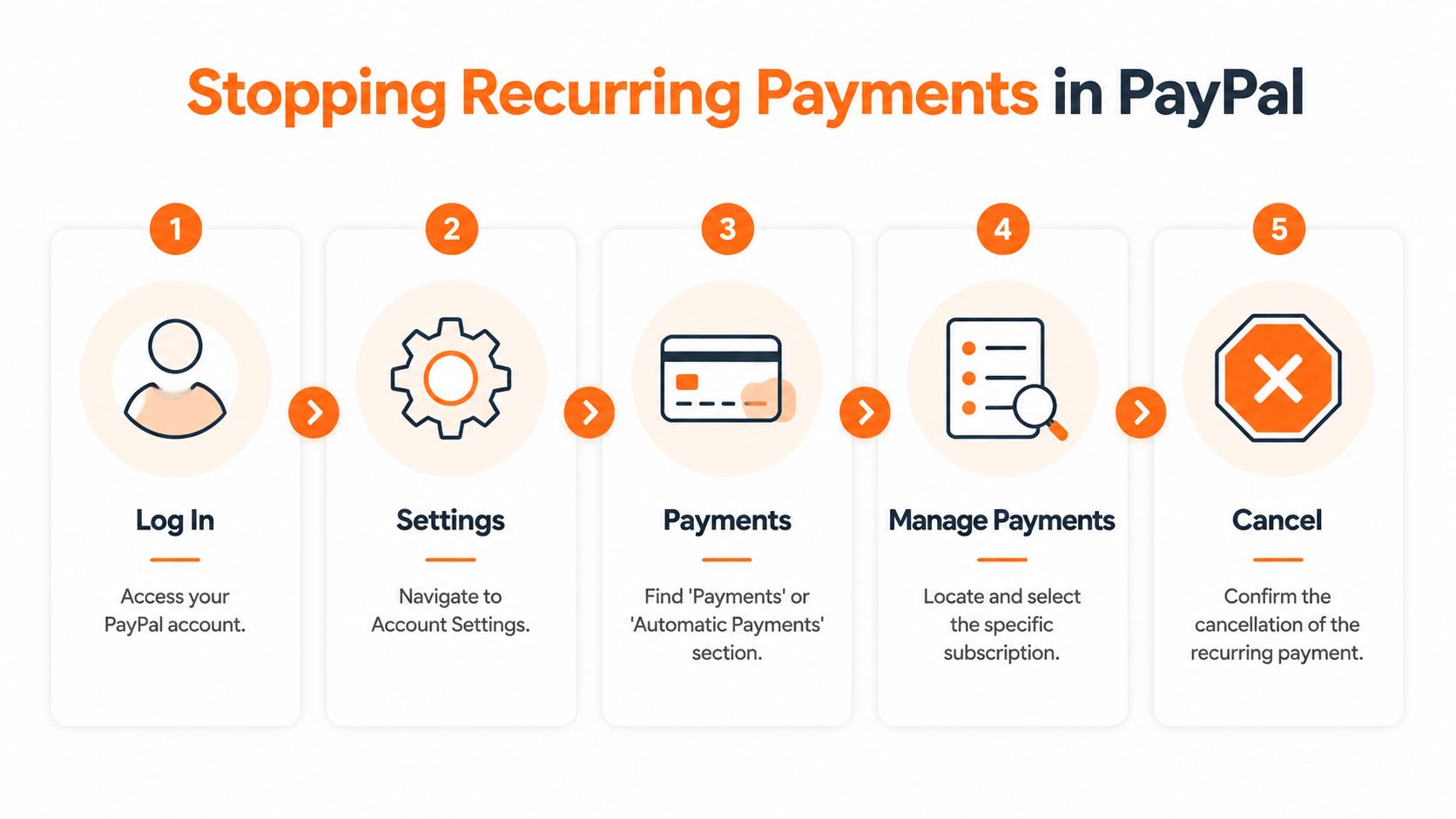
For subscriptions and automatic charges, you usually need to go into:
- Settings
- Payments
- Automatic Payments, Subscriptions, or Saved Businesses
- The specific merchant agreement
- Cancel or remove the authorisation
This is a different workflow from a one-time payment. That's the part many users miss.
According to PayPal's help guidance on automatic payments, recurring PayPal payments require cancelling the pre-approved merchant authorisation, not just an individual transaction. The same source states that about 60% of subscription cancellation attempts fail because users try the wrong method, and that 1.2 million Canadian users halted 3.8 million recurring payments in 2025 using the correct process.
What to check before you leave the screen
Once you cancel the merchant authorisation, pause for a moment and review the details.
- Merchant name. Some brands bill under a parent company or processor name you may not recognise.
- Payment method. Confirm which bank account or card was linked to that automatic payment.
- Status after cancellation. Make sure it no longer shows as active or pre-approved.
A cancelled transaction is not the same as a cancelled billing agreement. For subscriptions, always look for the merchant authorisation itself.
If you've had trouble with app-based renewals too, this related guide on how to cancel subscriptions on Google Play is useful because the same principle applies. You have to cancel the underlying permission, not just react to the latest charge.
What to Do for Completed Payments Request a Refund or Open a Dispute
When a payment is already Completed, there usually isn't a direct cancellation route. That doesn't mean you're stuck. It means the process shifts from stopping a transfer to documenting a problem.
For completed PayPal payments in Canada, buyers can open a dispute in the Resolution Centre within 180 days. In 2025, Canadian users filed 1.8 million disputes, with a 71% buyer win rate in escalated claims, recovering CAD 420 million for issues such as unauthorized charges or items not as described, according to PayPal's help information on pending and unclaimed payments.
Step one asks the seller for a refund
Start with the seller unless the payment was clearly unauthorized.
Keep the message short and specific. Include the transaction date, amount, item or service involved, and the reason you want the refund. If it was a duplicate payment, say that plainly. If the item never arrived or wasn't as described, say that too.
A good refund request usually has three qualities:
- Calm language. You're more likely to get a quick response if your message is clear rather than angry.
- Relevant evidence. Screenshots, order details, or messages with the seller help.
- A simple ask. State whether you want a full refund, cancellation of the order, or a correction.
Step two uses the Resolution Centre
If the seller ignores you, refuses without a good reason, or the transaction looks improper, go to PayPal's Resolution Centre and open a dispute within the allowed window.
Once the dispute is open, explain what happened and upload anything that supports your side. If the issue isn't resolved, you can escalate the dispute to a claim within PayPal's process.
Here's a practical comparison:
| Situation | Best move |
|---|---|
| You changed your mind quickly and the seller is responsive | Ask for a refund |
| The item never arrived | Open a dispute if the seller doesn't fix it |
| The item is very different from what was promised | Open a dispute with evidence |
| The charge looks unauthorized | Use PayPal's dispute path and review your linked payment methods |
Keep all messages inside the platform when possible. It gives PayPal a cleaner record if the case needs review.
If you're weighing PayPal's dispute path against a bank or card action, this explanation of payment chargebacks versus refunds gives a useful overview of how those routes differ. If the payment also threw off your card balance, you may want to clean that up separately with a guide on what happens when you overpay a credit card.
Frequently Asked Questions About PayPal Cancellations
Can I cancel a Friends and Family payment
Only if it still shows as Pending or Unclaimed.
Once a Friends and Family payment is marked Completed, there usually is no cancel button to press. The practical next step is to contact the recipient and ask them to send the money back. If the payment was not authorised by you, treat it as an account security issue instead of a simple cancellation request.
This payment type leaves less room to reverse mistakes, so it pays to slow down before sending.
How long do refunds take to show up
The timing depends on the funding source and the seller's speed.
Some refunds appear fairly quickly in your PayPal activity, but the card or bank side can lag behind. If PayPal shows the refund as processed and your statement has not caught up yet, give it a bit of time before assuming it failed. Delays are common with card postings in particular.
What if the seller ignores my refund request
Stop chasing the same conversation in messages and move the issue into PayPal's Resolution Centre.
That creates a formal record inside PayPal's system, which matters if the issue later needs review. It also keeps you from losing time while the seller stays vague or silent.
What's the difference between a refund and a dispute
A refund is the seller sending the money back voluntarily.
A dispute is the formal route you use when the seller will not fix the problem, the item never arrived, the payment looks unauthorised, or what you received is materially different from what was promised. If needed, PayPal can review the case further through its claims process.
Use the path that matches the situation. Friendly seller with a simple mistake? Ask for a refund. No co-operation or a serious problem? Open a dispute.
Can I stop a payment if it looks like a duplicate charge
Sometimes.
Start by checking whether you are looking at two settled charges or one payment plus a temporary authorisation. Compare the merchant name, timestamp, amount, and status. If one entry is still pending, you may have a chance to stop it. If both are completed, treat it as a completed-payment problem and ask the seller to correct the duplicate.
A lot of duplicate-charge scares come from confusing labels rather than two separate withdrawals.
Should I use a chargeback through my bank instead of PayPal
Usually, start with the system where the problem happened.
If the payment sits inside PayPal and may qualify for buyer protection, PayPal's dispute route is often the cleaner first move. A bank chargeback can still be appropriate in some cases, but opening fights on multiple fronts at the same time can slow things down and create conflicting records.
If you're also wondering how PayPal activity connects to borrowing, this guide to PayPal and credit for homebuyers covers that side of the picture.
How can I avoid needing to cancel payment in paypal in the first place
The best prevention is matching your check to the payment type before you send money.
For a one-time payment, confirm the recipient and funding source. For a purchase tied to a trial, look for recurring billing terms before checkout. For a payment that feels like a duplicate, review your recent activity first so you do not send a second copy out of panic.
Small pauses save bigger headaches later.
What if I'm not sure which category my payment falls into
Start with the status, not the amount.
| What you see | What it likely means | Best next step |
|---|---|---|
| Pending or Unclaimed | The transfer has not fully gone through | Look for the cancel option in Activity |
| Active subscription or billing agreement | Future charges are still authorised | Cancel the recurring authorisation |
| Completed | The money has already moved | Ask for a refund or use the dispute process |
| Confusing or duplicate-looking entry | The status needs checking before action | Compare details carefully before escalating |
That single check usually clears up the confusion. Pending, recurring, and completed payments each have a different action path, and using the right one saves time.
If you want a simpler way to spot duplicate charges, track recurring payments, and keep reversals from distorting your budget, try Fintrack. It gives you a cleaner view of transactions so you can catch issues early and stay organised when a payment needs follow-up.