
You open one app to check your chequing balance. Then a second for your credit card. A third for savings. Maybe a fourth for your investments, and a fifth for the joint account you share with a partner. By the time you've checked everything, you still don't have a simple answer to one basic question: how much money do I have, and where is it going?
That's the problem bank account aggregation tries to solve.
It can be useful. It can also create real privacy and security trade-offs, especially when an app asks for more access than it needs. If you've ever connected a budgeting app to your bank and wondered what's happening behind the scenes, this guide will help you sort it out in plain language.
Meta description: Learn what bank account aggregation is, how it works, its benefits and risks, and how to choose a safer finance app in Canada and the US.
What Is Bank Account Aggregation Anyway?
Bank account aggregation means pulling information from multiple financial accounts into one place so you can see a combined view of your money.
If that sounds abstract, think of your normal week. Your pay lands in one bank. Your bills come off a credit card from somewhere else. Your emergency fund sits in a separate savings account. Your retirement account lives on a different platform again. Nothing is wrong with that setup, but it makes everyday money decisions harder.
In California, the average consumer holds 5 to 7 financial accounts, while some manage upwards of 30 accounts across different institutions according to the BankOn California report from the DFPI. That's a lot of separate logins for one financial life.
One dashboard instead of many tabs
Bank account aggregation acts like a central noticeboard. Instead of opening every bank and card app one by one, you open one financial app and see balances, recent transactions, and account activity together.
That doesn't usually mean your money moves into one place. It means the app gathers the data so you can review it in a single dashboard.
Practical rule: Aggregation is about visibility, not moving funds.
A simple example helps. Say you're trying to decide whether you can afford a weekend trip. Without aggregation, you might mentally combine your chequing balance, forget about a credit card payment due next week, and overlook a subscription charge that already posted elsewhere. With aggregation, you're trying to replace guesswork with a fuller picture.
Why people look for it
Individuals don't search for “bank account aggregation” because they love fintech terms. They search because they want less friction. They want to:
- Check everything faster without bouncing between bank logins
- Spot spending patterns across cards and accounts
- Budget with context instead of using partial numbers
- Reduce missed details like duplicate charges or forgotten payments
If you want to understand how institutions use financial data at scale, Visbanking's data intelligence platform is a useful example of what data aggregation looks like in a broader banking context.
For a more personal money angle, a personal finance dashboard shows how a single view can make routine decisions easier.
The Two Ways Apps Connect to Your Bank
Not all bank connections work the same way. Many people find this confusing.
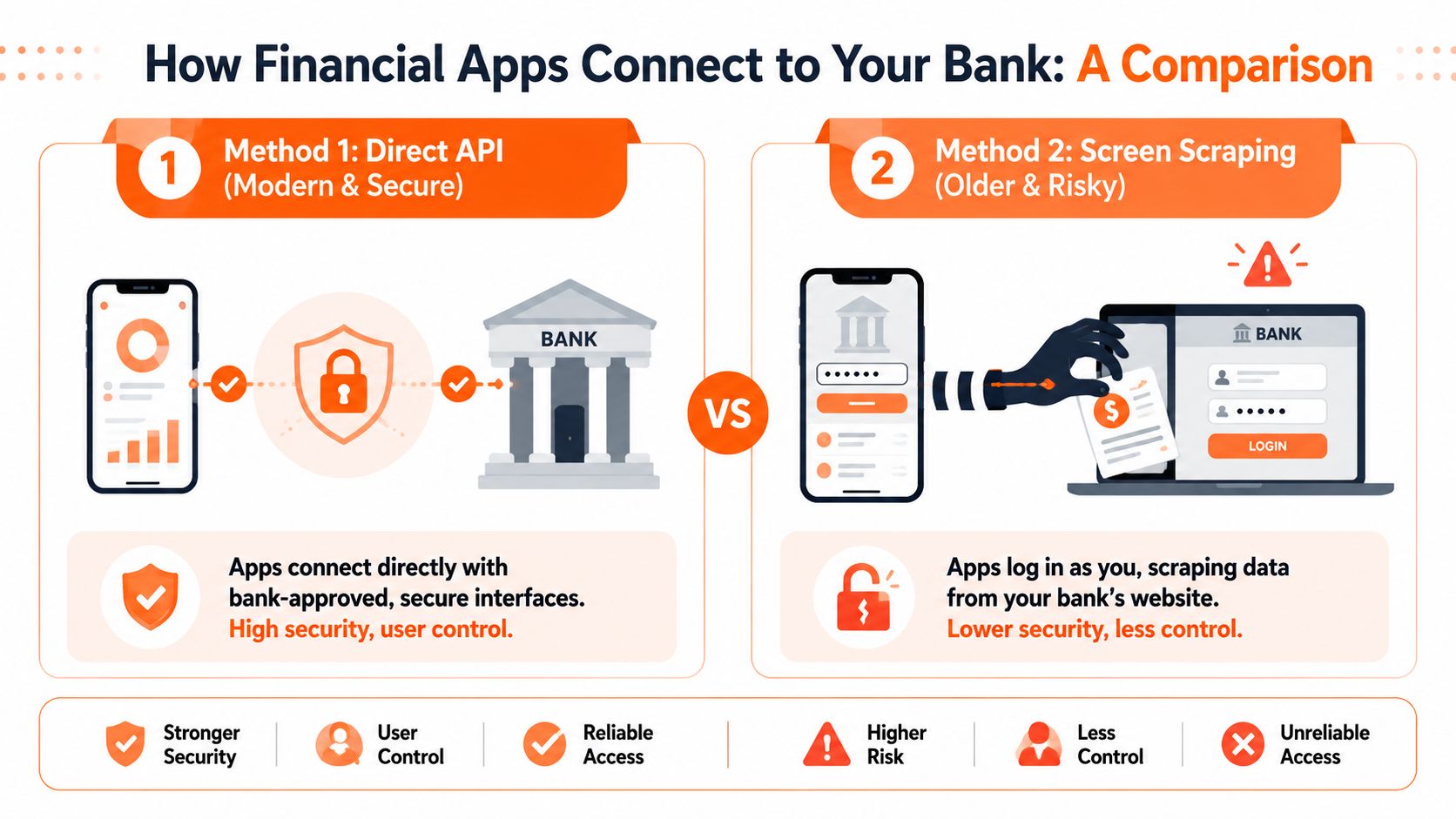
A financial app usually connects to your bank in one of two ways: direct API access or screen scraping. The difference matters because one method is designed for controlled sharing, while the other can involve handing over much more than you realise.
Direct API connections
An API is a secure way for two systems to share specific information.
The easiest analogy is a valet key. A valet key lets someone park your car, but it doesn't open everything or give full control. In the same way, a direct API connection lets a financial app access approved account data without needing your full online banking credentials.
Modern aggregation APIs can provide up to 24 months of transaction history through a single one-time pull and primarily use direct bank connections for secure, standardised, real-time exchange, according to this financial data aggregation market report.
Screen scraping
Screen scraping is older and much less elegant.
With screen scraping, the app logs in as if it were you, then reads the information displayed on your bank's website or app screen. That often means entering your banking username and password into a third-party system.
This is closer to giving someone your master key, your alarm code, and directions to the house. Even if the service is acting in good faith, you're trusting it with far more access.
If an app asks for your actual banking login instead of redirecting you through your bank's own secure permission flow, pause and look more closely.
A simple side-by-side view
| Connection method | What it feels like | What you share | Typical risk level |
|---|---|---|---|
| Direct API | Controlled permission | Specific approved data | Lower |
| Screen scraping | Logging in as you | Credentials and broad access | Higher |
What to look for as a user
You don't need to be technical. You just need to ask good questions:
- Does the app redirect me to my bank to approve access? That often signals a modern API flow.
- Am I typing my bank password into the finance app itself? That can be a warning sign.
- Can I revoke access easily? Better systems make that clear.
- What data is the app pulling? Only what it needs is a better answer than “everything”.
If you're comparing money tools more broadly, this guide to choosing an expense tracking app can help you assess whether convenience matches your comfort level.
The Benefits and Risks of Account Aggregation
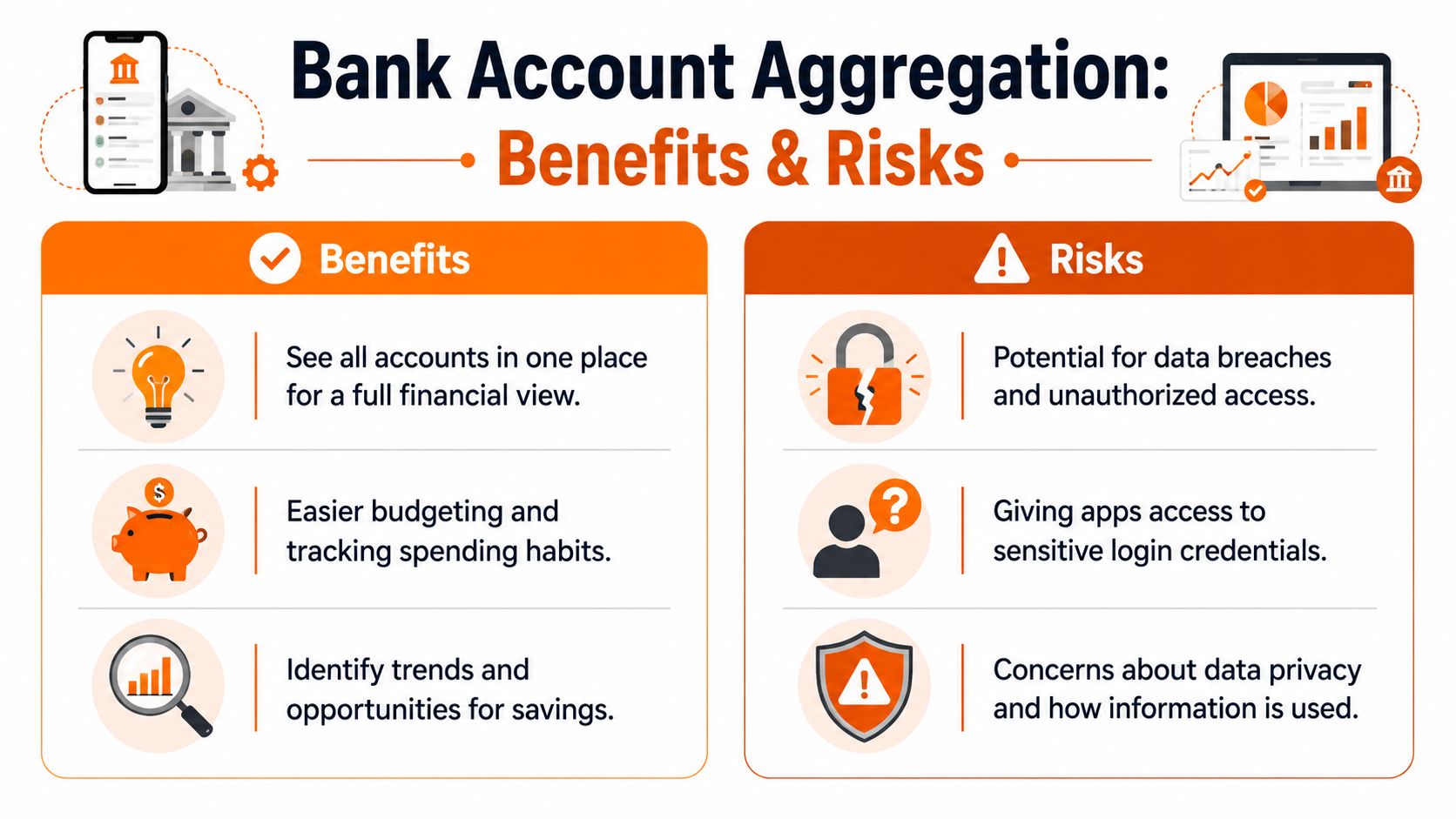
Bank account aggregation is neither automatically good nor automatically dangerous. It's a trade-off.
For some people, it removes enough friction to make budgeting finally stick. For others, the privacy cost feels too high. The right choice depends on what you value more: automation and convenience, or tighter control over your financial data.
Where aggregation helps
The biggest benefit is clarity.
When your transactions and balances appear together, it becomes easier to answer ordinary questions. Did I already pay that bill? Am I spending more on groceries or restaurants? Is that charge duplicated, or did I forget it was annual?
A connected app can also reduce manual work. Instead of entering every purchase yourself, the system imports activity for review and categorisation. For busy people, that's often the difference between keeping a budget and giving up on one.
Common upsides include:
- A fuller financial view across banks, cards, and savings
- Less admin work because transactions appear automatically
- Faster pattern spotting when spending starts drifting
- Better budgeting context because one category isn't hidden in another account
If you're focused on making transaction review easier, tools for automatic expense categorisation are often the practical reason people connect accounts in the first place.
Where the risks start
The main risk is simple: when you connect accounts, you create another place where sensitive financial data can exist.
That doesn't mean every aggregator is unsafe. It means your bank is no longer the only organisation involved. A third party may now handle account history, transaction patterns, and connection permissions. If the app uses outdated access methods, the risk is greater.
There's also a privacy question that many people skip. Even when data sharing is authorised, you still need to know how the company stores your information, how long it keeps it, and whether it uses the data beyond the service you asked for.
Some people are comfortable sharing read-only financial data for convenience. Others aren't. Both positions are reasonable.
Convenience versus control
A good way to think about it is this:
- Aggregation gives speed
- Manual tracking gives control
Neither approach is perfect. Connected apps can save time, but you're trusting another company with sensitive information. Manual methods protect privacy better, but they require more effort unless the app is designed to make manual entry manageable.
Data quality matters here too. If account data is duplicated, delayed, or mismatched, your budget can become less useful instead of more useful. This overview of strategies for financial data quality is worth reading if you want to understand why clean financial data affects trust as much as security does.
How Regulations Like Open Banking Are Changing The Game
Regulation is pushing this space in a safer direction.
For years, many consumers connected financial apps without knowing whether the connection relied on modern permissions or old-style credential sharing. Open banking rules and similar frameworks are changing that by making consumer authorisation more explicit and by encouraging secure data-sharing methods.
What open banking changes for users
At a basic level, open banking aims to give you more control over your own financial data. Instead of treating your banking information as something locked inside one institution, it creates a framework where you can authorise approved third parties to access it in a more standardised way.
That matters because standardisation usually improves two things:
- Clarity of consent
- Safer technical connections
When the process is well designed, you should know what you're authorising, which accounts are involved, and what kind of access you're granting.
Why this matters in Canada
Canada now has especially clear direction on this point.
Under Canada's new Consumer-Driven Banking Act, screen scraping is explicitly outlawed, and the framework establishes a secure, API-only ecosystem requiring explicit consumer consent before data access, as described in this summary of the Consumer-Driven Banking Act.
That's a big shift in plain language. It means the system is moving away from “give us your login and trust us” toward “approve specific access in a safer channel”.
What this means in practice
If you live in Canada, that legal direction strengthens the case for being selective. If an app's connection model feels vague, that's not a small detail. It's one of the first things to check.
If you live in the United States, the same broad trend still matters. Consumers increasingly expect consent-based access and safer data sharing, even if the practical experience varies by institution and app.
Better regulation doesn't remove all risk. It does give users a stronger reason to demand clear permissions, limited access, and safer connection methods.
How to Choose a Financial App Safely
Choosing a financial app isn't only about features. It's about deciding how much access you're willing to give and to whom.
Some apps are built with modern permissions and clear privacy practices. Others still ask for broad access and explain very little. You don't need a technical background to tell the difference, but you do need a checklist.
Start with the connection method
The first question is the most important: how does the app connect?
The Office of the Comptroller of the Currency has warned banks about privacy and legal risks, including GLBA and FCRA concerns, when third-party aggregators use customer credentials, in its guidance on third-party aggregation risks.
That's a strong reason to treat credential-based access as a serious concern, not a minor technical detail.
A practical checklist
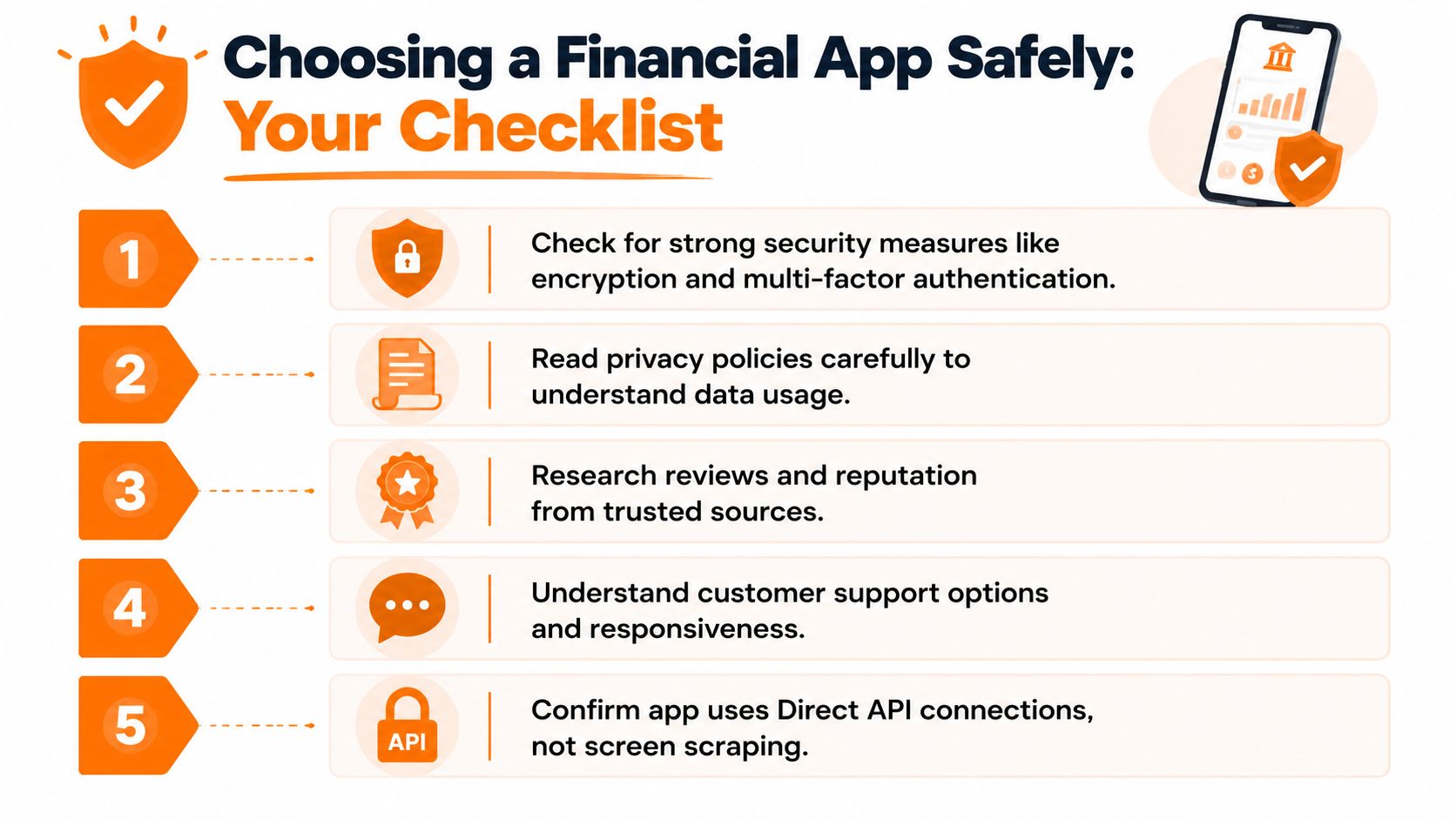
Use this before connecting any account:
Check the login flow
If the app sends you to your bank's own authorisation page, that's generally a better sign than asking you to type your password directly into the app.Read the privacy policy carefully
Look for plain-language answers about what data is collected, how it's used, and whether you can delete or disconnect it.Look for account control tools
You should be able to disconnect a bank, revoke access, or remove data without jumping through hoops.Review security basics
Strong apps usually support security features such as multi-factor authentication and clear account alerts.Search for reputation signals
Look at app store reviews, support responsiveness, and whether the company explains its data practices clearly.
Questions worth asking before you connect
A short list can save you a lot of regret:
- Do I understand exactly what this app can see?
- Do I know whether it needs credentials or only permissioned access?
- Would I still use this app if it required manual entry instead?
- Am I comfortable with this company holding detailed transaction data?
That third question is underrated. If the app's only appeal disappears the moment you remove bank linking, you may be relying on convenience more than trust.
A good financial wellness app should help you make better decisions, not pressure you into sharing more data than you want to share.
One more option people forget
You don't have to connect your bank at all.
That isn't old-fashioned. It's a valid privacy choice. Some people would rather spend a little more time entering data than grant a third party ongoing access to their financial accounts.
Fintrack is one example of a tool that can work without a bank connection and supports manual tracking, which can matter for users in Canada and the U.S. who want spending insights without linking accounts.
Getting a Full Financial Picture Without Linking Your Bank
Manual tracking has a reputation problem. People hear “manual” and think “tedious spreadsheet from ten years ago”.
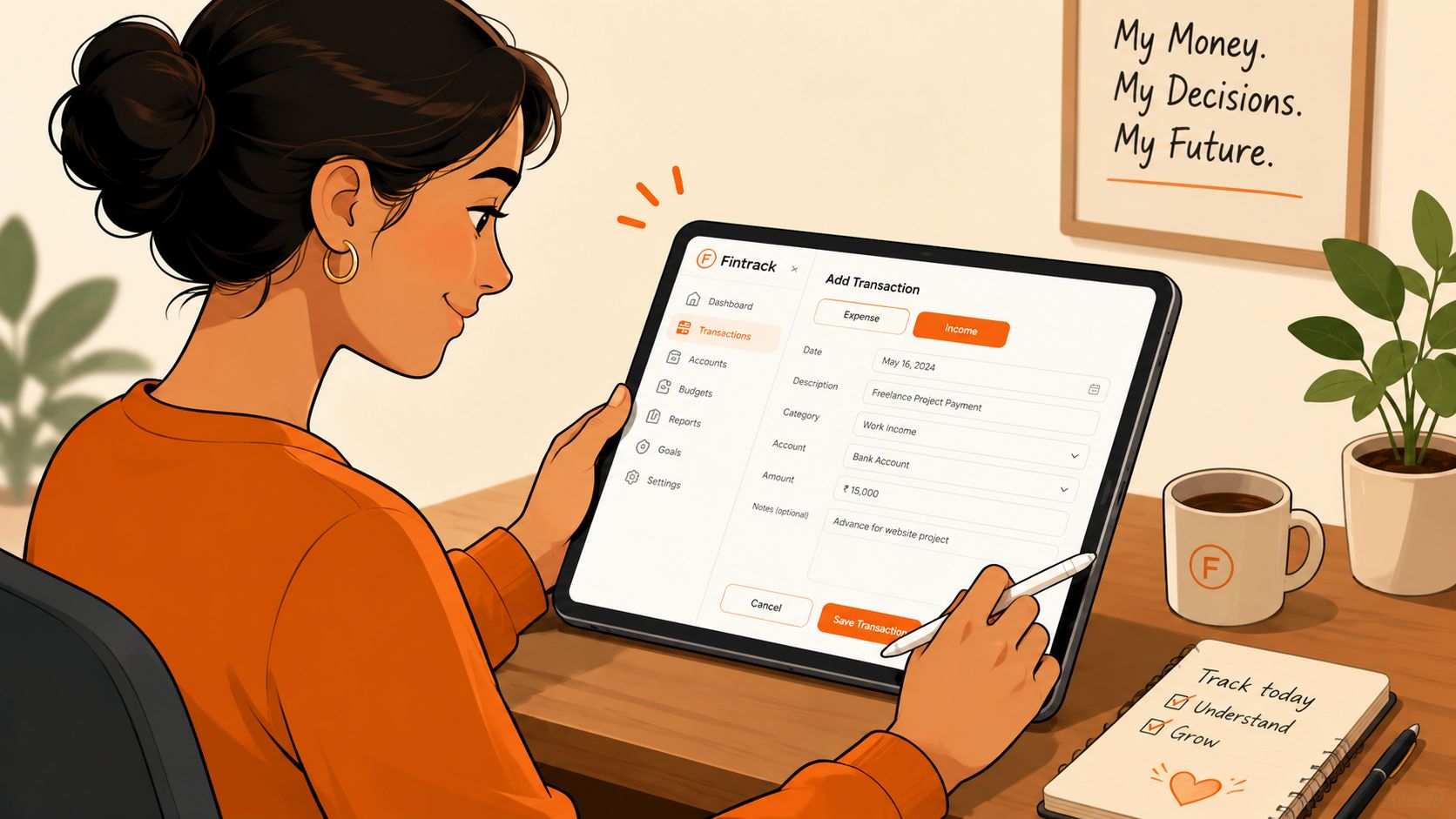
It doesn't have to work like that. A modern app can let you enter transactions yourself, review spending regularly, and still get organised insights without sharing bank credentials or ongoing account access.
Why some people prefer the manual route
For privacy-focused users, not linking accounts is the cleanest answer.
Your information stays under your control because you decide what to enter and when. There's no uncertainty about whether a third-party connection is still active, what data is being pulled behind the scenes, or whether an old login method is doing more than you intended.
Manual tracking can also make you more aware of your spending. When you record purchases yourself, you're more likely to notice patterns that would otherwise blur into a feed of imported transactions.
What you still get without aggregation
Skipping a bank connection doesn't mean giving up on useful money tools. You can still:
- Track spending by category
- Review monthly trends
- Monitor progress toward goals
- Keep personal and household records organised
The key is choosing software that makes manual entry simple enough to maintain. If adding a transaction takes too much effort, users often discontinue their engagement.
The safest bank connection is sometimes no bank connection at all.
If that approach fits your comfort level, an expense tracker without bank connection gives you a way to stay organised while keeping account access entirely in your own hands.
If you want a simple next step, explore Fintrack to see whether a bank-free tracking setup fits the way you want to manage your money.