Meta description: Find the best expense tracking app for your style in 2026. Learn how they work, what features matter, and how to choose automation or manual control.
You know the feeling. It's the last few days of the month, your paycheque looked fine when it came in, and now you're staring at your balance wondering what happened.
It's often not a spending problem, but rather a visibility problem. A few grocery runs, a couple of takeout orders, one annual subscription you forgot about, a household bill, some small card taps, and the month gets blurry fast. Mental math doesn't hold up. Spreadsheets often start with good intentions and end half-finished.
That's where an expense tracking app helps. Not as a flashy gadget, but as a practical system for seeing your money clearly enough to make better decisions. And if you're in Canada, there's an added wrinkle that many US-heavy guides miss. Privacy matters. Manual control matters. A lot of people want help tracking money without giving another app full access to their bank data.
What Is an Expense Tracking App and Why Use One
An expense tracking app is a tool that records what you spend, sorts it into categories, and shows you patterns you'd miss on your own. At its simplest, it replaces the notebook, the scattered receipts, and the vague feeling that “I probably spent too much on eating out.”
The benefit isn't just record-keeping. It's faster feedback.
Without a system, spending is often reviewed long after the money is gone. The problem becomes apparent at month-end, when the rent is due and the credit card bill is already posted. With an app, spending becomes visible while it's still happening, which gives you a chance to adjust before a rough month turns into a revolving one.
Why old methods break down
Spreadsheets can work well for disciplined people. So can paper logs. I've seen both succeed.
But they usually fail for the same reasons:
- They depend on perfect follow-through. Miss a few days and the whole record starts to feel unreliable.
- They create friction. If every coffee or grocery run takes several steps to log, you'll skip entries when life gets busy.
- They don't surface patterns quickly. Raw rows of data don't tell you much unless you're willing to review them regularly.
Most people don't need more financial theory. They need a tool that makes their actual spending harder to ignore.
Why the privacy angle matters
This part gets skipped too often. Many guides assume everyone wants bank syncing by default. That isn't true.
Over half of Canadian users, 54%, actively avoid apps that require bank connections due to data-sharing fears, yet 88% of popular expense tracker guides published in the last year fail to feature viable offline or manual-entry alternatives, which leaves a real gap for people who want privacy-first options (privacy concerns and manual alternatives for Canadian users).
That matters because the right app isn't always the one with the most automation. Sometimes it's the one you'll trust enough to use.
How an Expense Tracking App Actually Works
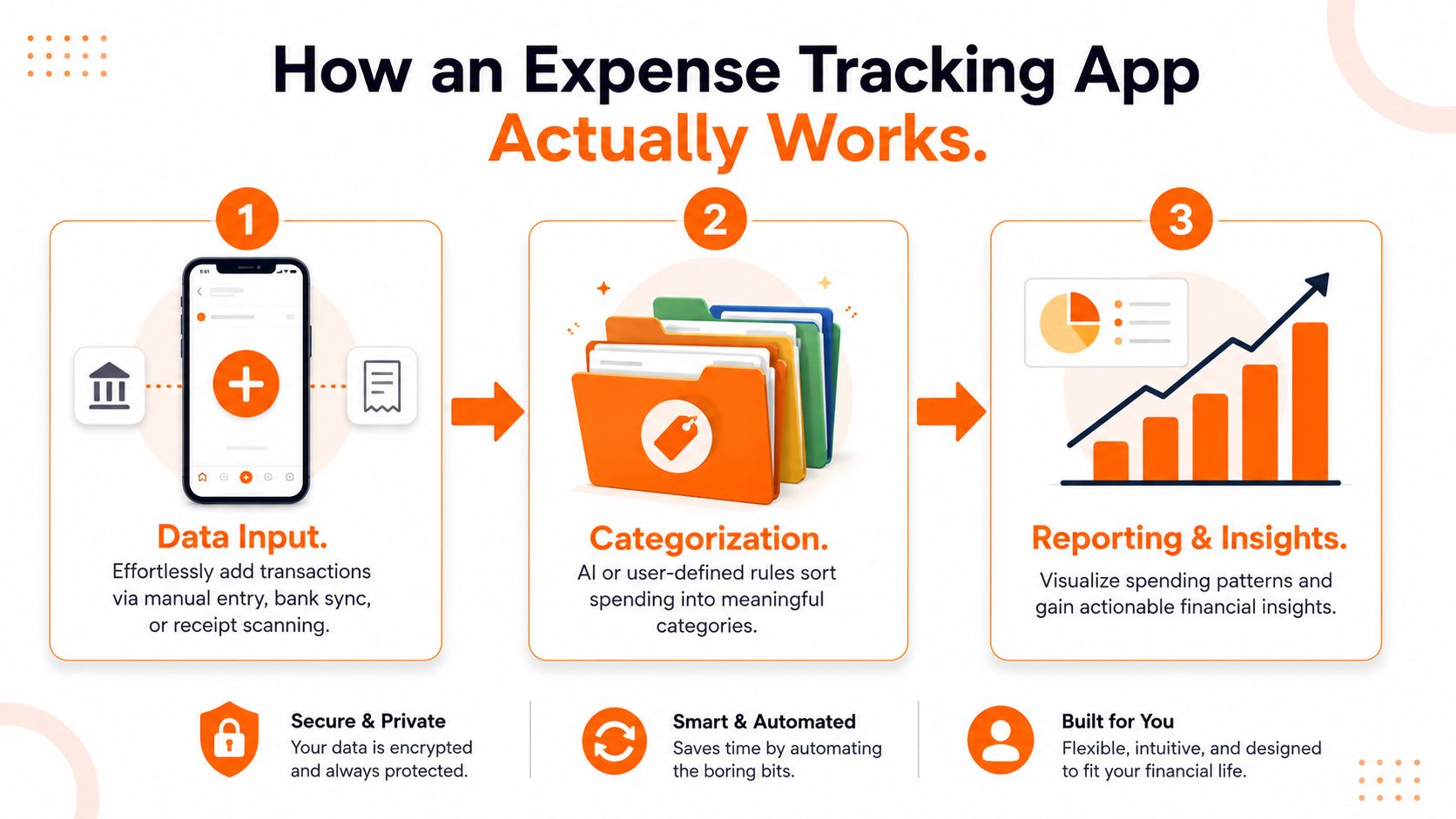
Most expense trackers follow the same basic flow. Think of them as a digital filing cabinet that does some of the sorting for you.
Data goes in
Every app starts with transaction input. That usually happens in one of three ways:
- Bank sync imports card and account activity automatically.
- Manual entry lets you add purchases yourself.
- Receipt capture pulls details from a photo of a receipt.
For some people, bank syncing is the obvious choice because it reduces effort. For others, manual entry feels safer and more intentional. If you want a cleaner picture of how account connections work behind the scenes, this guide to bank account aggregation is worth reading.
The app sorts the mess
Once a transaction enters the app, it has to be categorised. That's where a lot of apps either save you time or create more work.
A good system recognises common merchants, remembers your edits, and lets you create your own rules. If your supermarket also sells pharmacy items, household goods, and school supplies, rigid categories won't be enough. The app needs to learn how you spend, not force your spending into a bad template.
Modern apps using OCR for receipt capture and AI for automatic categorization can cut manual data entry time by an average of 65% while boosting categorization accuracy to 92%, which is why receipt scanning has become much more practical than it used to be (OCR and AI categorisation details).
Practical rule: If correcting the app takes almost as long as entering transactions yourself, the automation isn't helping.
The useful part is the output
A tracker becomes valuable when it turns transactions into decisions.
Look for outputs like:
- Category summaries that show where money is going
- Monthly comparisons so you can spot drift
- Merchant views that reveal repeat spending
- Alerts for unusual charges, duplicate transactions, or overspending
- Searchable history so you can answer simple questions fast
The best apps don't bury you in charts. They show the few patterns that matter enough to act on.
Must-Have Features in a Modern Expense Tracker
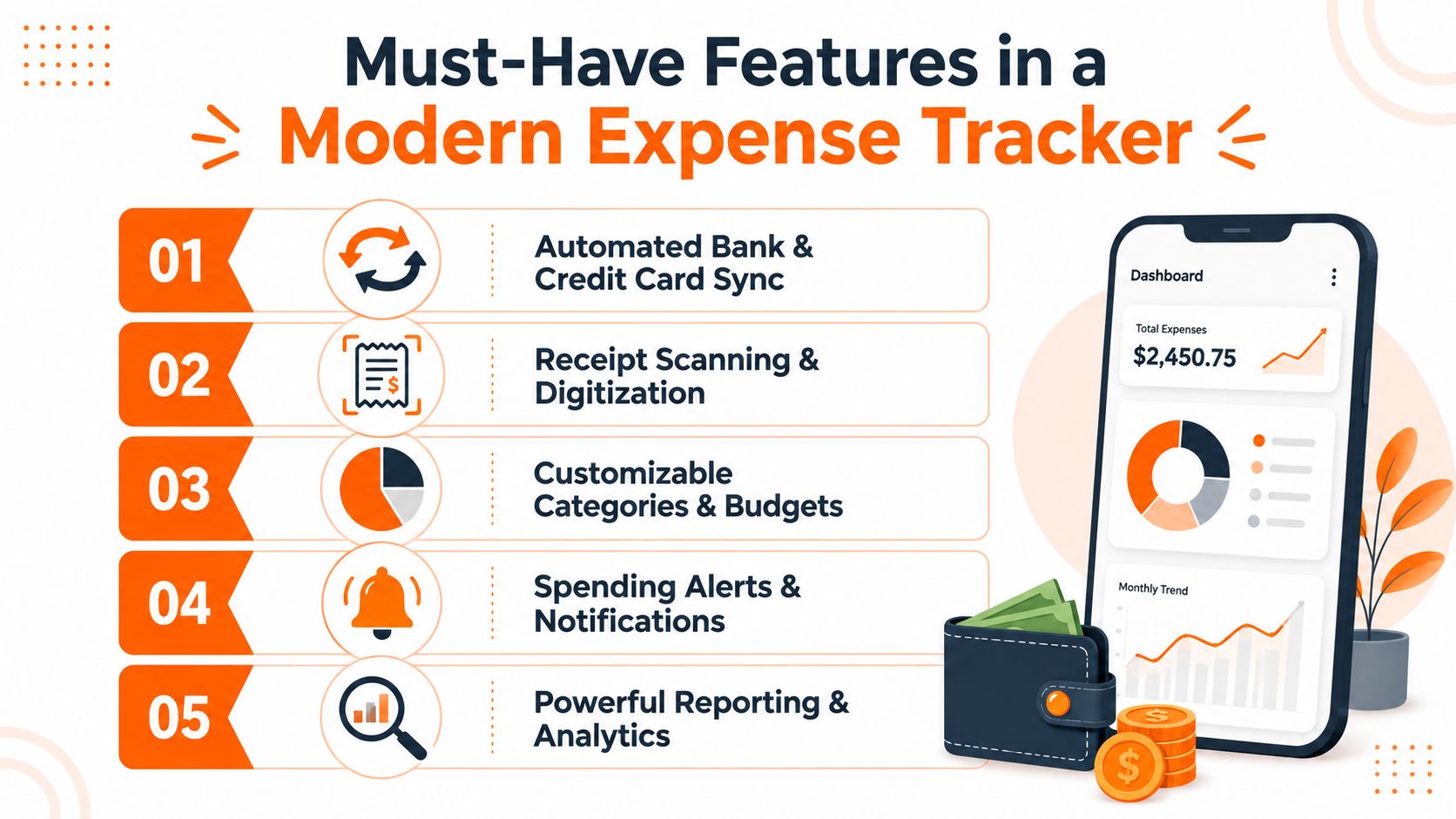
If you're comparing options, ignore the long feature lists for a minute. Most apps advertise more than you'll ever use. What matters is whether the app handles the handful of jobs that make tracking sustainable.
The shortlist that actually matters
Here's the checklist I'd use.
Flexible transaction capture
You should be able to log spending in more than one way. Manual entry, receipt scanning, CSV import, and bank sync all have their place. One method rarely fits every situation.Custom categories and rules
Generic categories break down fast. You need the ability to split shopping from groceries, separate kids' activities from household costs, and rename categories in plain language.Useful reports, not decorative dashboards
Good reporting answers basic money questions quickly. Where did the extra spending happen? Which merchants show up every month? What changed from last month?Real-time alerts
These matter more than people think. A warning about a duplicate charge or a category running hot is more useful than discovering the problem three weeks later.Strong privacy controls
You should know what data the app needs, what it stores, and whether you can use it without linking your bank. That's especially important for people who prefer manual control.
Features that matter more for certain users
Some features become essential depending on how you spend.
| Situation | Feature that matters most | Why |
|---|---|---|
| You collect paper receipts | Receipt scanning | It cuts down on missed entries |
| You share finances | Shared visibility | Both people need the same picture |
| You're privacy-focused | Manual entry and no bank connection | Control matters more than convenience |
| You have many recurring charges | Subscription detection | Recurring waste is easy to miss |
Security-conscious users may also pair spending controls with payment tools. If you buy online often, it can help to find privacy-focused virtual cards so you can limit exposure when merchants store card details.
One feature that saves more time than it sounds
Automatic categorisation is one of the few features that keeps paying off after setup. If the app learns your merchants and rules well, your review time drops because you're only checking exceptions.
For people who want that kind of workflow, tools that categorize expenses automatically tend to feel much lighter to maintain over time.
Choosing Your App Style Automation vs Manual Control
This is the decision that matters most. Not brand. Not interface. Not whether one app has six more chart types than another.
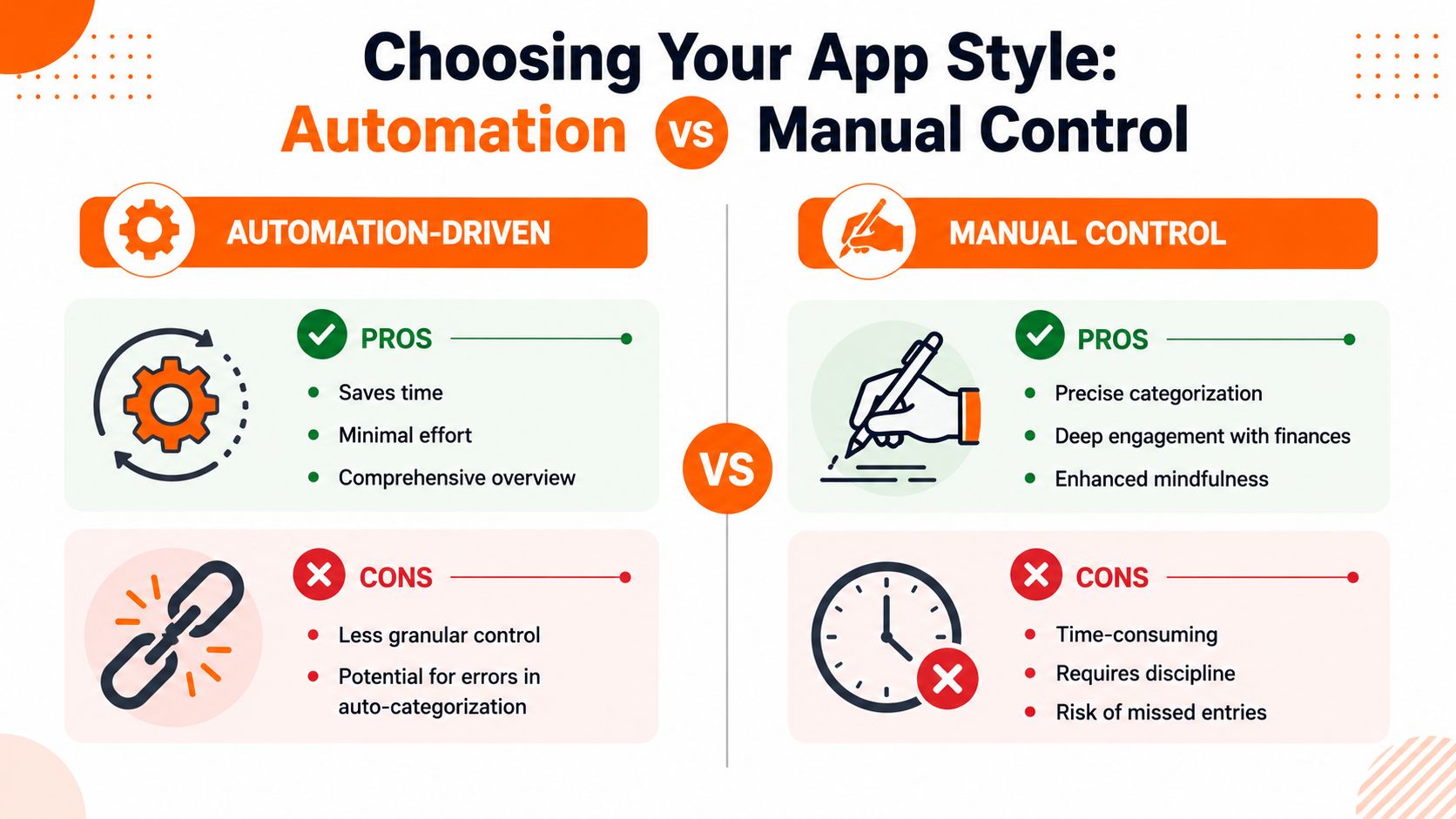
The central choice is your money management philosophy. Do you want the app to do as much as possible for you, or do you want more hands-on control over what gets recorded and when?
When automation works best
Automation suits people who want low effort and broad visibility. If you have several accounts, use cards for most spending, and tend to forget manual tasks, syncing can keep the data flowing without asking much from you.
That makes it easier to:
- catch spending drift early
- review full-month spending without hunting through statements
- see subscriptions and recurring charges in one place
- reduce missed entries
The downside is that automation is rarely perfect. Transactions can land in the wrong category. Merchant names can be vague. Shared purchases still need human judgement. If you never review what the app imported, you can end up with a neat dashboard built on sloppy assumptions.
When manual control works better
Manual tracking sounds old-school, but for some people it's the better system. It creates friction in a good way. Entering a purchase forces you to notice it.
That makes manual entry useful for people who:
- want more privacy
- don't want to connect bank accounts
- are trying to reset overspending habits
- only have a manageable number of transactions
- prefer exact categories over approximate ones
In Canada, that preference is not a fringe behaviour. A significant portion of consumers, 47% of adults, choose not to connect their bank accounts to budgeting apps, citing privacy as a primary reason and preferring the control of manual transaction entry (Canadian manual-entry preference).
If an app's convenience makes you distrust it, you won't stick with it. Trust beats automation every time.
A simple comparison
| Style | Best for | Main strength | Main weakness |
|---|---|---|---|
| Automation-driven | Busy people with many transactions | Saves time | Needs review for accuracy |
| Manual-first | Privacy-focused and habit-builders | Strong control | Requires consistency |
| Hybrid | Most households and many professionals | Flexibility | Takes a bit of setup |
The hybrid approach is often the sweet spot
A lot of people do best with a hybrid system. They use automation where it helps, then manually adjust categories, shared purchases, cash spending, or privacy-sensitive transactions.
That's usually the practical middle ground. You get speed without surrendering all control.
One useful example is Fintrack, which supports manual entry and bank-free tracking while still helping organise transactions with AI. That kind of setup works well for users who want assistance without building their whole financial life around account syncing.
What usually fails
Two patterns tend to break down.
First, highly automated users who never review anything. They assume imported data equals accurate data, and then they make decisions from bad categories.
Second, fully manual users who try to be perfect from day one. They create too many categories, backfill too much history, and burn out within a week.
The right app style is the one that matches your habits, not the one that sounds most efficient in theory.
Your First Week Setting Up for Success
The first week decides whether an expense tracking app becomes useful or gets abandoned. Keep the setup simple enough that you'll still be using it next month.
Day 1 to 2, set the basics only
Start with your core categories. Not twenty of them. Just the ones that drive most of your month.
A practical starter list looks like this:
- Housing
- Groceries
- Transport
- Eating out
- Shopping
- Bills and subscriptions
- Savings
- Miscellaneous
If you want more structure later, add it later. At the start, broad categories are better than an overbuilt system.
Day 3 to 4, build the capture habit
Choose your logging method and make it friction-free. If you're going manual, enter transactions right after you pay or at the same time every evening. If you're using receipts, photograph them immediately instead of creating a pile for Sunday.
For a practical walkthrough of what to track and how to keep it maintainable, this guide to income and expense tracking is a useful companion.
Small habit: Review your transactions at the same time each week. A short routine beats a long monthly catch-up.
Day 5 to 7, review instead of judging
By the end of the first week, don't worry about whether your numbers look “good.” Just look for what stands out.
Ask:
- Which category filled up faster than expected?
- Did any recurring charge surprise you?
- Were there purchases you forgot almost immediately?
- Which transactions need a category rule or rename?
Common setup mistakes
A few mistakes show up repeatedly:
Backfilling too much history
People try to enter months of old transactions and quit before they finish.Treating the first budget as permanent
Your first category limits are guesses. Expect to revise them.Trying to catch every cent perfectly
Accuracy matters, but consistency matters more. A mostly complete system you maintain beats a perfect one you abandon.
The first win isn't a flawless budget. It's building a repeatable habit.
Expense Tracking for Different Lifestyles
The best expense tracking app depends on how you live, not just how the app is built. Different users need different kinds of visibility.
The individual trying to stop money leaks
Someone building an emergency fund often doesn't need fancy forecasting first. They need to find the quiet leaks.
That usually means looking at small repeat spending, convenience purchases, delivery fees, and irregular shopping that felt harmless in the moment. An app helps because those transactions stop blending together. Once they're grouped, the pattern gets harder to ignore.
The busy professional who wants low-maintenance visibility
For professionals with long hours, the biggest problem is often delayed awareness. Spending isn't reviewed until a card statement lands, and by then the habits are already set.
This person benefits from fast review tools, alerts, and category summaries that can be checked in minutes. The goal isn't to become obsessive. It's to keep enough contact with the numbers that nothing drifts too far before it gets noticed.
The household that wants one shared picture
Households have a different problem. Most “shared expense” tools are built around reimbursement. That works for flatmates splitting rent or a dinner bill. It works badly for couples or families trying to run a home together.
A common frustration for households is that most joint finance apps are designed for splitting debt, with 68% of users seeking shared budgeting tools rejecting these “who owes whom” models. They need unified spending visibility for shared goals, not reimbursement tracking (shared household budgeting gap).
That's why a household often needs:
- Shared categories for groceries, utilities, childcare, and transport
- One dashboard that shows the full picture
- Less emphasis on reimbursements
- More focus on planning together
If that's your situation, an article on choosing an expense tracker for couples can help you sort out what to prioritise.
A household budget works better when both people can see the same reality without turning every purchase into a debt ledger.
Beyond Tracking AI Insights and Your Benefits Wallet
A common failure point shows up after the budget is already built. Spending is categorized, accounts are connected, and the app still gets ignored because finding one useful answer takes too many taps.
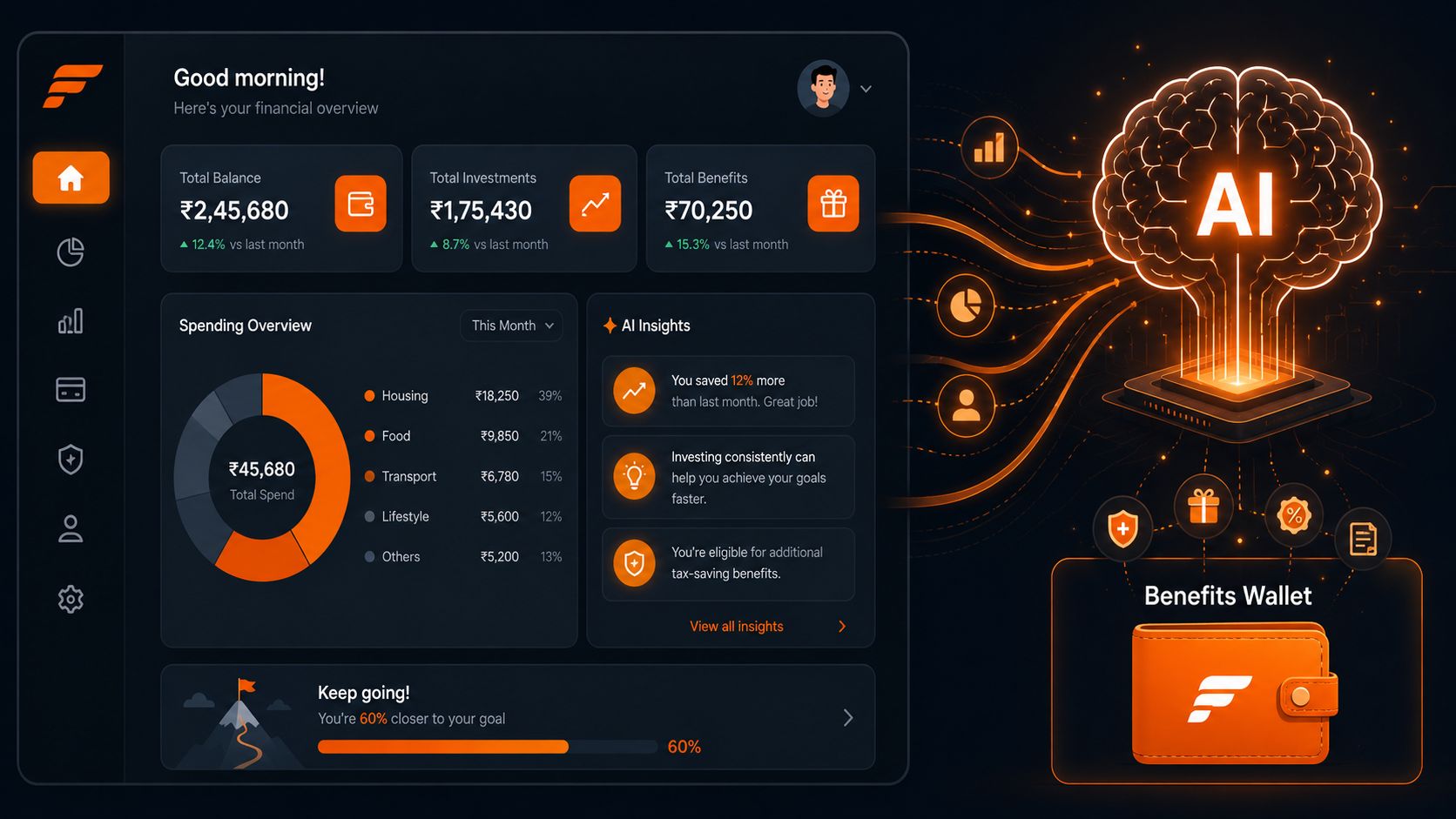
Good AI features solve that specific problem. They shorten the path from raw transactions to a decision you can act on this week.
AI is most useful when it answers plain questions
In practice, the best use of AI in an expense tracker is simple. It should answer the questions people ask in the moment, without making them dig through reports.
Useful examples include:
- how much you spent eating out this month
- whether grocery spending is trending up
- which subscriptions hit in the last billing cycle
- where this month differs from the previous one
That approach fits both money management styles. People who want automation get quick pattern-spotting without manual review. People who prefer manual control get faster access to the numbers, while still making the judgment themselves. For Canadian users especially, that balance matters. A tool can help interpret spending without requiring you to hand over every decision, or more personal data than you are comfortable sharing.
The hidden value most people miss
The next layer is less flashy and often more profitable. A tracker can help recover money and benefits that are already yours but scattered across statements, inboxes, and reward portals.
Recurring charges are the clearest example. Unused cashback, expiring credits, loyalty points, overlooked employee benefits, and eligible flexible spending purchases can all slip by for the same reason. They live in different systems, so they rarely get reviewed together.
If you use a flexible spending account, it also helps to keep a reference for eligible purchases. A guide on how to maximize FSA savings at Target can make those benefits easier to use before they go to waste.
Why a benefits wallet matters
This is why a dedicated Benefits Wallet is practical. It isolates recurring charges, rewards, credits, and savings opportunities in one place, which makes review faster and follow-through more likely.
That matters because budgeting problems are not always caused by overspending. Sometimes the fix is catching a renewal before it posts, using a health benefit before it expires, or noticing that a reward balance is large enough to cover part of next month's spending. In my experience, people stick with an app longer when it helps them solve those small, concrete problems.
If you want one place to track spending, review patterns, and keep subscriptions, credits, and rewards from slipping through the cracks, Fintrack is a practical option.