No single iPhone expense tracker is best for everyone. The best expense tracker app for iOS depends on how it gets your data, how you catch missing transactions, and who shares the budget.
Say your Canadian bank feed drops a couple of purchases the week before rent. Your iPhone dashboard looks comfortable until you check your actual account. That's a hypothetical situation, but it captures the decision that matters: choose a tracking method you can verify, not an interface you like.
Which iOS Expense Tracker Fits Your Situation
Start with the problem you need to solve. Someone replacing an unreliable bank feed needs a different tool from a couple coordinating bills or a person who wants strict spending envelopes.
Quick picks by situation
| Your situation | Tracker type to look for | Why it fits |
|---|---|---|
| Bank sync keeps failing in Canada | Manual entry or CSV import tracker | Works without a live bank connection |
| You won't share bank login details | Bank-free tracker with manual entry | No bank credentials needed to start |
| Partner or family shares bills | Shared household tracker | One set of budgets, bills and goals for everyone |
| Many subscriptions and benefits to track | Tracker with subscription detection and a benefits wallet | Helps identify recurring charges and unused perks |
| Strict envelope-style budgeting | Budget-first tracker with category limits | Sets category boundaries and shows progress as spending is recorded |
| You want a daily spending overview | Dashboard tracker with spending alerts | Shows spending pace before month-end |
Match the workflow before the features
Manual entry and CSV import are genuine alternatives to live bank connections. Manual entry suits purchases you want reflected immediately. A statement import is better for catching up or reconciling a completed period.
Neither method guarantees complete records. You still have to enter purchases or upload the file, but a bank's connection outage won't stop that workflow.
For shared money, check what sharing means. Seeing a partner's total isn't the same as maintaining common categories, recording reimbursements and agreeing on upcoming bills.
For envelope budgeting, look for category balances you can consult before buying, rather than reports that explain overspending afterwards. For subscriptions, prioritise upcoming renewals and charge details over a colourful merchant list.
Practical rule: Pick the tracker that fixes your most disruptive budgeting problem, then check whether its other features are good enough.
Our guide to choosing a budget app for iPhone helps distinguish daily tracking from budget planning. If you're replacing an existing tool, compare PocketSmith alternatives, Mint alternatives and Goodbudget alternatives by the workflow you want to keep, not merely the features you want to escape.
How Tracking Methods Pull In Your Bank Data
Tracking methods compared
| Method | Bank login needed | Typical reliability | Daily effort | Best for |
|---|---|---|---|---|
| Manual entry | No | Available whenever you enter the purchase; completeness is your responsibility | Highest, each purchase | Cash spending and avoiding bank access |
| Statement or CSV import | Not shared with the tracker; you access your bank separately | Limited by export timing and file compatibility | Medium, periodic batch | Catching up on past spending |
| Read-only API connection | Consent through the bank | Institution-specific; test refreshes and duplicates | Low, plus reconciliation | Automatic feeds from supported banks |
| Credential-based aggregation | Yes; review who handles or stores credentials | Connections can break when bank access changes | Low until reconnection is needed | Users who accept the access arrangement after reviewing its risks |
Why the connection method matters
The Financial Consumer Agency of Canada's consumer-driven banking guidance describes API-based sharing that lets approved providers access financial information without users disclosing bank login credentials. The framework is intended to replace screen scraping with controls covering consent, privacy, security and data use.
Meanwhile, Money.ca's explanation of Canadian consumer-driven banking reports that approximately nine million Canadians use screen-scraping connections for financial tools. Don't assume that an app advertising extensive bank coverage uses the same connection method at every institution.
The distinction is easier to assess when you separate authorising access from importing records.
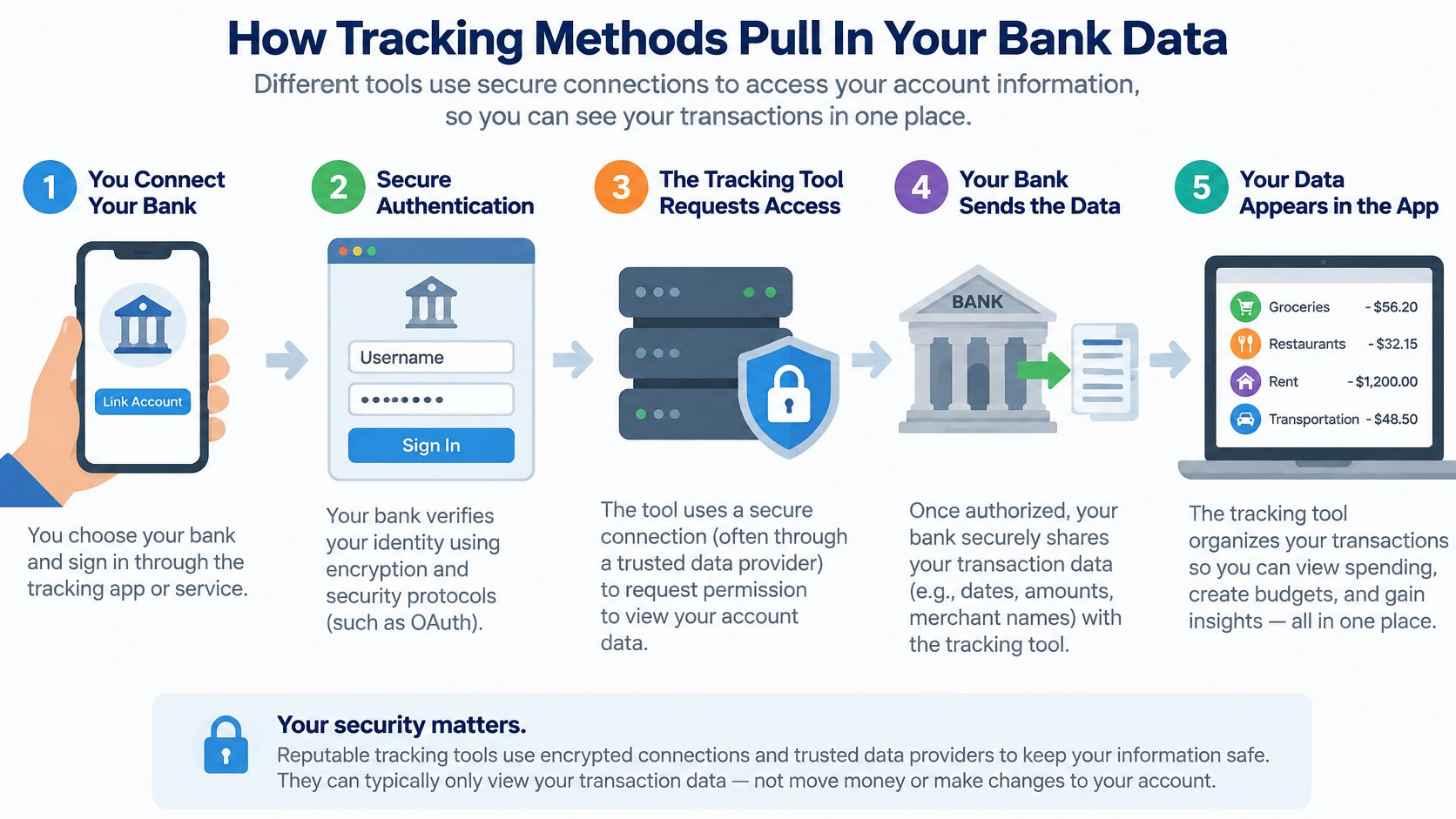
A large connection count doesn't establish reliability for your accounts. A blocked connection can leave a gap; a changed import format can misread fields; a pending purchase and its settled replacement can appear twice if matching fails.
Before connecting, establish:
- Coverage: Are your exact bank and account types supported?
- Permissions: Is access read-only, and who receives the information?
- Revocation: Where can you withdraw consent?
- Freshness: Can you see the last successful refresh?
- Recovery: How are missing transactions, duplicates and settled purchases reconciled?
Our explanation of how financial data aggregation works provides useful context for comparing connection providers. Also read your bank's account terms rather than assuming that read-only access settles every fraud-liability question.
When files are the better route
If your bank supplies only PDF statements, Matil's overview of leading bank statement parsing solutions can help you assess tools for converting statements into structured records. Check extracted dates, signs and totals before importing; a parser isn't a substitute for reconciliation.
Our Free plan supports manual entry and CSV imports, so you can begin without sharing bank credentials. US readers should likewise verify their own institution's connection method and coverage rather than relying on country-level availability.
Feature Matrix of the Best Expense Tracker App for iOS
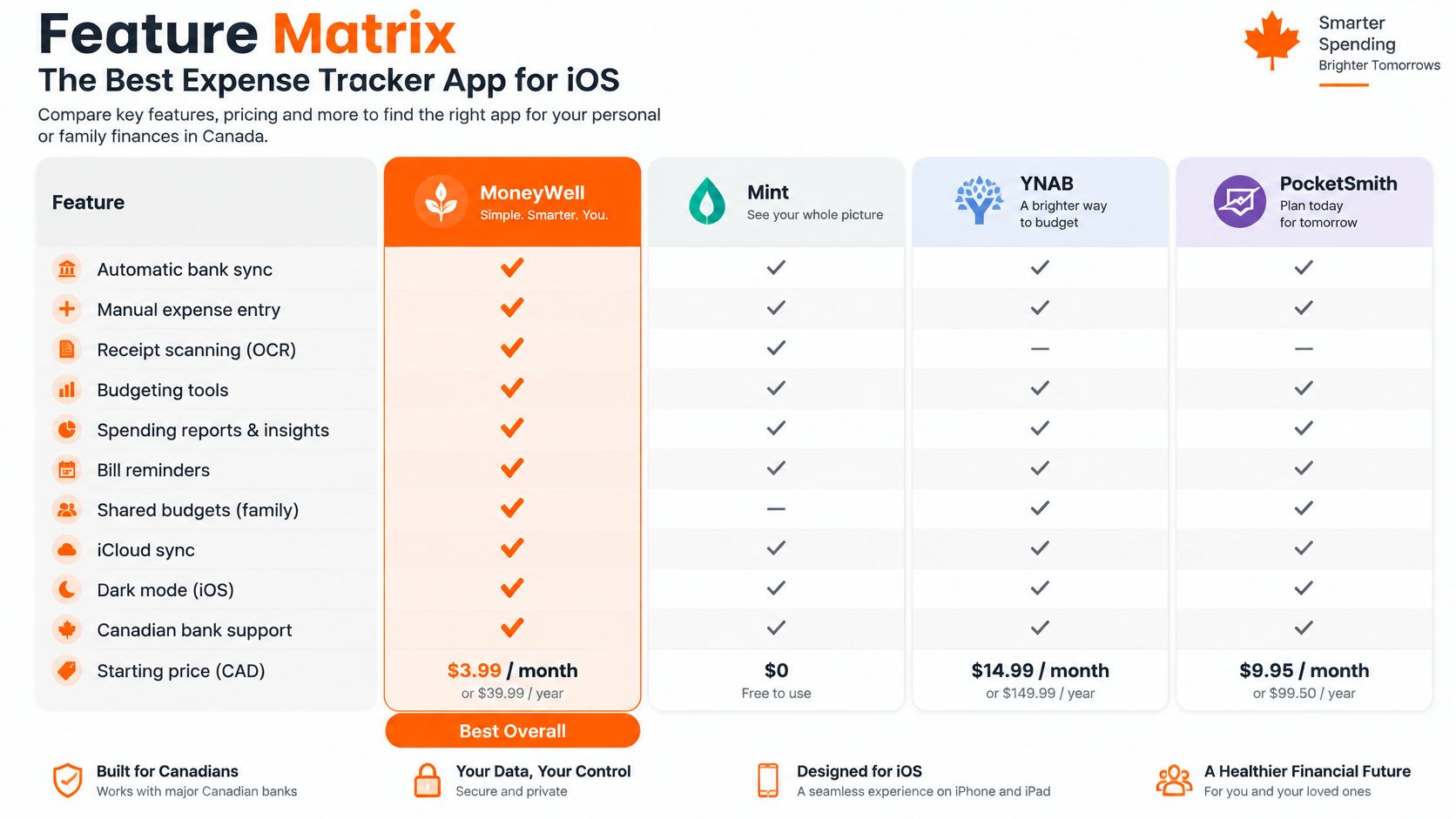
Use this matrix to compare daily jobs, not to declare a universal winner. The category columns describe tracking approaches, not verified feature inventories for every competing app.
Feature matrix for iPhone expense trackers
| Feature | Fintrack | Manual-entry-only trackers | Bank-sync-first trackers |
|---|---|---|---|
| Manual expense entry | Yes, on the Free plan | Yes | Confirm manual fallback |
| CSV import | Yes, on the Free plan | Confirm file support | Confirm file support |
| Automatic categorization | Yes | Check categorization tools | Check editable rules |
| Spending limits per category | Yes, tracked in real time | Confirm category budgets | Confirm category budgets |
| Velocity alerts before month-end | Yes | Verify proactive alerts | Verify proactive alerts |
| Duplicate or unusual charge alerts | Yes | Check detection support | Check detection and matching |
| Subscription detection | Yes | Verify recurring-charge tools | Verify renewal handling |
| Benefits and rewards tracking | Yes, Benefits Wallet | Check benefit records | Check benefit records |
| Shared household budgets | Yes, Household Plans | Confirm multi-user access | Confirm multi-user access |
| Bank connection required | Not required | No | Required for automatic feeds; check fallback |
The accompanying visual provides another comparison view. Verify any feature or price shown against the current regional listing before buying.
Entry and categories determine the useful total
Manual entry matters when you pay cash or need an immediate record. CSV import matters when you've missed entries or are switching apps, but check that transfers and credit card payments don't become expenses.
Automatic categorization should reduce repetitive work without hiding its reasoning. A supermarket purchase may include groceries, cleaning supplies and a gift; being able to correct or split it matters more than accepting the first suggested category.
Category limits should also reflect your actual priorities. Keep essential obligations separate from spending you can readily adjust, and avoid creating so many categories that you stop maintaining them.
Alerts should give you time to act
Consider a hypothetical $600 dining budget that's 70% spent by day 18. A useful early warning prompts you to check upcoming plans while there's still time to change them, rather than reporting an overrun after month-end.
Our category limits track progress in real time, and velocity alerts warn when your spending pace suggests you'll exceed the budget. Real-time mobile spending alerts can also draw attention to unusual activity or duplicate charges, but their usefulness still depends on the transactions available to analyse.
A tracker with fewer charts but better alerts and clearer categories often helps more than a dashboard full of graphs.
Subscription detection should distinguish a recurring payment from an isolated purchase. Benefits tracking serves a different purpose: our Benefits Wallet records annual benefit values, rollover amounts and expiration dates, helping you review what remains available.
Shared budgets need clear access arrangements, not just exportable reports. For every competitor column marked check, confirm or verify, substitute the named app's current App Store information and your own test result. An unconfirmed feature isn't a reason to assume either support or absence.
How to Shortlist Named iPhone Expense Trackers
A shortlist built on App Store rankings shows which apps are popular. It says nothing about how each candidate gets your bank data or what happens when an import fails, and those two questions decide most real-world fits. Search your country's App Store for expense trackers and collect a small candidate list. Names worth investigating include YNAB, Monarch Money, PocketGuard and Goodbudget, but treat these as candidates, not a claim that every app supports your region or preferred workflow.
Turn candidates into a tested shortlist
Run each candidate through the same five checks. The order matters: the early steps eliminate apps cheaply, before you've invested time in a trial.
- Confirm country and currency. Check availability in your Canadian or US listing, currency handling and the features you need. A familiar name isn't evidence that your accounts are supported.
- Identify the entry requirement. Can you start without connecting a bank? If avoiding credential sharing is required, eliminate tools that can't support your intended bank-free routine. A free Fintrack account, for instance, takes under a minute to create and needs no credit card, so the bank-free test can start immediately.
- Read the plan limits. Record restrictions on accounts, household access, imports and AI usage. A free download doesn't necessarily mean ongoing free use.
- Test the deciding feature. Add a purchase, correct its category and inspect the resulting budget. If alerts matter, check their settings and delivery during normal use.
- Review the privacy label. Keep only candidates whose data practices you're willing to investigate further.
Each check has a pass condition and a disqualifier. Record both.
| Check | What a pass looks like | What would rule it out |
|---|---|---|
| Country and currency | Listed in your regional App Store with your currency and account types supported | Your accounts or region absent from the listing |
| Entry requirement | Manual entry or file import works before any bank connection | Bank credentials required before first use |
| Plan limits | The tier you'll actually pay for covers the routine you'll run | Household access, imports or alerts locked out |
| Deciding feature | A test purchase lands in the right category and the budget responds | No workable import recovery |
| Data practices | The privacy label matches what you're willing to share | Collection you won't accept |
Keep the final shortlist to three apps as a practical comparison exercise, not a claim that more options are worse. Three is enough to surface how each candidate recovers from a failed import or a wrong category, which is where these tools separate.
Keep investment needs separate
If your priority includes portfolio monitoring, Yield Seeker's investment app reviews and pricing offer an adjacent comparison. Don't require a daily expense tool to solve investment analysis unless you need both in the same place.
Your notes replace generic feature assumptions with confirmed answers. Keep screenshots of plan terms and record any unresolved question before committing to a subscription.
Privacy and Security Checks Before You Install
No bank connection doesn't mean no sensitive data. Manually entered purchases can still reveal merchants, routines and household information, so review the app's whole data-handling model.
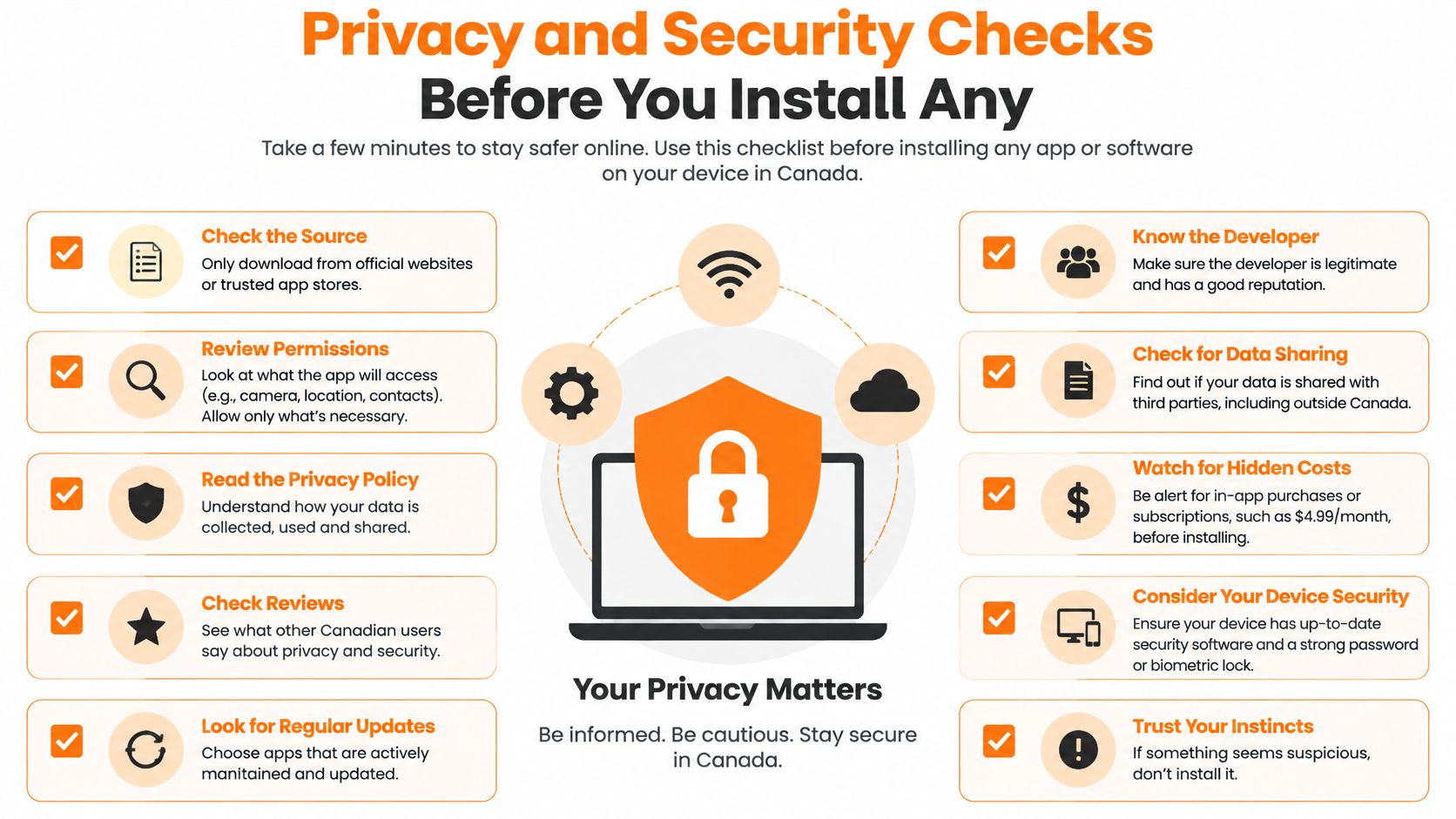
Use this checklist before uploading financial records.
Run the checks in order
- Read the App Privacy label. Apple's privacy label guide explains how labels identify collected data and its uses. Look for financial information, identifiers and information linked to you; treat the label as a screening tool, not an independent security audit.
- Separate tracking from core access. Apple's privacy controls explain that apps must request permission to track you across other companies' apps and websites. Refusing that tracking is separate from deciding whether to allow notifications or other functional permissions.
- Limit device permissions. Allow notifications if you want spending alerts. Don't grant contacts, photos or location access without understanding the specific feature that needs it.
- Assess security claims. Fintrack uses bank-level encryption and SOC 2 compliant infrastructure. Our privacy policy is the place to review our stated data practices; for any provider, investigate encryption in transit and at rest, device protection and third-party processing.
- Inspect account access. Distinguish a bank-hosted consent screen from a request to provide credentials to an intermediary. Locate revocation controls before authorising access.
- Test export and deletion. Confirm whether you can retrieve usable records and what account deletion removes. Don't confuse uninstalling the app with deleting server-held information.
What Canadian privacy rights mean here
The Office of the Privacy Commissioner of Canada's mobile-app guidance describes operators' responsibility for collected personal information and PIPEDA rights to access and correction; Quebec, Alberta and British Columbia have substantially similar private-sector regimes. Also establish where a provider stores and processes your information, particularly when it operates outside Canada.
Ask whether account closure addresses uploaded statements, backups and information held by processors. An answer that only says your dashboard disappears doesn't explain the full deletion process.
A passing privacy check: You understand each permission, can withdraw connected access immediately, and can follow a documented deletion process.
Don't let encryption language replace these practical checks. Secure transmission doesn't, by itself, explain retention, advertising use or what happens after you leave.
Everyday Entry Speed and Daily Use on iPhone
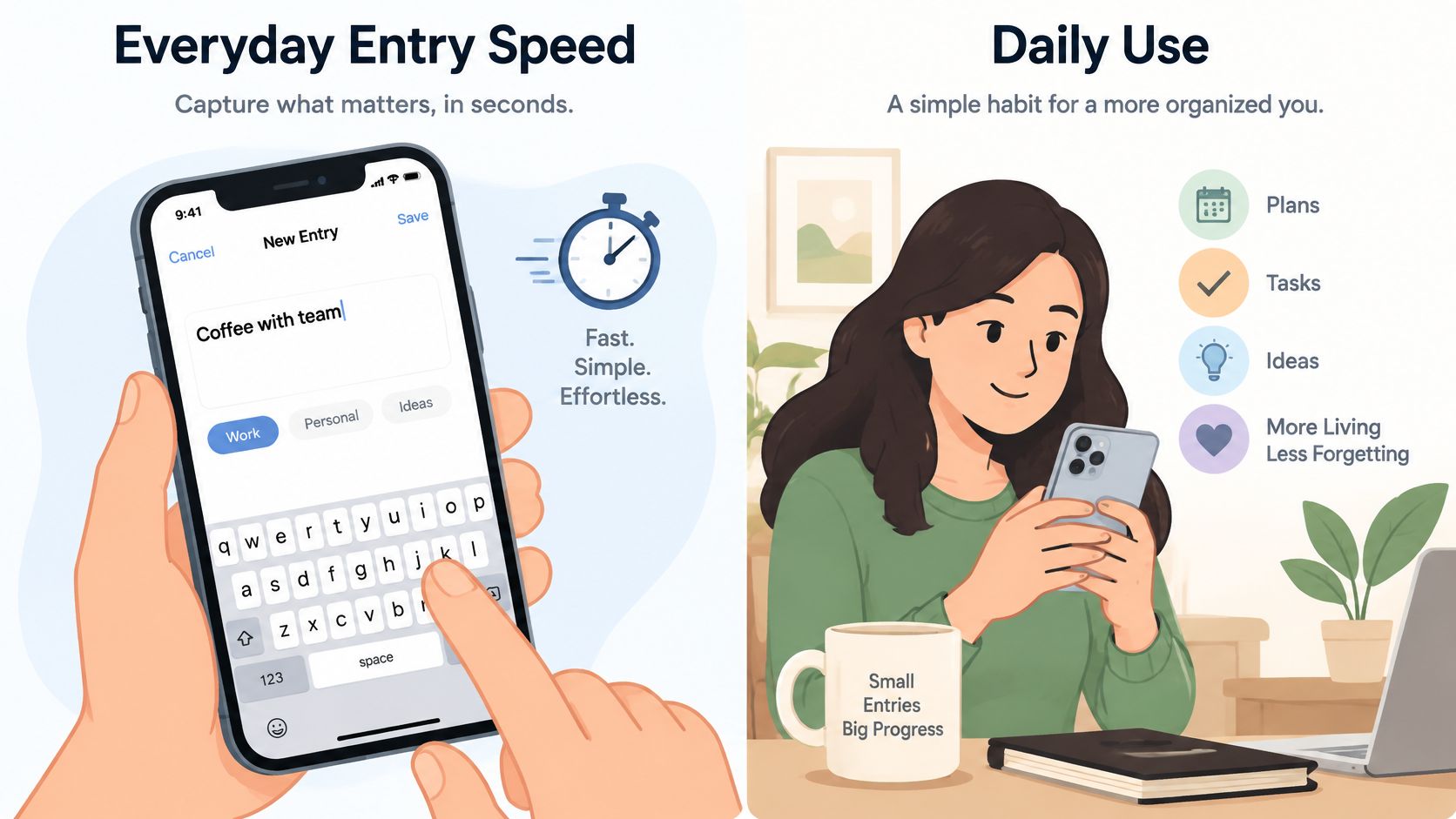
A useful tracker has to survive an ordinary busy week. At the checkout, you need to record the purchase without navigating through reports; later, you need enough detail to recognise it.
The Financial Consumer Agency of Canada's budgeting toolkit recommends recording daily expenses, keeping receipts and totalling monthly spending. Turn that guidance into a repeatable phone routine rather than a catch-up project.
Test a normal purchase
For a hypothetical $12 coffee purchase, count the taps from opening the app to saving the entry. Check whether the amount, account and category are easy to correct, especially if the suggested category is wrong.
Our AI Expense Tracker automatically categorizes transactions and accepts spending questions in plain language. For example, typing “I spent $45 at Target on groceries” lets Finny add the transaction with the appropriate category.
Finny also accepts text or voice questions about spending, budgets, goals and accounts. During a busy week, asking about a category can be more practical than opening several reports.
Keep a short weekly review
Set aside a five-minute review as a suggested routine:
- Clear uncategorized entries. Resolve them while you still remember the purchase.
- Remove duplicates. Compare the merchant, amount and account before deleting anything.
- Confirm an unusual charge. Check its receipt or bank record rather than assuming it's fraud.
- Review corrections. Pay attention to merchants whose suggested categories you repeatedly change.
AI categorization can be wrong, particularly when a merchant sells several kinds of goods. Reviewing your first month's categories is worthwhile because an accurate total assigned to the wrong category can still mislead your budget decisions.
Our daily expense tracker guide gives you a routine to build on. During a free plan or trial, test entry speed, category accuracy and receipt reconciliation, then compare the month-end summary with your actual records.
Pricing, Free Plans and Hidden Costs
Fintrack's Free plan is free forever, needs no credit card, and includes manual expense tracking, CSV imports and basic AI chat. Budget tracking, savings goals and the Benefits Wallet sit in every plan, so the paid question is narrower: which extras will still matter after the first cleanup?
Compare the cost of your actual setup
Price the routine you will keep, not the demo. For each candidate, write down three lines:
- Monthly commitment: billing currency, renewal terms and whether a lower rate requires annual payment.
- People needing access: partner or family members who need the same records from day one.
- Ongoing usefulness: the features you expect to use after categories, goals and recurring items are set.
Check our current plan details against those lines. Possible add-ons to ask about are caps on linked accounts, a separate household tier or pricing that rises with connected accounts; treat those as questions for the checkout page, not assumptions. On Fintrack's Household Plans, AI usage limits are shared across everyone in the household, so estimate the combined questions rather than counting one allowance per person.
Use recurring bills to test value
Statistics Canada's telecommunications information reports that Canadian households across all income quintiles spent an average of $125 monthly on cellphone and pager services and $87 on internet access in 2023. If a tracker cannot surface commitments at that scale, a paid tier is decoration. Finding one forgotten subscription can offset a month of fees, but it does not prove the plan will keep paying for itself.
Keep financing costs outside the app decision. Instalment plans can crowd the same categories while you prepare for a mortgage; Superior Credit Repair's BNPL guide for first-time homebuyers is useful for reviewing those obligations before you decide what the tracker must warn you about. Compare the price in your own Canadian or US App Store listing, because a US-dollar review may not match the charge on a Canadian account.
Choose the Expense Tracker That Fits Your Routine
If bank sync is unreliable, choose a workflow that lets you keep recording purchases while the connection is unavailable. If you won't share bank credentials, eliminate that requirement before comparing dashboards.
For shared bills, prioritise common records and clear responsibility. For numerous subscriptions and benefits, favour tools that help you identify obligations and expiration dates, not merely count transactions.
Make the decision by situation
- Bank-free control: Choose manual entry for current spending and file imports for reconciliation. The deciding factor is whether you'll maintain the records.
- Household coordination: Choose shared planning when separate personal dashboards leave bills or purchases invisible to the other person.
- Recurring-cost management: Look for understandable charge details and a way to act on renewals.
- Strict budget discipline: Choose category balances you'll consult before spending, rather than relying on retrospective reports.
- Daily awareness: Favour an overview whose totals you can trace back to individual purchases.
Fintrack fits readers who want a bank-free starting point alongside spending alerts, benefits tracking and household planning. Household Plans let family members share the same accounts, transactions, budgets and goals, rather than maintaining disconnected copies.
Finny, our AI personal finance assistant, can also analyse income and spending patterns to estimate when you'll reach savings goals and suggest adjustments if you fall behind. That's useful when you want to connect a spending decision with a specific goal, rather than reduce a category total.
Judge the records, not the demonstration
A tracker helps only when the underlying records are complete enough to support your decisions. An attractive overview won't compensate for purchases nobody enters or imports that nobody checks.
During a suggested two-week test, use the app through ordinary purchases, a recurring bill and any shared spending that occurs. Don't manufacture a perfect budgeting week; you need to discover whether the tool fits the routine you already have.
Look for a manageable correction process. If changing a category, fixing an amount or resolving a duplicate is frustrating during the test, consider whether you'll keep doing it once the novelty wears off.
For readers still comparing Mint alternatives or Goodbudget alternatives, focus on the reason for switching. Someone leaving a passive dashboard may want more active planning; someone leaving envelope budgeting may want less maintenance. Those are different searches, even when both start with the same app-store keyword.
Finish with a practical decision
You can create a free account in under a minute, without a credit card. Before deciding whether to pay for any tracker, use this checklist:
- Pick your row: Identify the situation that best describes your main problem.
- Run the privacy checks: Resolve access, permissions and deletion questions.
- Log for two weeks: Include the transactions that normally slip through.
- Decide from the results: Keep the tool whose records you trust and whose routine you'll maintain.
For a closer look at the bank-free workflow, our expense tracker without a bank connection explains the relevant starting point. There's no need to make automatic bank access the price of trying organised expense tracking.
Fintrack offers manual entry, CSV imports and category tracking without requiring a bank connection. Visit Fintrack to try a two-week manual-entry routine, then decide whether its alerts and planning tools fit the way you manage money.