
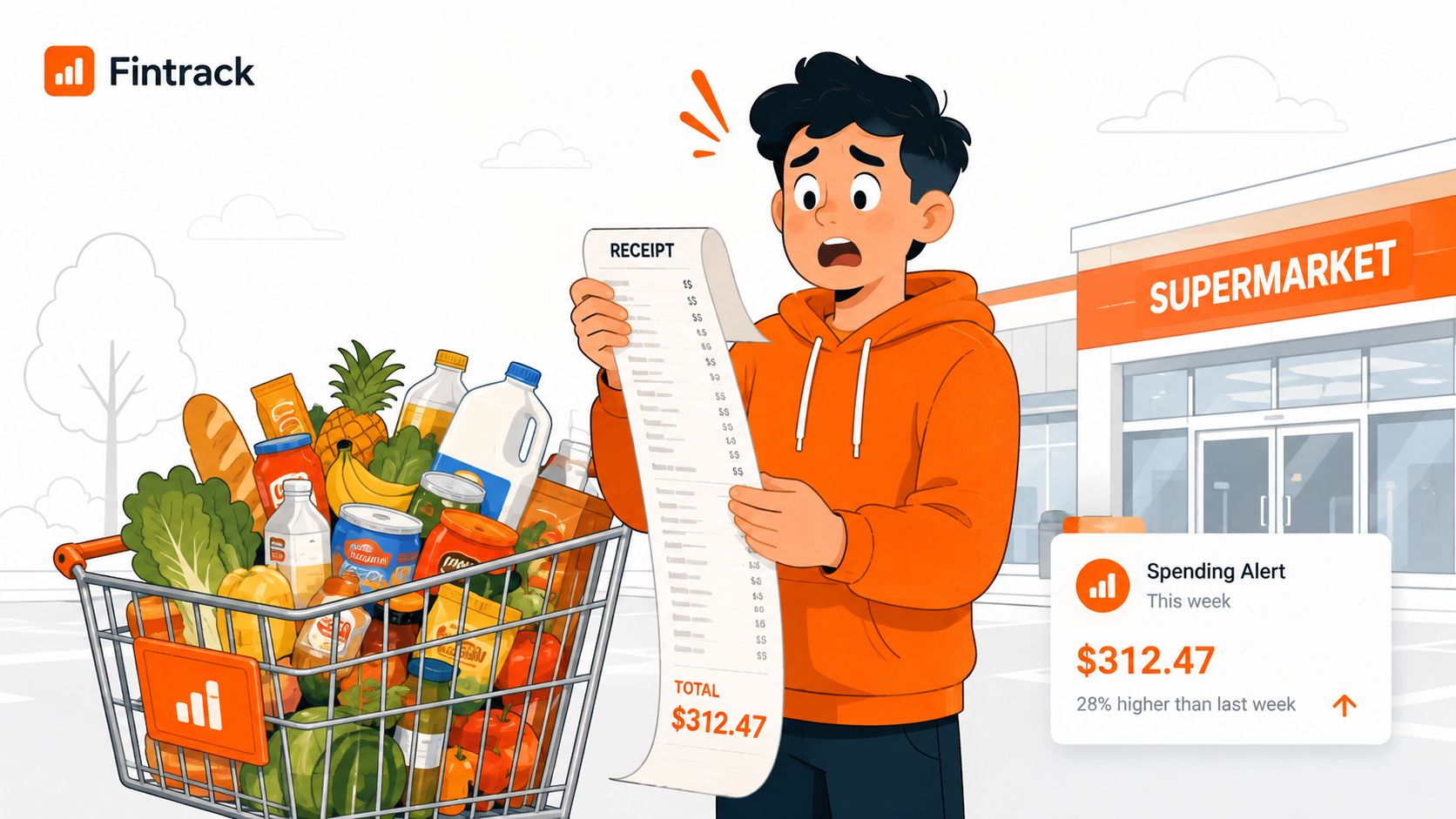
You know the feeling. You fill the cart with a few staples, a couple of “just in case” items, maybe one brand you don't usually buy, and then the receipt lands with a total that's higher than you expected. A budget grocery app is useful because it catches that moment before it turns into a month-end problem, when you still have time to cut a substitute, drop a duplicate snack run, or check whether a better price is sitting at another store.
That matters in Canada especially, where grocery planning is already part of normal life. Flipp's 2025 State of Grocery Report Canada says 89% of household shoppers plan trips in advance, 75% check prices for specific items before shopping, 69% compare prices across stores, and 38% use price matching, while Canadians spend an average of $180 per week on groceries and make 1.8 grocery trips per week. The same report says 90% feel they're spending more, which is exactly why a checkout-time safeguard is more useful than a passive expense list. Fintrack's budgeting basics fit naturally here, because grocery spending is one of the easiest places for small choices to compound.
If you also care about waste, the same habit shows up in other parts of the household. A good parallel is reusable K-Cup and filter savings, because the true win isn't just buying less, it's building a system that makes repeat decisions easier.
Why a Budget Grocery App Earns Its Spot in Your Stack
A grocery run can look harmless until the receipt tells the truth. The total creeps up because of little things, a second package of snacks, a pricier substitute, a last-minute household item, and suddenly the week's food budget is gone before you've even hit the freezer aisle.
That's why a budget grocery app earns its place next to a normal expense tracker. A general finance app can tell you what already happened, but grocery spending needs something that helps while you're still in the store, especially when you're juggling brand swaps, price differences, and a cart that changes by the minute.
Practical rule: if the app can't help before checkout, it's mostly a reporting tool, not a shopping tool.
For Canadian households, that distinction matters even more because grocery planning is already baked into the routine. With 89% planning trips in advance and 69% comparing stores, shoppers are already doing the work manually, they just need a faster way to see whether a cart still fits the plan. Flipp's 2025 Canadian grocery report gives the context, but the household behaviour is what the app has to support.
A focused app usually wins for three reasons. It handles the grocery category on its own, it shows the live effect of each item, and it gives you a reusable system for the next trip instead of making you start over every time. That's the difference between “I tracked my spending” and “I stopped overspending at the till.”
Features That Actually Matter in a Budget Grocery App
The best way to judge any app is simple: does it match how you shop? If you mostly buy the same staples, bounce between a couple of stores, and want to stay under a weekly number, you need grocery-specific controls more than a giant feature list.
Start with the core shopping workflow
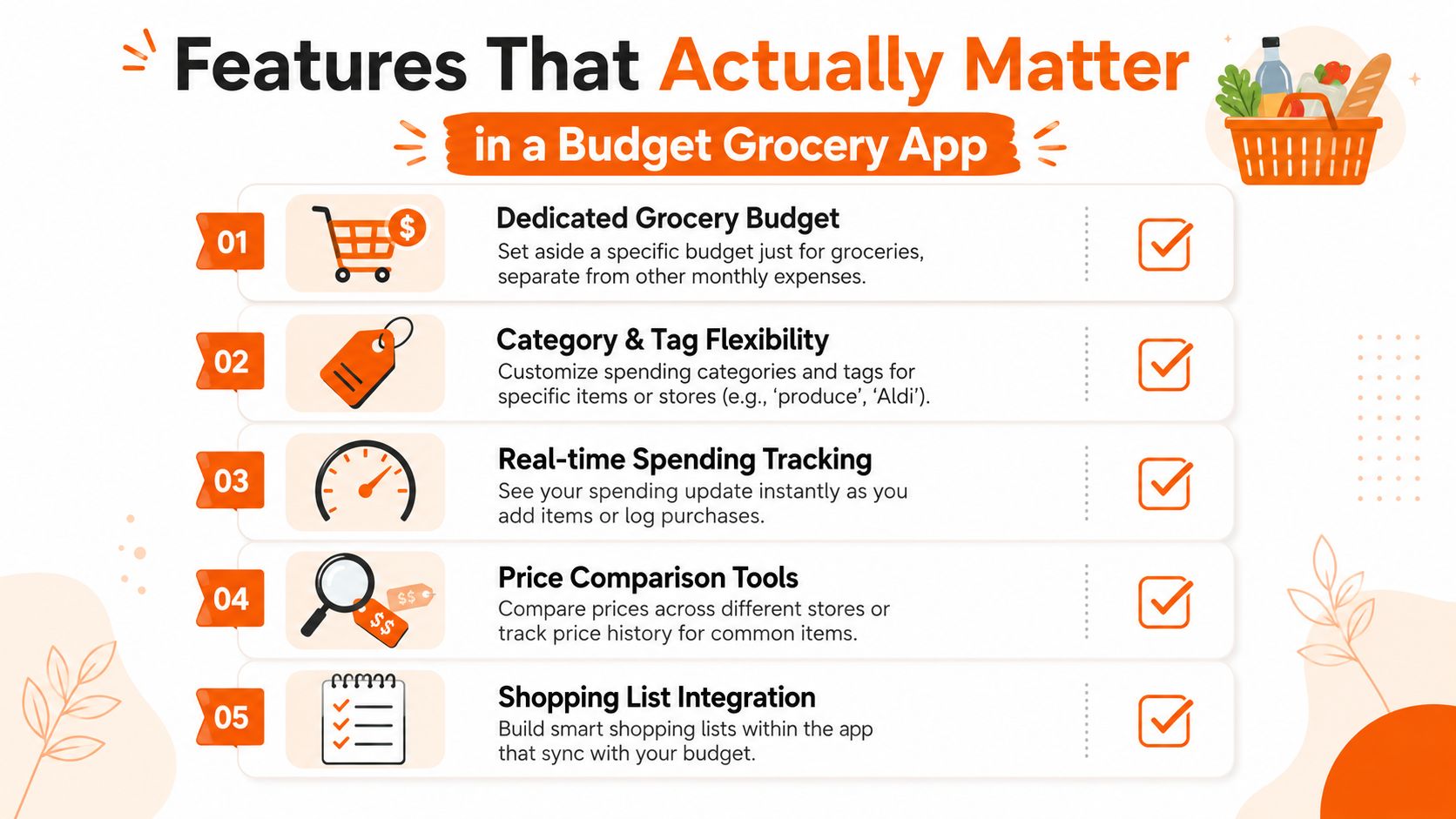
A practical app should support dedicated grocery budgets, not just one generic monthly bucket. It should also let you separate produce, pantry, frozen, household, and impulse buys so the numbers mean something later. If the app can't break spending down in a way that matches your cart, the reports won't help much.
You also want some mix of list building, receipt capture, and transaction tagging. That can be manual entry, photo capture, or quick logging, but it has to be easy enough that you'll use it while you shop. Apps that pile on stocks, crypto, or investment tools usually miss the point for this use case, because grocery tracking needs speed and clarity, not a portfolio dashboard.
Check the features against your habits
Use this quick list before you install anything.
- Dedicated grocery budget: Can you set a grocery-only limit that's separate from rent, gas, and everything else?
- Category flexibility: Can you tag items by store, department, or shopping purpose?
- Real-time alerts: Does the app warn you when you're about to go over?
- List support: Can you reuse a staple list instead of building one from scratch?
- Receipt and transaction capture: Can you log what you bought without a lot of friction?
If an app checks those boxes, it's probably a fit. If it doesn't, it's trying to be a finance platform first and a grocery tool second, which usually means more taps and less actual use. For automatic sorting inside a broader money app, Fintrack's expense categorisation feature can help, but the larger point is to match the tool to the shopping pattern.
Setting Up Your Grocery Budget the Right Way
A grocery budget fails when it's based on wishful thinking. Start with what you already spend, then make it tighter in small steps so the number stays believable on a real Tuesday night when you're tired, hungry, and missing one ingredient.
A useful starting point is your actual trip pattern. If you shop once a week, budget per trip first. If you shop more often, build the weekly number from that pattern instead of pretending you'll suddenly become a once-a-week-only household.
Build the first budget from real habits
For a manual-first setup, many people prefer logging by hand because it gives them more control and avoids bank-feed noise. That's especially useful in Canada, where some households want to keep food spending separate from their account activity and just enter what they bought themselves. Fintrack's monthly budget template fits that workflow because it starts from a category limit, not a bank connection.
A simple starting structure is to split the grocery budget into a few working buckets. Try fresh, frozen, packaged, household, and impulse. That way, your report shows where the cart drifts instead of hiding everything inside one number.
If you want help translating your household habits into a starting figure, a grocery budget calculator can give you a rough frame before you personalise it. Then adjust it for family size, dietary needs, and how many trips you make each week.
| Household Size | Weekly Budget (CAD) | Weekly Budget (USD) |
|---|---|---|
| Single adult | Start lower than a family cart and raise it only if your actual receipts keep forcing you over plan | Start lower than a family cart and raise it only if your actual receipts keep forcing you over plan |
| Couple | Start with a shared weekly grocery limit and split categories if one person shops more often | Start with a shared weekly grocery limit and split categories if one person shops more often |
| Family household | Start with a higher weekly total and break it into categories so the numbers stay usable | Start with a higher weekly total and break it into categories so the numbers stay usable |
The point isn't to find a perfect universal number. It's to set a number you can live with, then refine it after two or three actual shops.
Building Smart Lists and Running a Live Cart Total
A grocery app either becomes useful or gets deleted. A static list is fine, but a cart that updates while you shop changes behaviour in real time.
Reuse the same list, then edit only what changes
Start with a base list of staples, then duplicate it for the next trip. That saves time and reduces the “what did we usually buy?” problem that leads to extra items or forgotten basics.
Tag each item as you add it. Category colours help if you want a quick visual scan, and price notes help when you're comparing stores or swapping brands. If a substitution is needed, change the item before paying, not after.
A live running total is a safeguard here. Apple's Grocery Budget app describes a budget bar that shows how much you've spent and how much is left while you shop, which is the exact mechanic that turns the app from a passive list into a checkout guardrail. Apple's Grocery Budget app page shows the basic idea clearly, and it's the kind of feature that matters in the aisle, not just in a report.
Stop and edit the cart before the cashier does. If the total turns red, that's your cue to remove one item, swap one brand, or postpone one non-essential purchase.
The practical habit is simple. Add items, watch the total, and treat every substitution as a budget decision. If the app can't show the remaining amount right away, it's not helping with the one moment that matters most.
For manual entry workflows, Fintrack's expense tracker without a bank connection is the closest fit when you want to keep the process private and hands-on.
Capturing Receipts and Connecting Cashback the Easy Way
Receipts are where grocery budgets usually slip. Paper fades, card charges blend into the rest of your spending, and rewards go unused because nobody wants to search for them later.
A better workflow ties the receipt, the transaction, and the category together so the same purchase does not need to be checked three times. Photo capture helps because it creates a record before the bag is unpacked and the receipt ends up lost in the car. It also fits the way many Canadians already shop, since 89% plan their trips in advance and can add receipt capture to that routine instead of treating it like cleanup after the fact.
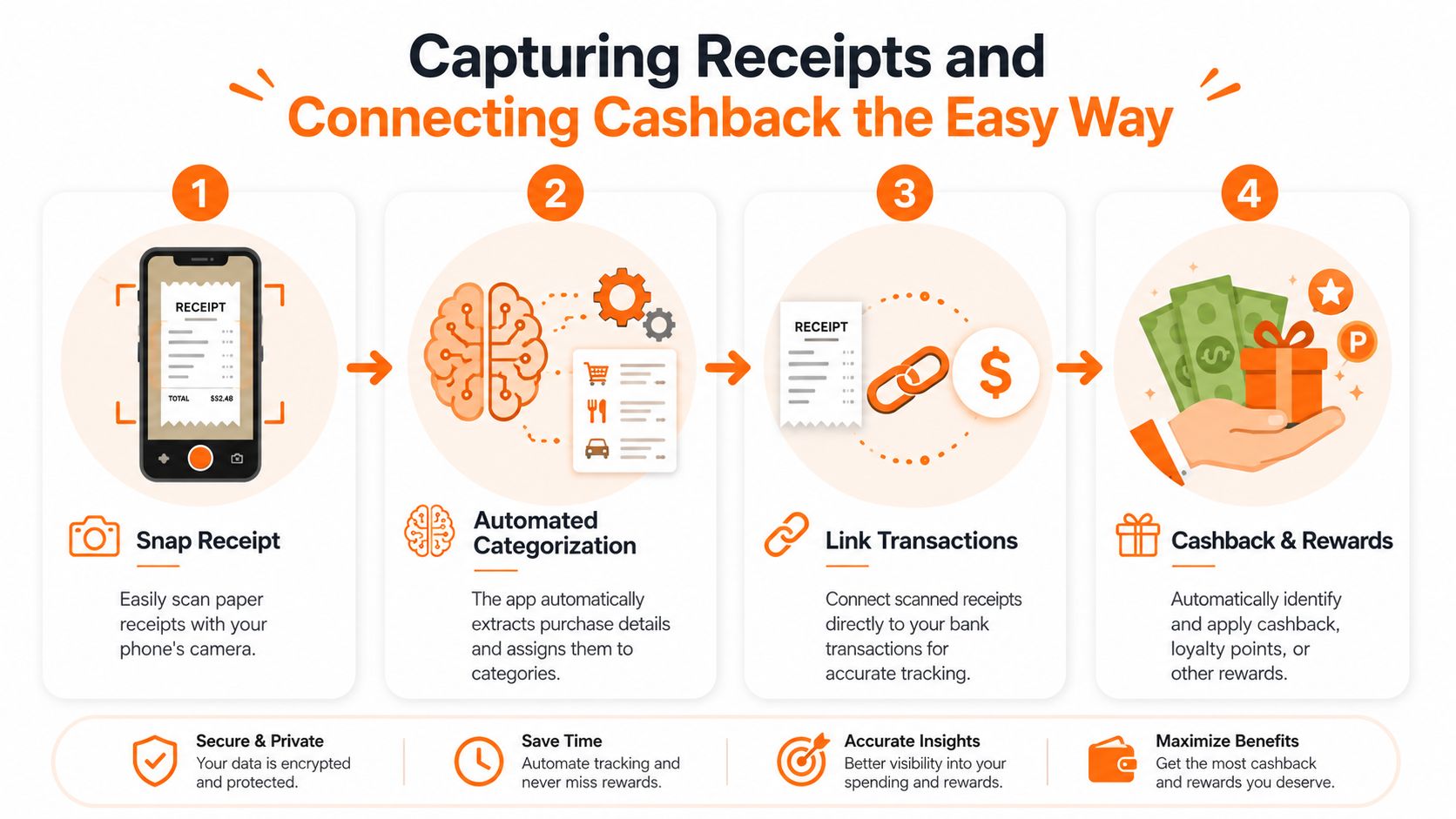
A good receipt flow usually looks like this.
- Snap the receipt. Save the paper trail while you are still in the parking lot.
- Let the app categorise it. The line items should map back to the same grocery categories you use in the budget.
- Match the transaction. That keeps the card charge and the receipt in one place.
- Surface rewards. Cashback, loyalty points, and unused credits should be visible before they expire.
For more details on building that filing habit, see our guide to organizing receipts in a way that stays manageable. If your household shops at more than one store, that extra structure makes month-end checks much easier.
The automated receipt categorization guide is a useful companion if you want a cleaner audit trail for both paper and digital records. It matters most for mixed-store households, where one receipt may include produce, pantry staples, and a few items that belong in a different category.
Rewards matter more than many shoppers expect. Fintrack's Benefits Wallet fits naturally here because grocery savings are not only about lower shelf prices. They also come from credits, loyalty points, and cashback that would otherwise sit unnoticed in separate accounts or store apps.
Alerts, Templates, and a Real First-Week Savings Example
A grocery app becomes sticky when it keeps you honest after week one. The easiest way to do that is with alerts and templates, because nobody wants to rebuild the same shopping setup every Friday night.
Use alerts before the budget breaks
A push alert at the point where you're nearing your limit is more useful than a month-end surprise. If the app tells you you're close before checkout, you still have a choice, which is the whole point.
Templates help the same way. Keep one for solo shopping, one for couples, and one for a household run, then reuse them instead of building a fresh cart from scratch each time. That makes the app feel like part of the routine instead of another admin task.
A small example that actually looks like real life
A household starts at $200 per week and uses alerts, a reusable cart, and price memory. Over three weeks, they catch two duplicate snack runs, swap one brand for a cheaper equivalent, and claim a forgotten $15 cashback from a linked loyalty account.
The result isn't magic, and it doesn't need to be. The weekly target settles at $175, not because the household found a perfect hack, but because the app made it harder to ignore small leaks. That's the kind of change that sticks, since it comes from a few corrected habits rather than one dramatic cut.
The goal is not a perfect shopping trip. The goal is a repeatable one that keeps the budget intact.
For shoppers who want this logic inside a broader money tool, the same habit works when grocery tracking sits alongside other spending instead of living in a separate spreadsheet.
Keeping the Habit Alive and Tracking Without a Bank Link
Most grocery apps lose users for one reason, the routine feels optional after the first week. The fix is to make it easier to review than to ignore.
Keep three rules in place. First, review the grocery budget once a week for five minutes. Second, reuse the same template until your household pattern changes. Third, carry the grocery workflow into other variable categories only after grocery tracking feels automatic.
Manual entry stays important for a lot of people, especially if they prefer privacy or just don't want to connect a bank account for every category. That's a real fit for Canadian users who want tighter control over what gets tracked and when. A bank-free approach also makes it easier to keep shopping decisions separate from the noise of the rest of the account activity.
The payoff is the full system. You've got a budget, a list workflow, live cart control, and a way to catch rewards before they disappear. That's enough to turn groceries from a guess into a controlled weekly process, which is where the savings usually come from.
If you want to put this into practice without tying it to your bank, try Fintrack for category budgets, manual expense tracking, and receipt-based grocery oversight in one place. It's a clean next step if you want the grocery budget to work at checkout, not just at month-end.