You open your banking app after payday and see a long list of charges with no useful shape. A Tim Hortons run, a Presto reload, a grocery receipt, and a Netflix renewal sit beside one another, each swipe adding noise instead of clarity.
That's the problem categories of expense solve. They act like folders for every transaction, helping you see what your money supported and which spending patterns need attention. A practical budget doesn't need dozens of labels on the first day. It needs a deliberate structure that starts clearly, then becomes more specific as your habits become clearer.
When Your Spending Has No Shape
The list may look harmless at first. You recognise the coffee charge, remember tapping your card on transit, and vaguely recall that Netflix renewed, but you can't quickly answer a more important question: where did last week's money go?
Without categories, every transaction competes for attention. A coffee looks like a coffee, transit looks like transit, and a subscription looks like an isolated charge. The statement records what happened, but it doesn't explain the pattern.
That explanation comes from grouping. Put the Tim Hortons purchase under food or coffee, the Presto reload under transportation, and the Netflix renewal under subscriptions or recreation. The individual charges remain visible, but they now sit inside folders that help you make decisions.
Practical rule: A useful category should help you answer a budgeting question, not simply describe a merchant.
For example, “Amazon” tells you where you shopped. “Household supplies,” “clothing,” or “electronics” tells you what the purchase did to your budget. If one merchant appears under several types of spending, split the receipt rather than forcing everything into a broad shopping label.
A consistent system also makes monthly reviews easier. You can compare food with transportation, separate recurring bills from one-off purchases, and identify charges that repeat.
If you're starting with a blank page, learn how to track monthly spending before adding detail. Begin with broad folders, use them consistently, and only create a new subcategory when the existing labels stop explaining your choices.
The rest of the setup follows a straightforward path. First, separate spending by behaviour. Then organise it into familiar household categories, add useful subcategories, and connect each one to a limit or alert that reflects your life.
The Two Core Splits Every Budget Starts With
Before choosing labels such as groceries or insurance, sort expenses using two questions:
- Does the amount stay fairly steady?
- Is the spending necessary or optional?
The first question creates the fixed versus variable split. Rent, insurance premiums, and a phone plan often stay close to the same amount each month. Groceries, fuel, restaurant meals, and utilities can change with usage, prices, or behaviour.
A Canadian renter might record $1,800 for rent as a fixed expense, while a $180 phone bill might also be fixed if the plan and device financing stay unchanged. The exact amount matters less than the pattern. A bill can be large and fixed, or small and fixed. The classification helps you forecast it.
The second question creates the essential versus discretionary split. Housing, basic utilities, and transportation needed to earn income may be essential for your circumstances. Streaming, takeout for a team dinner, hobbies, and weekend trips are often discretionary.
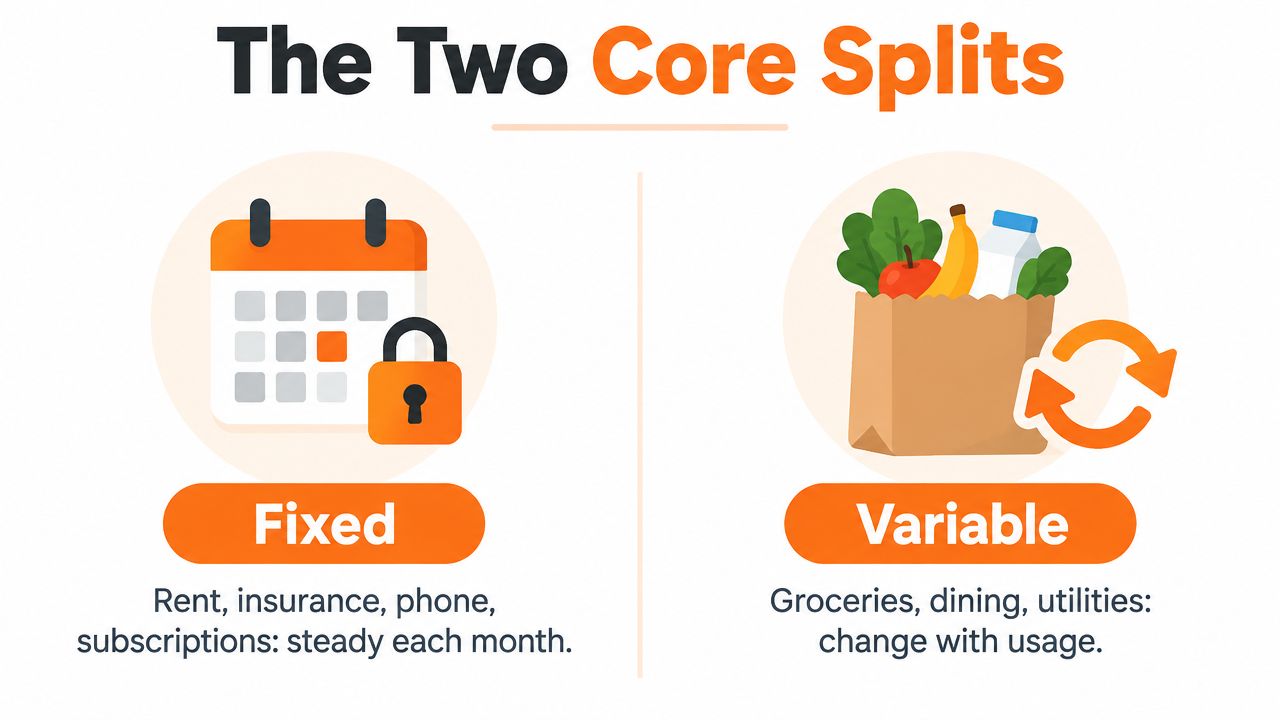
These axes work together rather than replacing one another. A fixed expense can be discretionary, such as a streaming subscription. A variable expense can be essential, such as groceries. That gives you four practical starting buckets:
| Budget bucket | Example |
|---|---|
| Fixed and essential | Rent, required insurance, basic phone service |
| Fixed and discretionary | Streaming subscription, optional membership |
| Variable and essential | Groceries, fuel, necessary medication |
| Variable and discretionary | Dining out, entertainment, weekend activities |
This structure helps you decide what to review first. Fixed essential costs need planning because they're harder to change quickly. Variable discretionary costs may offer more room for adjustment, but you shouldn't assume every variable expense is wasteful.
Use the two splits as tags or notes, not as your entire category system. “Variable and essential” is useful context, while “food,” “transportation,” or “health care” tells you where the money belongs.
Standard Categories of Expense and Why They Cluster
Canadian household budgets tend to gather around broad areas of life because people repeatedly pay for the same needs. Statistics Canada's Survey of Household Spending organises expenses through 19 summary-level categories and more than 350 detailed categories, allowing broad groups to connect with specific line items such as utilities or moving and storage services (Statistics Canada's expense taxonomy).
The broad structure is useful for a personal budget because it gives every transaction a logical home. Shelter covers accommodation and related costs. Transportation includes ways of moving around. Food separates household consumption from restaurant-style spending. Other familiar groups include household operations, clothing, health care, personal care, recreation, education, insurance payments, and pension contributions, as outlined in the Survey of Household Spending user guide.
A single month might include a CAA membership under transportation, a pharmacy fill under health care, and a ski lift pass under recreation. A flexible spending account can create another classification question, especially for eligible health-related purchases. Readers who use an FSA may find it useful to use your pre-tax FSA dollars wisely while checking the rules that apply to their plan.
A practical national structure
| Category of Expense | What It Typically Covers | Example Transaction |
|---|---|---|
| Shelter | Rent, mortgage-related costs, utilities, home insurance | Monthly rent |
| Transportation | Transit, fuel, parking, insurance, maintenance | Presto reload |
| Food | Groceries, restaurants, coffee, delivery | Supermarket purchase |
| Household operations | Cleaning, supplies, communications, domestic services | Internet bill |
| Clothing | Clothing, footwear, accessories | Winter boots |
| Health care | Prescriptions, dental, vision, eligible care | Pharmacy purchase |
| Recreation | Streaming, hobbies, sports, travel activities | Ski lift pass |
| Education | Tuition, courses, supplies, learning services | Course fee |
| Savings and contributions | Pension contributions, insurance payments, planned saving | Retirement contribution |
The categories aren't arbitrary accounting labels. They're budget anchors that help you compare your own spending with a consistent framework. In 2023, Statistics Canada reported shelter at 32.1%, transportation at 15.8%, and food at 15.7% of total goods-and-services consumption in Canada. Together, those three areas represented 63.6% of consumption (Statistics Canada, Survey of Household Spending).
That concentration explains why broad categories matter, but it also reveals their limitation. “Shelter” can show a large total without telling you whether utilities, insurance, maintenance, or accommodation caused the change. For a definition of the costs that usually stay steady, see this guide to the fixed expense definition.
Subcategories That Make Categories Actually Useful
Broad labels become useful only when they lead to a decision. If your budget shows one housing line, a large monthly outflow can still leave you wondering whether the pressure came from rent, utilities, maintenance, or insurance.
Take a household with a $2,300 housing outflow. That amount could represent rent alone, or it could combine rent, condo fees, electricity, tenant insurance, and a repair. Those situations require different responses, so the category should preserve the difference.
Start with the three lines that shape daily cash flow
Under housing, consider rent or mortgage, property tax, condo fees, insurance, maintenance, and utilities. Under food, separate groceries from dining out, coffee, work lunches, and delivery fees. Under transportation, use fuel, transit passes, insurance, parking, maintenance, and ride-shares.
Each subcategory should answer a question:
- Housing: Which recurring cost changed?
- Food: Am I paying for ingredients, convenience, or social meals?
- Transportation: How much comes from driving, transit, parking, or repairs?
A Costco trip can create a small classification challenge. Groceries may belong under food, while detergent, paper products, or storage containers belong under household supplies. If the receipt mixes both, split the transaction when the difference affects your decisions. If the amounts are minor and the effort would create more friction than insight, choose a consistent primary category and add a note.
Sample subcategories under three core categories
| Parent Category | Subcategory | What It Tracks | Example Amount (CAD) |
|---|---|---|---|
| Housing | Rent or mortgage | Main accommodation payment | $2,300 |
| Housing | Utilities | Electricity, water, heating, or other services | Not specified |
| Housing | Maintenance | Repairs and upkeep | Not specified |
| Food | Groceries | Store purchases for meals and household food | Not specified |
| Food | Dining out | Restaurants, takeout, and cafés | Not specified |
| Food | Delivery fees | Charges connected with food delivery | Not specified |
| Transportation | Fuel | Petrol or diesel purchases | Not specified |
| Transportation | Transit | Passes, reloads, and public transit fares | Not specified |
| Transportation | Parking | Meters, garages, and permits | Not specified |
| Transportation | Maintenance | Service, repairs, and seasonal work | Not specified |
A subcategory earns its place when it changes what you do next. If you never review coffee separately from dining out, combining them may be sensible. If convenience spending keeps surprising you, the extra label can expose the pattern. You'll find more practical examples in this guide to household budget categories.
Building Your Categories in Fintrack
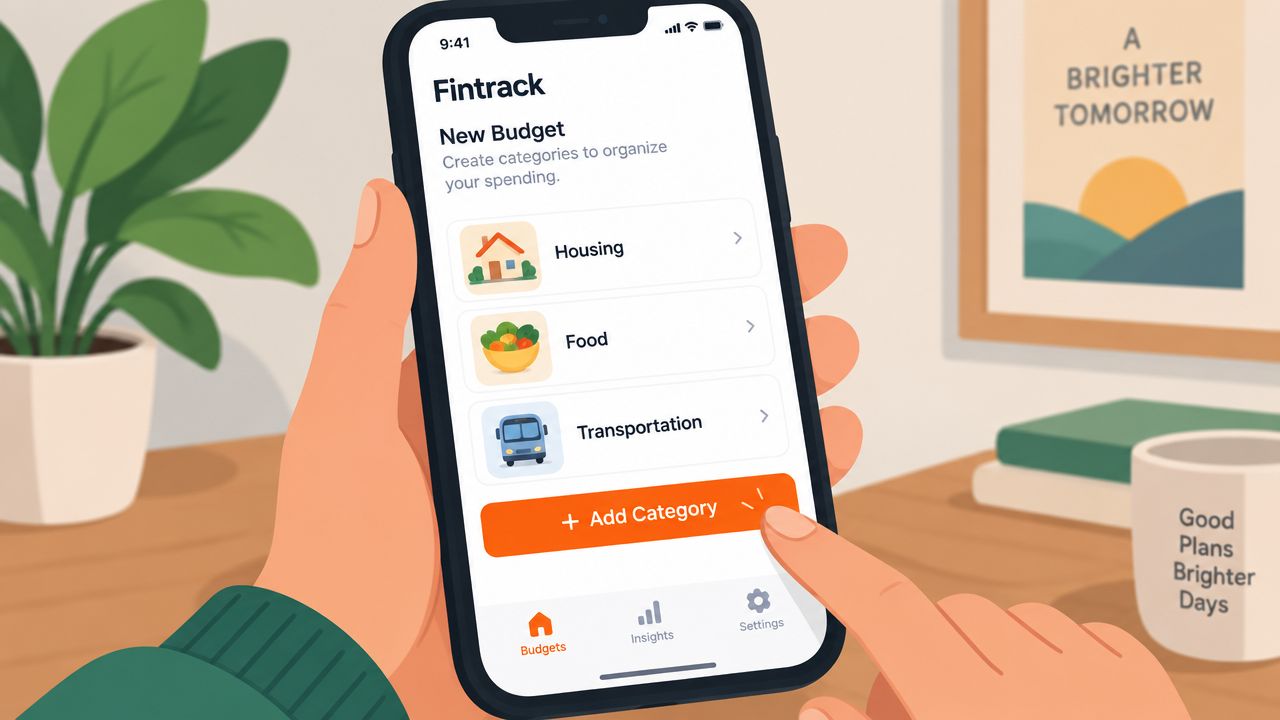
Fintrack lets you create a category structure around your actual spending without requiring a bank connection. That matters if you prefer manual entry, want to import a statement later, or don't want to give an app direct access to a financial account.
Start with a new budget and create parent categories such as Housing, Food, and Transportation. Add the subcategories that match your routine, then give each category a monthly limit in Canadian dollars. Choose an icon and colour so the dashboard is easy to scan, and move your largest line items near the top.
Enter transactions with enough detail
Manual entry works best when you capture the decision-making information at the moment you spend:
- Type the merchant name.
- Select the correct subcategory.
- Add a short note, such as “work lunch” or “winter tire change”.
- Attach a receipt photo when you may need to check the purchase later.
A merchant name alone won't explain a mixed purchase. A note can preserve the context without forcing you to create an overly narrow category.
If you're comparing different budgeting systems, you can compare YNAB vs Monarch Money while considering how each handles categories, manual entry, and shared planning. The right structure is the one you'll maintain consistently.
Share only what belongs in the household view
A partner, roommate, or adult child can be invited to log shared expenses against the same category tree. Individual visibility settings can keep personal spending private while shared housing, food, or transportation costs remain visible to the household.
Your categories can change as your life changes. Rename a label when the old name becomes confusing, merge categories that no longer need separate tracking, and archive labels you've stopped using. Fintrack's category history is designed to preserve the record when you restructure, so a cleaner system doesn't require starting from zero. For a wider set of examples, see this list of expenses.
Connecting Categories to Budgeting Rules and Alerts
A category system becomes more powerful when it connects to a rule. One familiar framework is the 50/30/20 rule, which assigns after-tax income to needs, wants, and savings or debt repayment.
Needs may include housing, utilities, groceries, and insurance. Wants may include dining out, entertainment, hobbies, and optional shopping. Savings and debt repayment form the remaining group. The framework can provide a starting point, but it shouldn't override your actual housing costs, family responsibilities, income pattern, or debt obligations.
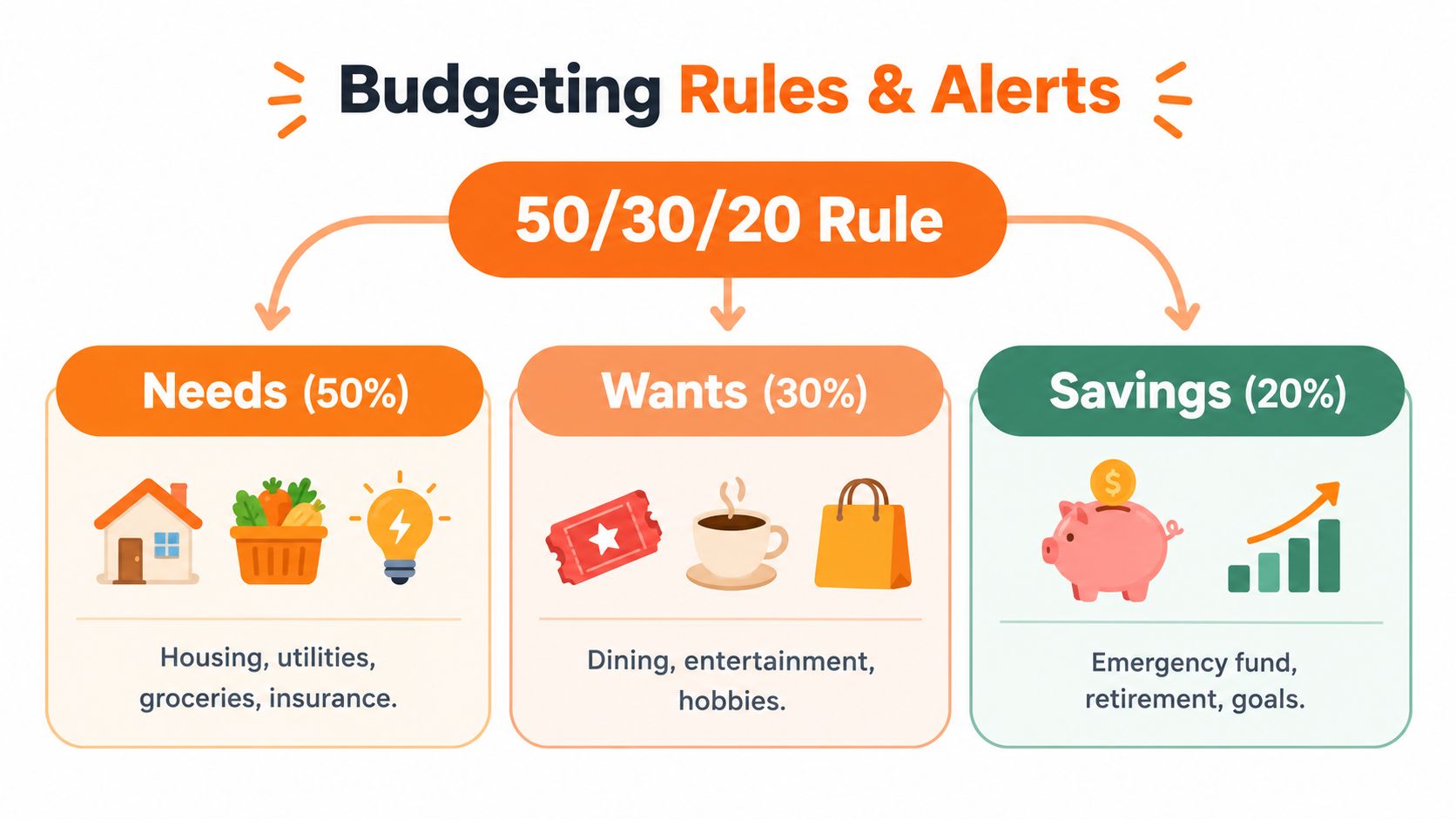
Assigning each category a type, such as needs, wants, or savings, lets your dashboard group related spending without removing the more specific labels. Housing can remain separate from groceries, even though both belong to needs.
Use alerts to catch drift early
A useful alert doesn't punish you for spending. It tells you that your plan and your behaviour are moving apart. You might set a soft warning at 80% of a category limit and a hard cap at 100%, then review the spending before the month ends.
For example, a dining-out alert might appear after your third takeout order in a week. The alert doesn't mean the meal was wrong. It gives you a chance to decide whether the spending reflects a planned social event, an unusually busy week, or a habit worth changing.
Weekly summaries can help you respond while transactions are still fresh. Monthly summaries help you reset limits after an expensive month, such as a car repair or a seasonal bill. The category should remain realistic, rather than turning one unusual month into a permanent restriction.
For broader guidance on using software to interpret spending patterns, explore automated financial insights. Keep the rule visible, but let your category history tell you when the rule needs adjustment.
Your First Pass at Setting Up Categories
Set up the first version during your next budgeting session. Don't try to predict every possible purchase. Build enough structure to make your next review clearer.
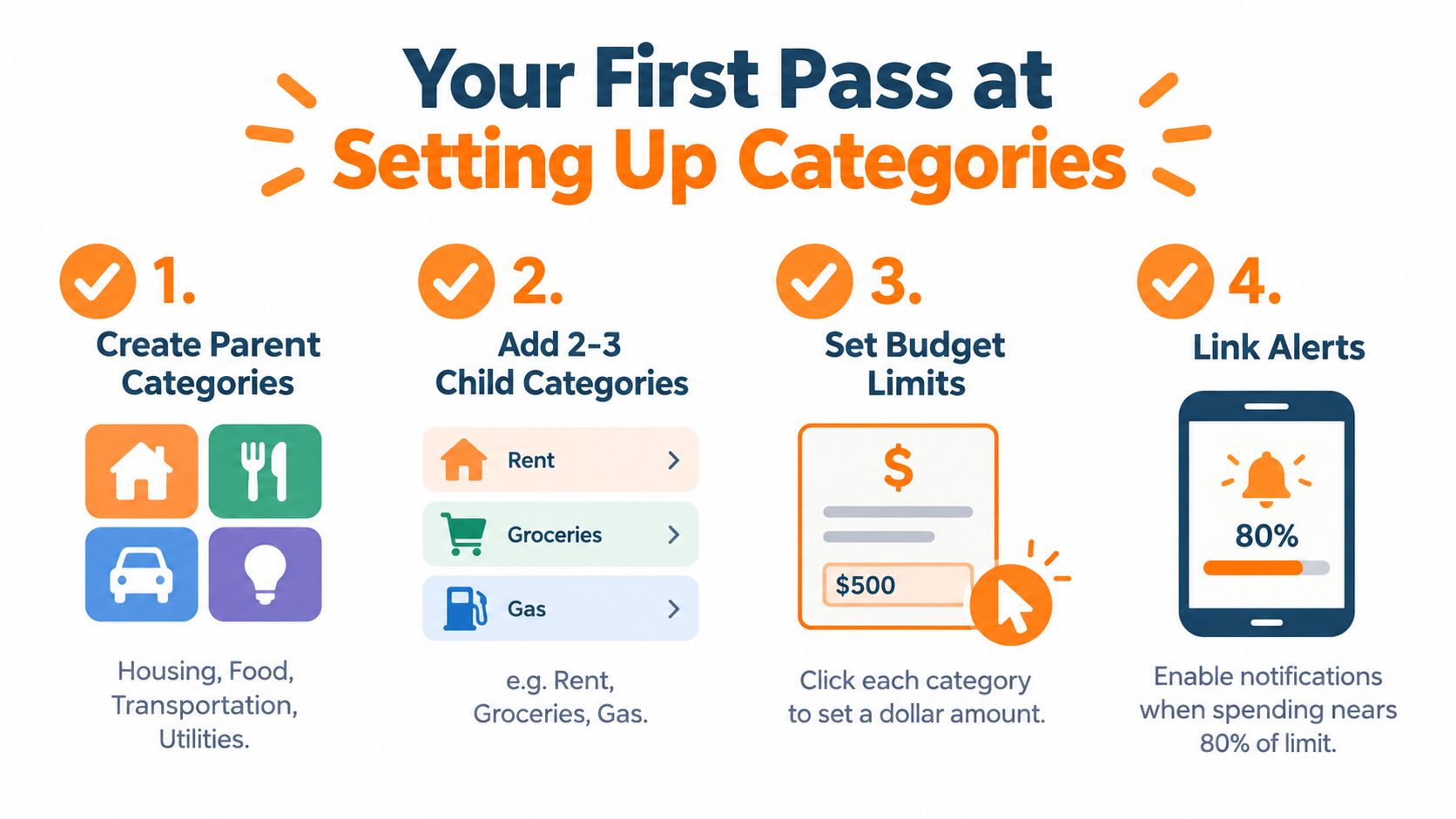
Use this checklist:
- Create parent categories: Start with Housing, Food, Transportation, Utilities, Health care, Recreation, Clothing, Education, Household operations, and savings or contribution categories that fit your situation.
- Add two or three child categories: Choose the labels you'll review, such as rent, groceries, dining out, fuel, transit, or maintenance.
- Set monthly limits: Give each active category a Canadian-dollar limit based on your plan and known obligations.
- Link one drift alert: Turn on a warning for a category where overspending would affect the rest of the month.
Enter enough transactions to test the structure. Share the workspace with a partner or roommate if you manage shared expenses, and decide which personal transactions should remain private.
You can rename or merge categories later without losing transaction history. After thirty days, compare planned spending with actual spending, then adjust labels that created confusion before those habits become permanent.
The goal isn't a perfect taxonomy. It's a working set of categories that helps you recognise where money goes and choose your next action.
Fintrack gives you a bank-connection-free way to build parent categories, add subcategories, enter transactions manually, set limits, and review shared spending in one place. Visit Fintrack and use your next budgeting session to create the first version of your personal expense map.