
You open your bank statement and see the same ugly pattern again. Four streaming charges, two cloud storage plans, a fitness app you used twice in January, and a magazine trial that automatically flipped into a paid renewal. That's not bad luck, it's what happens when subscriptions run on autopilot and nobody owns the list.
How to manage subscriptions starts with one blunt truth, recurring spending is a cash-flow problem, not a cleanup project. In Canada, that matters because 72% of Canadians said they had at least one subscription service in a 2024 Caddle survey, and many underestimated what they were paying on recurring services, which is exactly how small leaks become steady waste over time. Automated tracking and cancellation review matter because the hard part is not noticing one charge, it's seeing the whole pattern before the next renewal hits. Canadian subscription oversubscription data
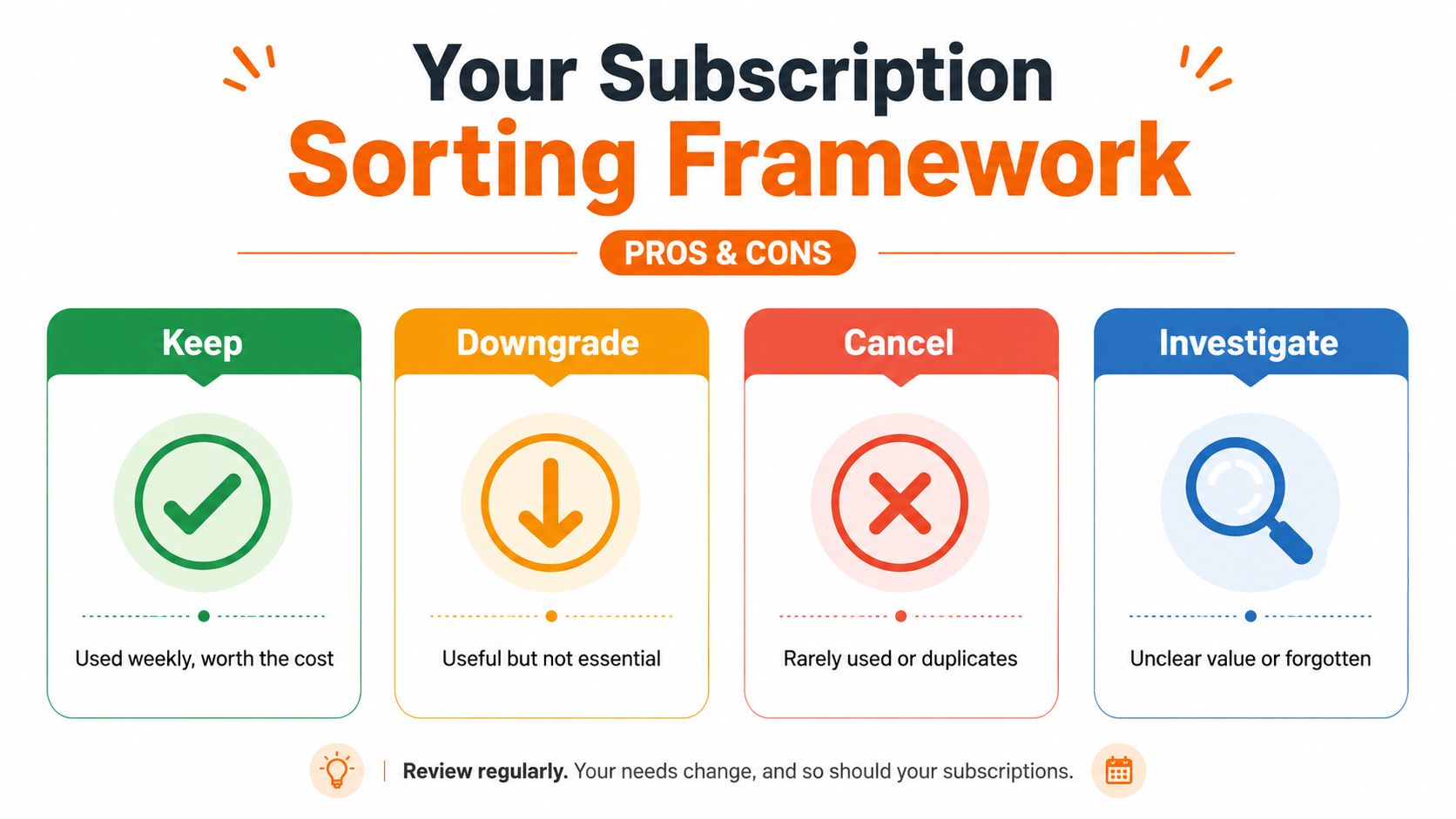
If you want a useful mental model, use keep, downgrade, cancel, investigate. That's the system that turns a messy statement into decisions you can defend.
The Real Cost of Forgotten Subscriptions
A subscription doesn't hurt much on its own. It hurts when three or four of them stay active long after you stopped thinking about them. A streaming service here, a cloud backup there, a news trial that became annual, and suddenly you've got a monthly leak nobody planned for.
In Canada, recurring charges are a bigger deal than many people realise because communications and video subscriptions sit alongside other fixed household expenses. The CRTC has reported that Canadian communications and video subscription markets together represent billions of dollars in annual household spending, which is why recurring bills deserve the same attention as rent, utilities, and insurance. CRTC subscription market context
The mistake most households make is treating subscriptions like one-off purchases. They are not. They renew, they bundle, they auto-convert, and they keep charging unless someone checks them.
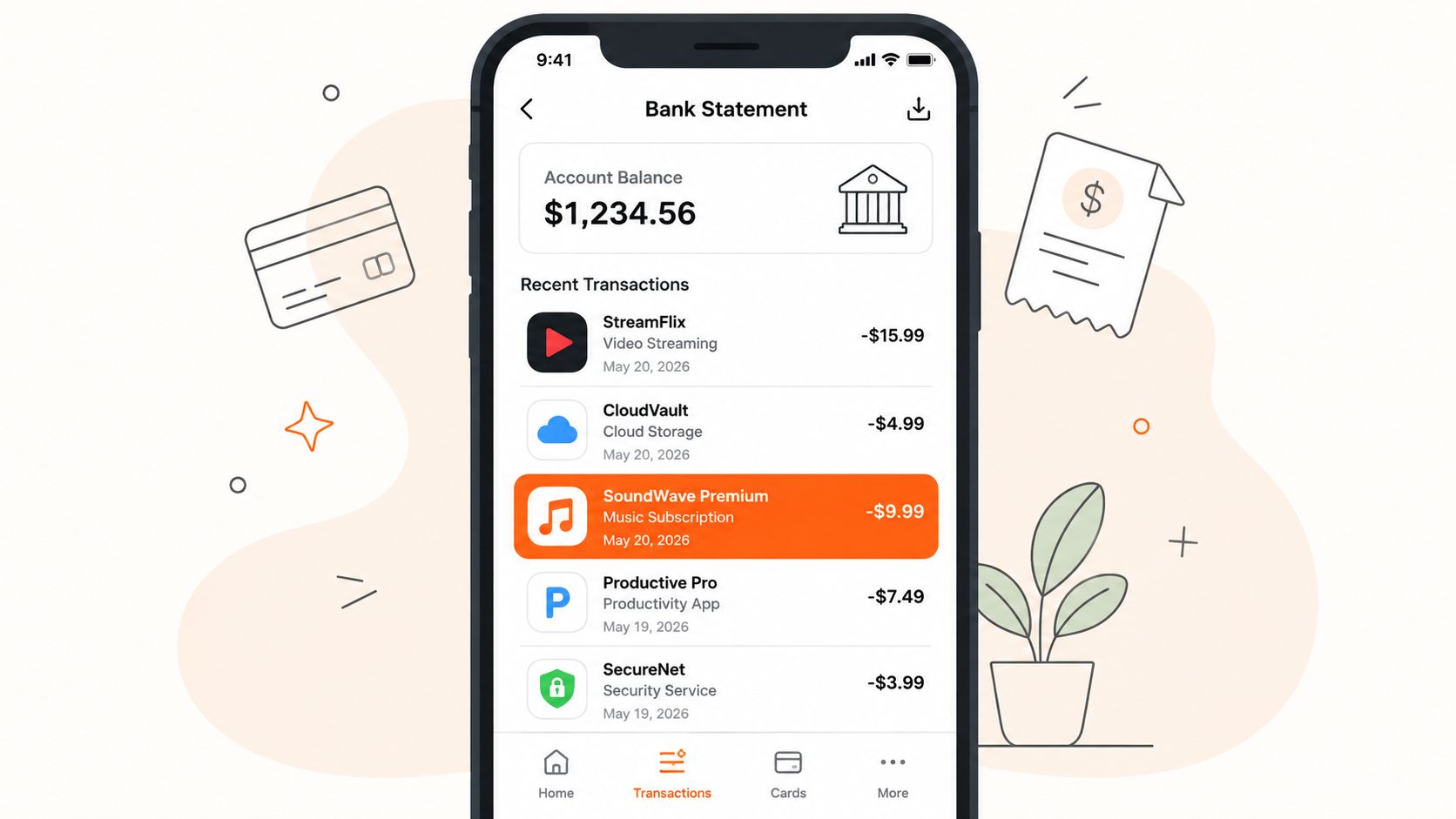
Practical rule: If a recurring charge shows up more than once a quarter, it deserves a review, even if it's small.
The cleanest way to think about it is simple. Subscriptions are a living part of your cash flow, so they need a living system. A one-time cancellation spree feels productive, but it doesn't stop new renewals from creeping back in next month.
See how subscriptions fit into fixed expenses
Build Your Subscription Register
Start with a list, not with cancellations. If you don't know what you're paying for, you'll miss bundled charges, duplicate logins, and services hiding behind vague merchant names. A plain credit card statement is a clue, not a full inventory.
Set a timer for 30 minutes and build one register for every recurring service you can find. Pull from your bank app, Apple, Google, Amazon, app store receipts, and email confirmations. Write down the service name, billing cycle, payment source, and the last time someone in the household used it.
Use this template and keep it somewhere you'll revisit:
| Column | What to Record | Why It Matters |
|---|---|---|
| Service name | The exact app, platform, or provider | Stops duplicate entries and fuzzy naming |
| Monthly or annual cost | The amount charged and how often | Shows the true cash-flow hit |
| Billing cycle | Monthly, annual, trial, or other | Reveals renewal risk |
| Payment source | Card, wallet, app store, or shared account | Helps you find and cancel it later |
| Account email | The email tied to the service | Makes logins and support easier |
| Last-used date | The most recent real use | Tells you whether it's alive or dead |
| Renewal date | Next charge date or expiry | Lets you act before auto-renewal |
A useful trick is to group charges by merchant before you judge them. Britannica's advice to bundle Apple, Google, Amazon, and PayPal payments is smart because the merchant name on the statement often hides the actual service. Group bundled recurring charges by merchant
If a family shares devices, don't skip the messy part. Some charges will turn out to be personal, some shared, and some accidental duplicates across phones and tablets. That's normal, and it's exactly why the register exists.
Track recurring bills in one place
Sort Each Subscription Into Keep, Downgrade, Cancel, or Investigate
Once the register is clean, stop arguing with yourself and start sorting. The point is to make a decision fast, not to spiritually debate every app subscription for half an hour. A subscription only deserves attention if it earns its place, or if it's confusing enough that you need more information.
Keep
Keep the services you use weekly and would miss. If you use something often enough that the cost feels boring, it probably belongs here. That doesn't mean you love it, it means it's pulling its weight.
Downgrade
Downgrade anything useful but not essential. A lower tier, fewer seats, less storage, or a seasonal pause often gets you most of the value for less cash. Cost-per-use thinking helps here, because a service you touch sometimes can still be worth keeping if the cheaper tier fits.
Cancel
Cancel anything you haven't used in 60 days or that duplicates another tool. I'd be ruthless here. If two services solve the same problem, one of them is dead weight unless the household has a clear reason to keep both.
Investigate
Investigate shared plans, family plans, and bundles where the math isn't obvious. This bucket is for the subscriptions that look cheap until you ask who's using them and whether everyone would notice if they disappeared.
Rule of thumb: If you can't explain a subscription's value in one sentence, it doesn't belong in the keep pile yet.
If you need to cancel something on an iPhone, use the platform's cancellation path instead of hunting through the vendor's website first. That saves time and tells you whether the charge is billed through the store or directly by the provider. Cancel an iPhone app subscription
Downgrade and Negotiate Before You Cancel
Cancellation is not the only lever, and it's not always the smartest one. A lower tier can be enough. A pause can be better than a hard stop for something seasonal. Annual prepaying can save money, but only if the lower price is worth giving up flexibility.
Here's the part people skip. Before you cancel, ask whether the service can survive on a cheaper plan that still covers your real usage. If you're using a fitness app only part of the year, pausing beats paying all year and resenting it. If a service has an annual option, compare the price against your actual cash flow, not just the sticker discount.
Negotiation works because retention teams expect it. Be polite, be direct, and ask for the next better option. Competitor pricing helps, but keep it simple. You don't need a speech, you need a clear ask.
Use this chat script:
Hi, I'm reviewing recurring expenses and this subscription is more than I want to pay right now. Can you show me your lowest plan, a pause option, or any retention offer before I cancel?
Use this email version if support is easier by email:
Hello, I'm looking at my subscription and I'm willing to keep it if there's a lower tier or a pause option. If not, please cancel it before the next renewal date. Thanks for your help.
If you're sorting out the wording or the timing of a billing issue, troubleshooting journaling is a good model for keeping a clear record of what you asked, when you asked it, and what support said back. That habit makes disputes and follow-ups much easier.
The polite closing line matters more than people think. “Thanks for checking, I'd appreciate any option that keeps this affordable” often gets a better response than a hard ultimatum.
Set Renewal Alerts and a Quarterly Review Cadence
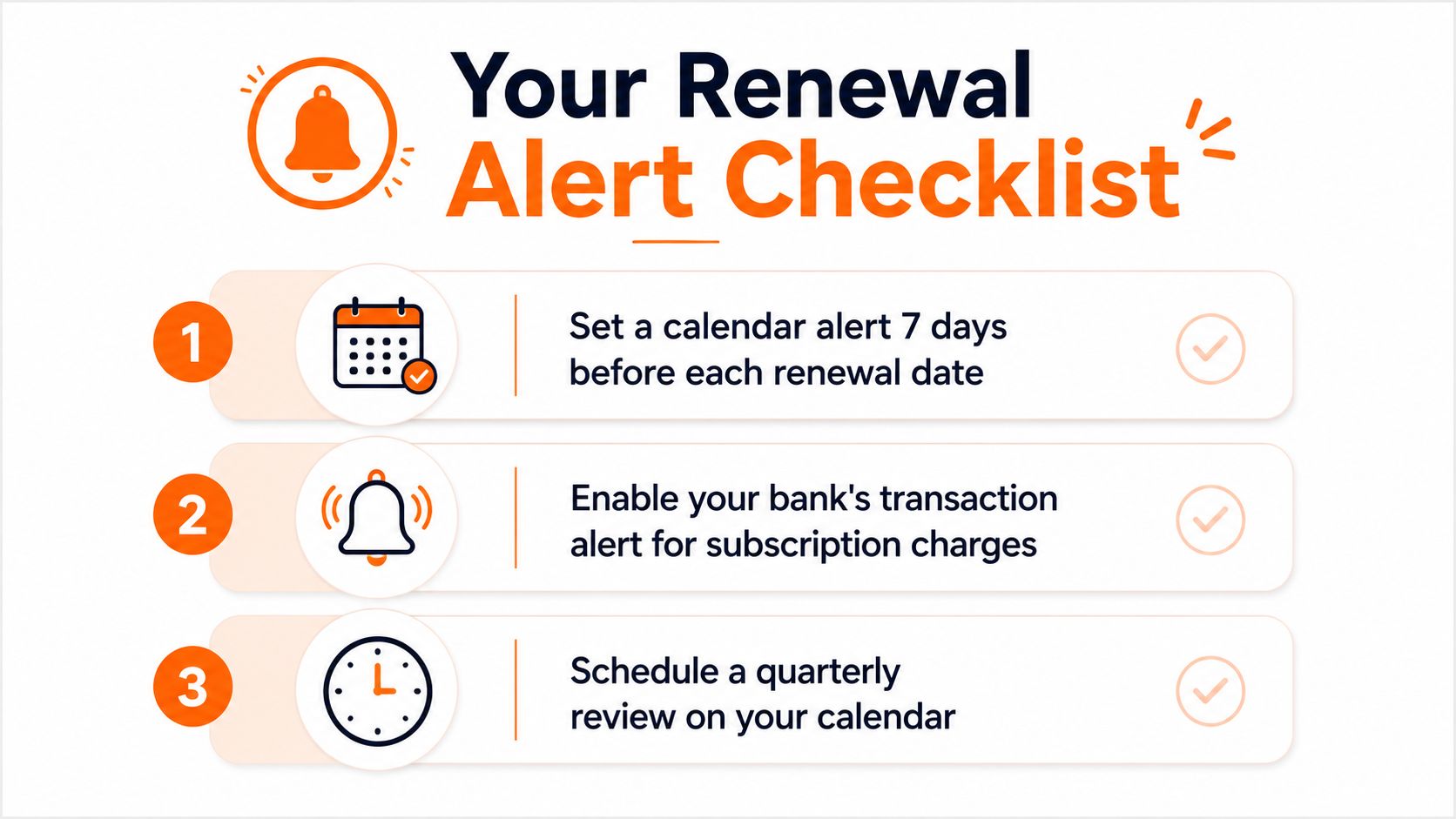
Most subscription mistakes happen at renewal, not at signup. People cancel too late, forget annual charges, or miss trial conversions because the date never showed up on their calendar. If you want control, make renewal dates visible before the charge posts.
Use three alert layers. First, set a calendar reminder 7 days before every renewal date. Second, turn on a spending alert in your budget or banking app so subscription charges don't blend into the rest of your card activity. Third, schedule a quarterly review and treat it like maintenance, not a chore you'll “get to later.”
If a service bills annually, give yourself even more room. Annual renewals are easy to miss because they feel far away until they aren't. A 7-day reminder is the minimum, not the ideal, when the charge is large or the service is easy to forget.
Card expiry is another quiet problem. A stored card can fail, a service can lapse, and you might not notice until you need it. That's why payment-source hygiene matters as much as the cancellation date.
For a reminder workflow, a plain bill calendar is enough. If you want a cleaner system for ongoing alerts and recurring due dates, this bill payment reminder guide is a useful reference point for building the habit.
A simple quarterly review looks like this:
- Check renewals: Look 30, 60, and 90 days ahead for charges that are coming due.
- Re-sort the list: Move each service into keep, downgrade, cancel, or investigate.
- Confirm payment sources: Make sure the right card is still live.
- Review shared plans: Check whether anyone in the household still uses the service.
- Remove dead weight: Cancel anything that slipped through the last round.
Review your money in one place
Keep the review short. If it turns into a project, you'll avoid it. The habit works because it's boring and repeatable.
Tools and Tracking Approaches Worth Using
Not everyone needs the same system. Some people want total control, some want a simple monthly check, and some want software to watch for recurring charges in the background. The right answer depends on how many subscriptions you have and how much time you're willing to spend on them.
A manual notes file or spreadsheet is the most private option. It catches everything if you keep it updated, and it works even when your bank connection is messy or incomplete. The trade-off is discipline, because no app will save you if you never open the file.
A basic monthly review of statements with category tags works for people who don't want another tool. It's good enough if you've only got a few recurring charges and you already check your accounts regularly. The weakness is obvious, it relies on you noticing the pattern every month.
An automated expense tracker is faster because it can flag recurring charges and renewal dates without you hunting them down line by line. For Canadian users, that matters because bank-connection coverage can be uneven, so a manual entry option still matters when a service doesn't surface cleanly through your accounts. Fintrack fits that middle ground by tracking recurring subscriptions, spending alerts, and manual entries in one dashboard.
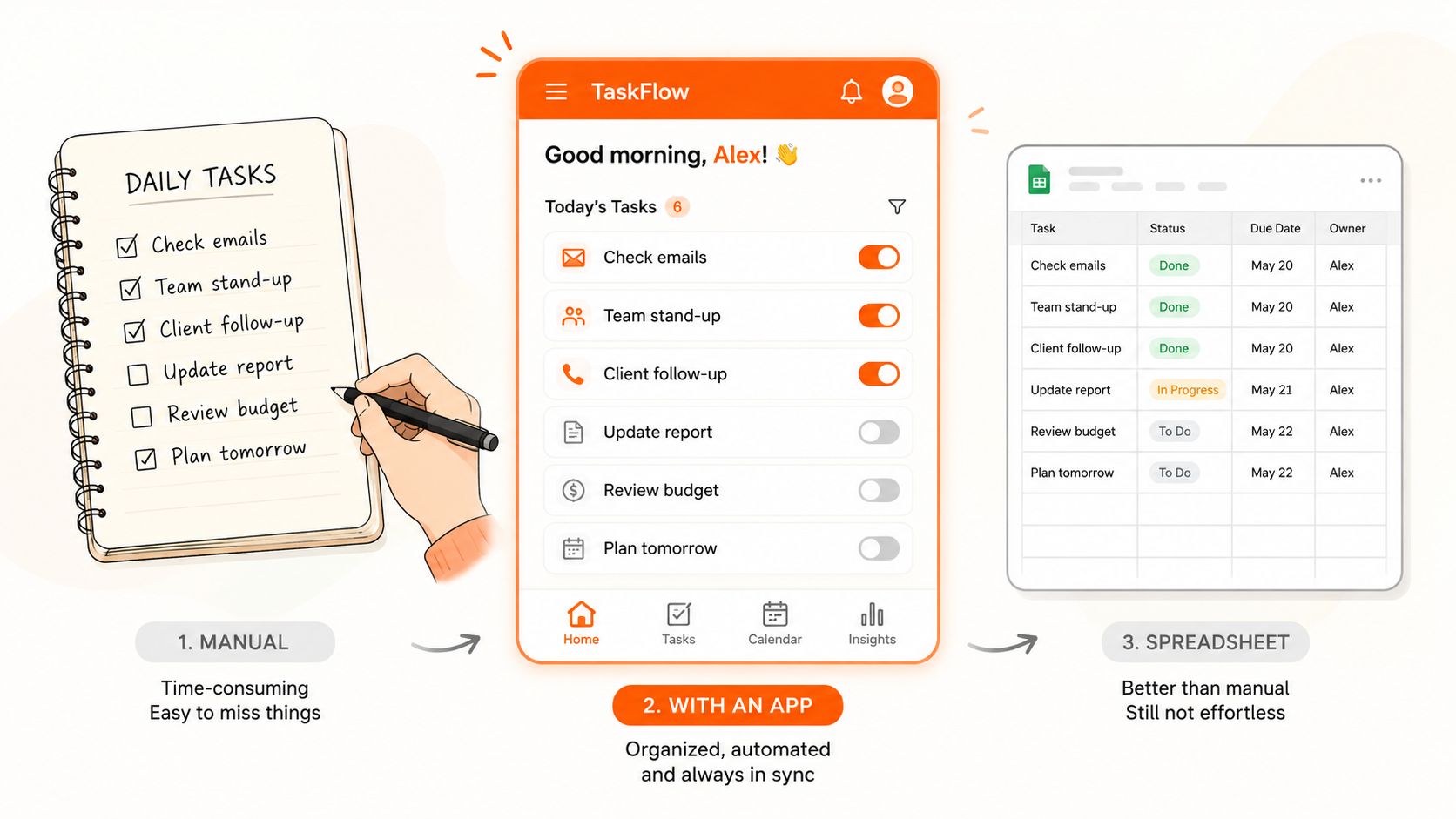
My take: If you have more than a handful of subscriptions, automation should do the finding and you should do the deciding.
Use the tool that gets you to the truth fastest. A fancy dashboard is useless if it doesn't help you catch the charge before renewal.
Compare subscription tracking options
The Household Layer Most Guides Skip
The biggest subscription mistakes usually aren't solo mistakes. They happen when a couple, family, or roommate group shares services without a clear owner, then assumes someone else is handling the renewal. That's how duplicate charges survive for months.
Split subscriptions into three buckets, personal, shared, and accidental duplicates. Personal services are easy. Shared ones need a rule. Duplicates need a decision, because someone is often paying for a second plan that another household member already has.
A family plan is not automatically a better deal than individual plans. If only one person uses the extra seats, the “deal” can turn into clutter. The key question is whether the household uses the service enough to justify the coordination overhead. That means you need to ask who uses it, how often they use it, and whether anyone would notice if the plan disappeared.
Set one owner of record for every shared subscription. Put the login, billing email, renewal date, and payment source in a shared note the whole household can access. Then review it quarterly so nobody gets surprised by a charge they thought someone else was watching.
Here's the part most households miss. The cheapest plan is not always the right plan if it creates friction for three people. A slightly more expensive setup that everyone can use can be better than a bargain plan that no one remembers to manage.
Use this household rule:
- One owner: One person is responsible for each shared service.
- One record: Keep the login and renewal details in a shared note.
- One check-in: Review shared subscriptions every quarter.
- One decision: If a service confuses the group, sort it into investigate instead of ignoring it.
For broader policy context on subscription changes and automatic billing pressure, this look at the vacated FTC rule and SaaS impact is worth reading, especially if you want to understand why cancellation visibility keeps coming up in consumer discussions.
If you want a system that handles the background work, let Fintrack flag recurring charges and renewals so you can spend less time scanning statements and more time deciding what stays. Open your next bank statement, build the register, sort the services, and set the first renewal reminder today by visiting Fintrack.