
You open your chequing account, then your credit card app, then a prepaid card account. A few minutes later, you're still piecing together last month's spending, and you haven't checked your investment platform yet. Meanwhile, a forgotten streaming trial renews and a subscription price increase slips past unnoticed.
That's the problem an AI personal finance app is designed to solve. It doesn't just add a chatbot to one bank account. It can bring scattered financial information into one view, identify patterns across institutions, and turn raw transactions into practical decisions. The technology has limits, but used carefully, it can connect the parts of your financial life that traditional banking apps leave separate.
Why Your Money Needs More Than a Banking App
A bank app is useful within its own boundaries. It can show your balance, list transactions, and sometimes provide spending categories or a virtual assistant. But if you use several banks, cards, payment services, and investment platforms, each app sees only one part of the picture.
That creates a practical blind spot. Your primary bank might know about your rent and payroll, while your credit card provider sees restaurant spending and your prepaid account records smaller purchases. No single bank-native tool can reliably explain how all those transactions fit together.
Canadian banking habits have already moved in a direction that supports a more connected approach. The Canadian Bankers Association reports that 78% of Canadians used a banking app in the past year in 2026, compared with 44% in 2016, while 37% said a banking app is their primary banking method and 82% use digital channels for most banking transactions. The Canadian Bankers Association's 2026 overview also reports strong app use among Gen Z, Millennials, and Gen X, showing that mobile money management isn't limited to one age group.
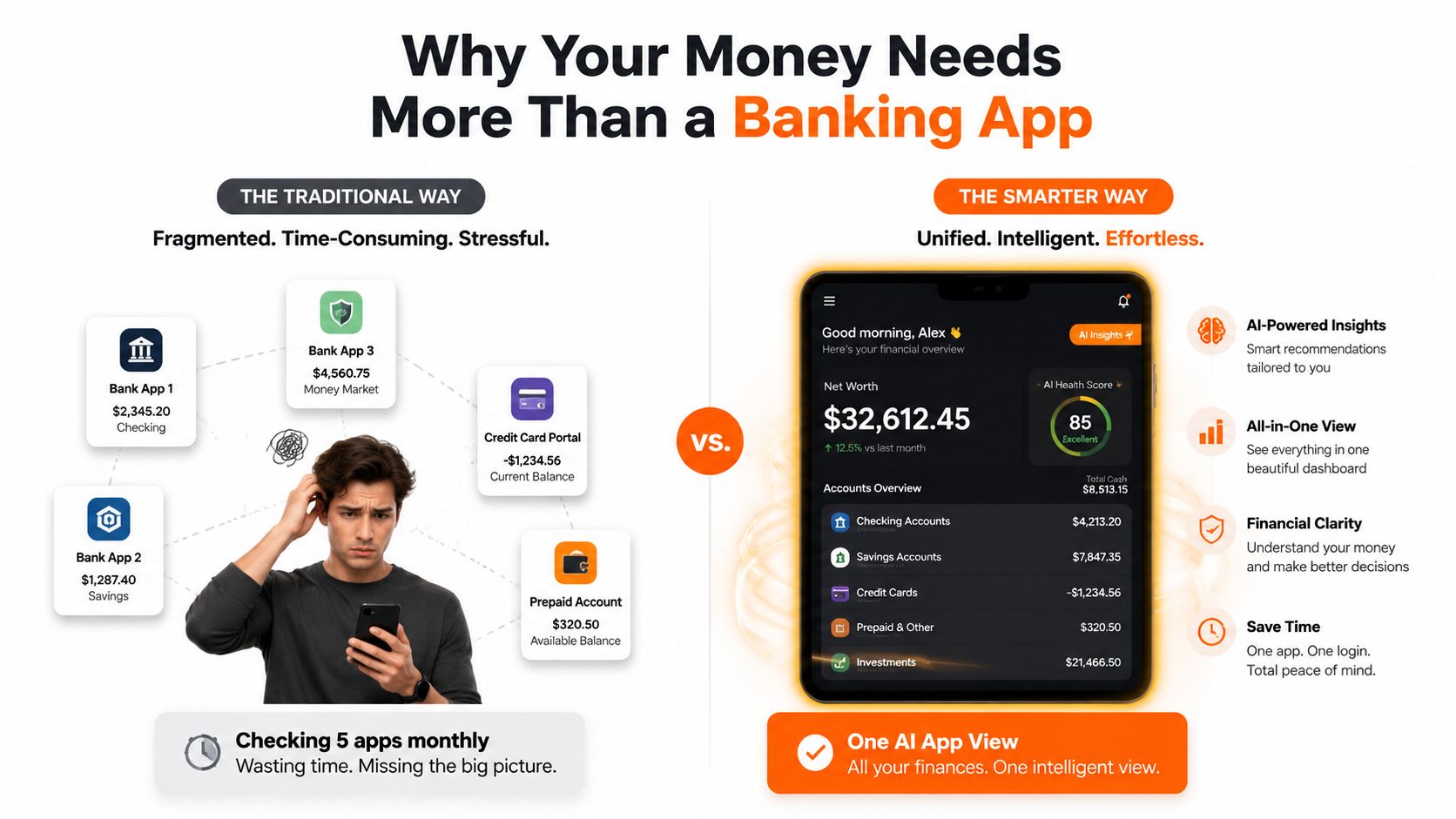
An AI finance app acts like a unified intelligence layer above those separate accounts. Instead of asking you to remember which app contains a transaction, it can help organise spending by merchant, category, recurring pattern, and account. That makes it easier to ask useful questions, such as whether grocery spending is rising, which subscriptions repeat, or whether a charge appears twice.
Practical rule: A dashboard is only useful if it helps you make a decision. Seeing every account in one place matters because it gives alerts and recommendations the context they need.
This cross-institution view is becoming more technically practical in Canada. Proposed consumer-driven banking regulations describe API-based sharing of consumer-authorised data, including deposit, payment, investment, and lending account information, along with balances, transactions, and account metadata. The proposed regulations in the Canada Gazette point toward fresher data and less dependence on fragile screen-scraping methods.
The value isn't the word “AI.” The value is connective tissue. A system that can see the relationships among accounts may help you notice a recurring payment, an unusual charge, or a cash-flow pressure point before you find it manually.
Core Features That Define an AI Personal Finance App
Not every finance app that uses artificial intelligence provides the same experience. Look for features that work together, rather than a generic chat window sitting beside ordinary charts.
Conversational answers instead of menu hunting
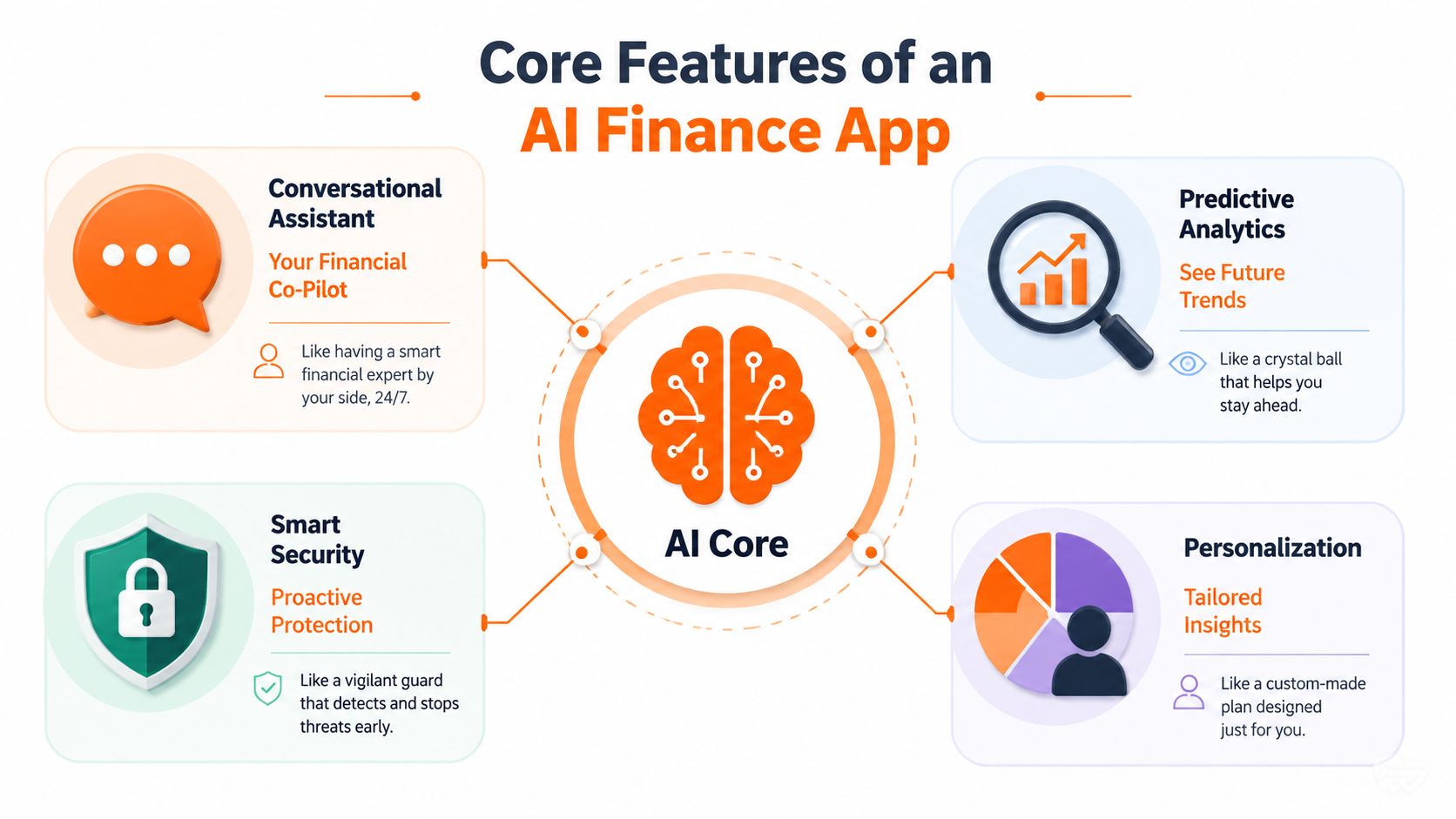
A conversational assistant works like a financial co-pilot. You can ask, “Where did my grocery spending go this month?” or “Which payments repeat every month?” instead of opening several reports and interpreting graphs yourself.
The answer still depends on the data available to the app. But plain-language questions can make routine reviews faster and easier to repeat.
Fintrack's AI financial assistant feature illustrates this model by connecting questions about spending, budgets, goals, and accounts to a user's financial information. The important distinction is context. A general AI model can explain what a budget is, but it can't answer a personal spending question without accurate personal data.
Predictive budgeting as a wallet forecast
A traditional budget often describes what you hope to spend. Predictive budgeting tries to estimate what may happen next by examining previous income and spending cycles.
Think of it as a weather forecast for your wallet. It might identify an upcoming cluster of bills, show that discretionary cash usually tightens near a certain point in the month, or warn that current spending could push a category beyond its plan. It isn't a guarantee, and irregular income or a major one-time expense can change the result.
Anomaly detection for charges that look out of place
Anomaly detection works like a smoke detector. It doesn't prove that a fire has started, but it draws attention to something that deserves a closer look.
Useful flags can include duplicate charges, an unexpected fee increase, a merchant error, or a payment that differs sharply from your normal pattern. Canada's fraud burden makes this a meaningful use case. Canadians lost $704 million to fraud in 2025, and losses since 2022 surpassed $2.4 billion, according to figures cited by the Government of Canada in its fraud prevention announcement.
Personalised tips based on actual behaviour
Generic advice tells everyone to spend less. Personalised guidance starts with your own activity and suggests a specific action, such as reviewing a recurring communications bill, checking a duplicate charge, or adjusting a category that repeatedly runs over plan.
These features become more useful when they operate as a system. The assistant explains the pattern, forecasting adds timing, anomaly detection highlights risk, and personalised suggestions identify a possible next move. You remain responsible for deciding whether the recommendation makes sense.
Real Benefits and Honest Limitations
A busy professional notices a subscription renewal while reviewing several bank accounts. The useful response is not another dashboard to open. An AI finance app can connect the fact to an action, such as checking whether the service is still used, comparing the charge with the previous month, or flagging it for cancellation.
Canadian adoption data suggests growing comfort with AI-assisted money management. A Scotiabank survey reported that 37% of Canadians used artificial intelligence to manage their money in 2026, up from 13% in November 2024, while Ipsos found that 33% were already using AI for financial management. Scotiabank's Canadian survey coverage describes uses including personal-finance education, household budgeting, investment research, saving, and updating financial plans.
The trend does not justify handing over every decision. It shows where AI can help: gathering information from separate institutions, identifying a pattern, and offering a timely next step. Bank-native assistants may explain activity within one institution. Cross-institution tools address the wider problem, including fragmented accounts and subscriptions spread across several services.
What an AI app can do well
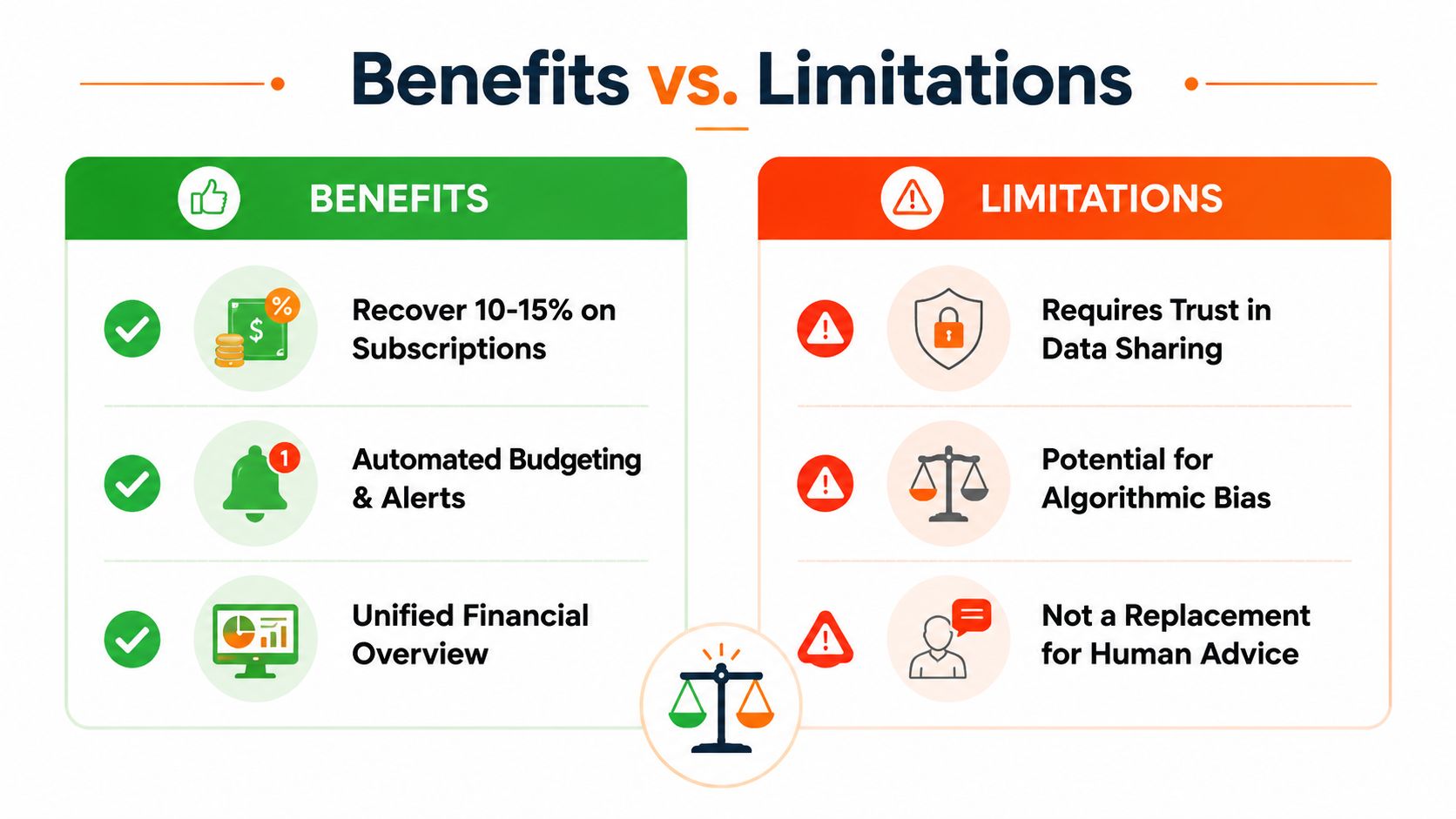
- Reduce manual review: Automated categorisation and recurring-payment detection make monthly checks less dependent on spreadsheets and memory.
- Unify fragmented information: Combining authorised account data can reveal patterns hidden across separate bank portals, such as overlapping subscriptions or repeated spending increases.
- Surface recoverable value: The app may identify duplicate charges, unused credits, loyalty points, discounts, or expiring offers for you to review.
- Support faster alerts: Mobile finance use is established in Canada. Statistics Canada found that 82% of Internet users conducted online banking in 2022, compared with 80% in 2018, and the Bank of Canada reported mobile app payment adoption of 45% in 2023, up from 37% in 2022. Those figures appear in the cited Canadian AI finance market reporting above.
For a closer explanation of conversational budgeting, see our guide to AI budgeting assistants.
The limits matter just as much. An app may lack a suitable connection to an institution, misclassify a niche merchant, or misunderstand an unusual purchase. Predictions depend on the transaction history and account coverage available to the system.
AI can highlight a possible problem. It cannot confirm the merchant's intent, interpret every tax consequence, or replace a qualified professional for complex tax strategy and estate planning.
Verify unusual alerts before disputing a transaction or changing a financial plan. Privacy also involves a trade-off. Some services may use aggregated spending insights in their business model, while subscription-funded services may tie payment more directly to continued use. Read the policy before connecting accounts, because aggregators do not all handle data the same way.
How to Evaluate Security and Privacy Before You Connect
Convenience shouldn't be the first test. Before linking an account, determine what the app can access, how it receives that access, how long it retains the data, and what happens when you leave.
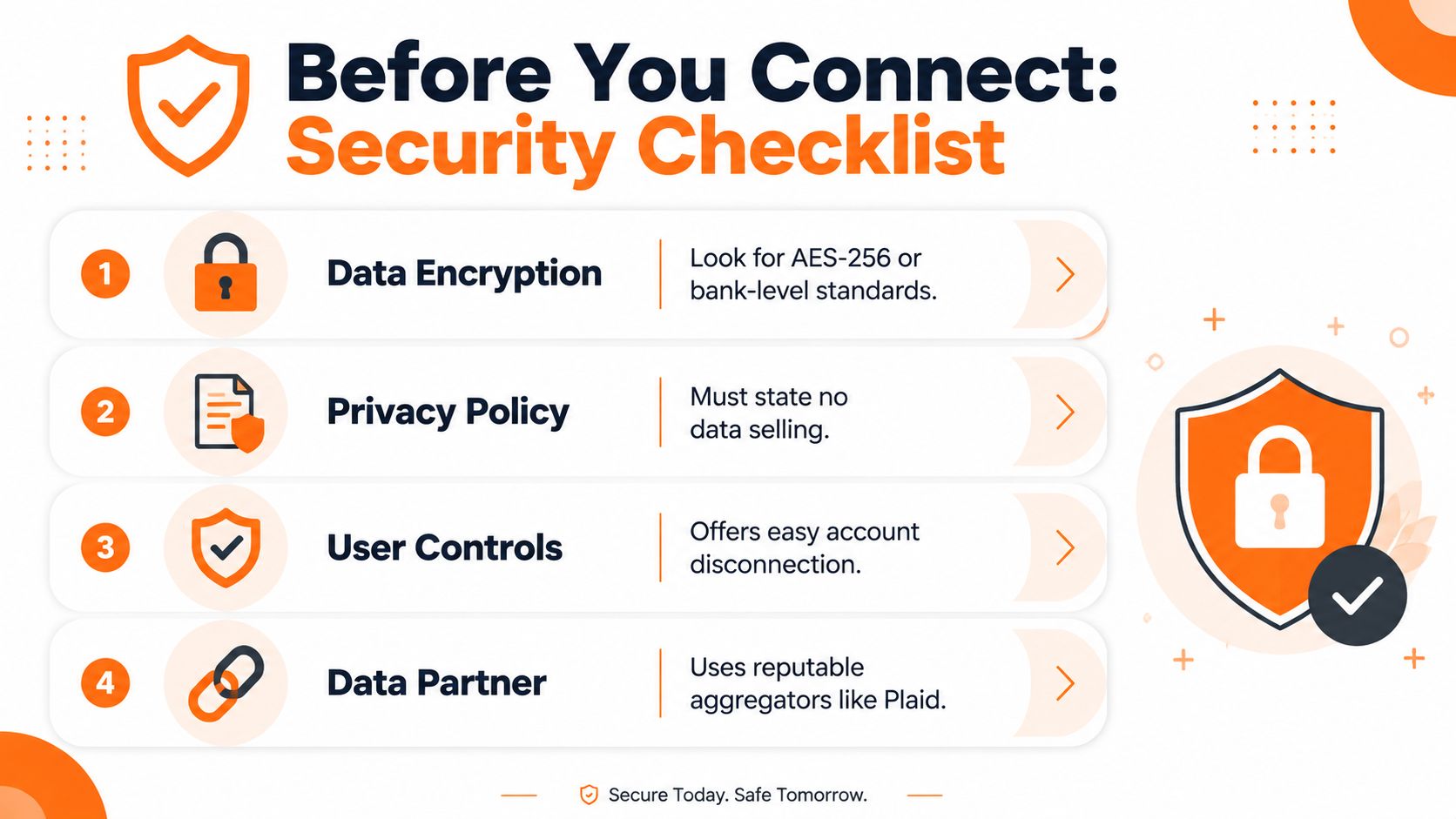
A safer connection normally uses an established authentication flow, read-only permissions where appropriate, and tokenised access through a recognised data partner. An app that asks you to type your bank username and password directly into its own interface deserves immediate caution, because you lose the clear boundary between your bank's login system and the third-party service.
Compare the provider, not just the interface
Security language can sound similar across products, so check the actual documentation. Look for bank-level encryption such as AES-256, a stated security programme, and SOC 2 Type II compliance where the provider claims it. Canadian users should also review whether the service addresses PIPEDA requirements and whether data is stored in Canada or an equivalent jurisdiction.
Data retention deserves equal attention. Some services retain raw transaction records indefinitely, while others describe anonymisation, deletion, or limited processing periods. A clear policy should explain whether personal information is sold, whether aggregated insights are shared with third parties, and how deletion works after account closure.
Run this checklist before linking accounts
- Confirm the connection method: Prefer OAuth or tokenised access through a reputable aggregator, such as Plaid, rather than entering banking credentials into the finance app.
- Check account controls: Look for two-factor authentication, read-only permissions where available, and a simple way to disconnect an account.
- Read retention terms: Find out what information stays after processing and what the provider deletes when you close your account.
- Review the business model: Confirm whether the provider sells personal data or uses aggregated spending information for other commercial purposes.
- Plan for fraud alerts: For broader habits that help protect your accounts, review this practical guide to scam protection advice.
Cross-bank visibility is valuable only when the connection is trustworthy and understandable. A guide to bank account aggregation can help you assess what aggregation means before you decide which accounts to include.
Three Use Cases Where AI Changes Your Financial Routine
The difference between a novelty and a useful AI personal finance app appears in ordinary routines. Consider three situations where the system surfaces an opportunity, but the person still makes the final call.
Subscription management
A user checks a unified transaction view and finds three overlapping streaming services plus a gym membership they rarely use. The app can identify recurring merchants and place those payments together, making the waste visible during one review instead of across several statements.
It might also flag a price change or a renewal pattern. The user decides whether to cancel, pause, downgrade, or keep each service. The practical benefit is not an automatic cancellation promise. It's replacing a vague feeling that “subscriptions are adding up” with a specific list to review. The subscription management app guide covers this use case in more detail.
Savings during variable income
A freelancer's income changes from month to month, while groceries, transport, and bills follow less predictable patterns. Instead of applying a rigid savings rule to every paycheque, the app can compare recent income with spending behaviour and suggest a transfer that fits the current cash-flow picture.
The user can accept, reduce, or ignore the suggestion. If income changes again, the recommendation may change too. That makes the process more flexible than setting one fixed amount and hoping it remains realistic.
Recovering rewards and benefits
Someone books a flight with a debit card even though a travel rewards card would normally be more suitable. An assistant that understands the transaction and the user's available benefits could point out the missed rewards opportunity and suggest a future card-matching rule for travel purchases.
The app shouldn't claim that every purchase belongs on a particular card. Fees, interest, insurance terms, and repayment habits matter. The useful role is to remind you that a benefit exists and prompt you to check whether using it fits the purchase.
Getting Started With Your First AI Finance Setup
Start with organisation, not automation. Gather your chequing and savings accounts, credit cards, investment platforms, recurring bills, and any accounts you track manually. You don't need to connect everything on the first day.
Use this four-step setup:
- Choose for security first: Apply the connection and privacy checklist above. Treat access controls and data retention as product features, not fine print.
- Begin with two or three primary accounts: Start with the accounts that cover most everyday income and spending. This makes the first review easier to understand and gives you a manageable way to test categorisation.
- Observe before changing: Give the app time to learn your spending patterns. Review alerts and categories without immediately restructuring your entire budget.
- Customise after the first review: Correct categories, rename merchants where needed, and set one clear goal. You might focus on reducing dining-out spending or cancelling unused subscriptions.
Fintrack is one example of an app that combines guided onboarding with bank connections, manual entry, transaction categorisation, spending insights, and budget planning. It also supports a bank-free approach for people who prefer to enter transactions manually or avoid connecting an account.
For a practical foundation, use this guide to track monthly spending, then judge the app by the quality of decisions it helps you make. Your first month may feel incomplete, especially if historical data is limited. After 30 to 60 days of transaction history, the patterns available to the system can become more useful, so give the setup time before deciding whether it fits your routine.
Start with one question you want the app to answer consistently. A focused review builds more confidence than connecting every account and ignoring the resulting dashboard.
Fintrack brings accounts, manual transactions, budgets, goals, alerts, subscription detection, and benefits such as cashback or unused credits into one financial workspace. Visit Fintrack to explore a guided way to turn scattered spending data into clearer next steps, with the option to track without a bank connection.