
Meta description: Learn what financial planning software does, which features matter, and how to choose a tool that helps with budgets, goals, subscriptions, and rewards.
You open your banking app, scroll through a wall of transactions, and still can't answer the question that matters most: am I moving in the right direction?
That's the problem many users are trying to solve when they look for financial planning software. They don't need more raw data. They need a tool that turns paycheques, bills, subscriptions, savings goals, and day-to-day spending into a clear picture they can use.
A lot of people already have pieces of a system. A spreadsheet for monthly bills. A notes app list of goals. Maybe an investing app. Maybe a budgeting app they stopped checking. The issue usually isn't effort. It's that the information lives in separate places, so your money feels reactive instead of organised.
When Your Money Feels More Like Noise Than a Plan
A common pattern looks like this. You get paid, pay rent or mortgage, cover groceries, see a few streaming charges, maybe a gym membership, maybe a random annual renewal you forgot about. By the end of the month, the account balance tells you what happened, but not why it happened or whether it lines up with your priorities.
That's where financial planning software earns its place. It connects the dots between income, spending, debts, goals, and upcoming obligations so you can see more than a transaction feed. Instead of asking, “Where did my money go?”, you start asking better questions, like “What's crowding out savings?” or “Which recurring costs should I cut first?”
In Canada and the United States, this isn't niche behaviour anymore. North America held more than a 37.5% share of the global financial planning software market in 2023, a sign that people across both countries are increasingly using digital tools to streamline budgeting, investing, and tax planning (financial planning software market data).
The real problem isn't missing information
Most households already have plenty of information. They have statements, alerts, receipts, and account balances. What they lack is a single system that translates those inputs into decisions.
For someone trying to stop the cycle of running short before the next paycheque, that matters more than another spreadsheet tab. If that's your situation, it helps to start with the habits behind living paycheque to paycheque and then use software to make those patterns visible.
Practical rule: If your current setup tells you what you spent but not what to change next, it's incomplete.
What clarity looks like in practice
Good planning software doesn't just store numbers. It answers real household questions:
- Cash flow questions: Can I afford this trip without pushing next month into a squeeze?
- Priority questions: Should extra money go to debt, savings, or a sinking fund?
- Waste questions: Which recurring charges keep slipping through unnoticed?
- Goal questions: Am I getting closer to a down payment, or just hoping I am?
That's the shift. Your money stops feeling like noise and starts feeling like a plan.
What Is Financial Planning Software Really
The simplest way to think about financial planning software is this. It's a GPS for your money.
A budget tells you your current speed. Planning software shows where you are, where you want to go, and what route your money needs to take to get there. It combines cash flow, savings, debt, and long-term goals into one working system.
That's one reason professionals rely on it so heavily. A 2025 Kitces Research report found that 90% of financial advisors in the United States use financial planning software, which shows how standard these tools have become for modelling scenarios and giving clear recommendations.
More than a budgeting app
A basic budgeting app usually answers one narrow question: what did I spend this month?
Financial planning software should go further. It should help you understand:
Your starting point
Income, recurring bills, debt balances, savings, and account trends.Your destination
Goals like an emergency fund, home purchase, debt payoff, or retirement timeline.Your trade-offs
What happens if you save more, spend less, delay a purchase, or take on a new expense.
If you've ever looked at a budget and still felt unsure about the bigger picture, that's the missing layer.
For people who want a broader framework for what a full money system should include, a comprehensive financial plan is a useful reference point. It helps separate one-off budgeting from actual planning.
What the software should help you decide
The best tools reduce guesswork. They don't just display information. They help you make choices.
Here are the kinds of decisions they should support:
- Short term: Can I cover my bills and still save this month?
- Medium term: How should I organise sinking funds for travel, repairs, or annual fees?
- Long term: Am I balancing debt repayment and future goals properly?
Good planning software should make your financial life easier to explain in one minute.
If you want a closer look at tools that focus on day-to-day money clarity, a financial wellness app can be a good companion read. It's especially helpful if you're deciding whether you need simple tracking or a more complete planning setup.
Core Features Every Good Tool Should Have
Before you compare brands or interfaces, it helps to know what a competent tool must do. Fancy extras don't matter much if the basics are weak.
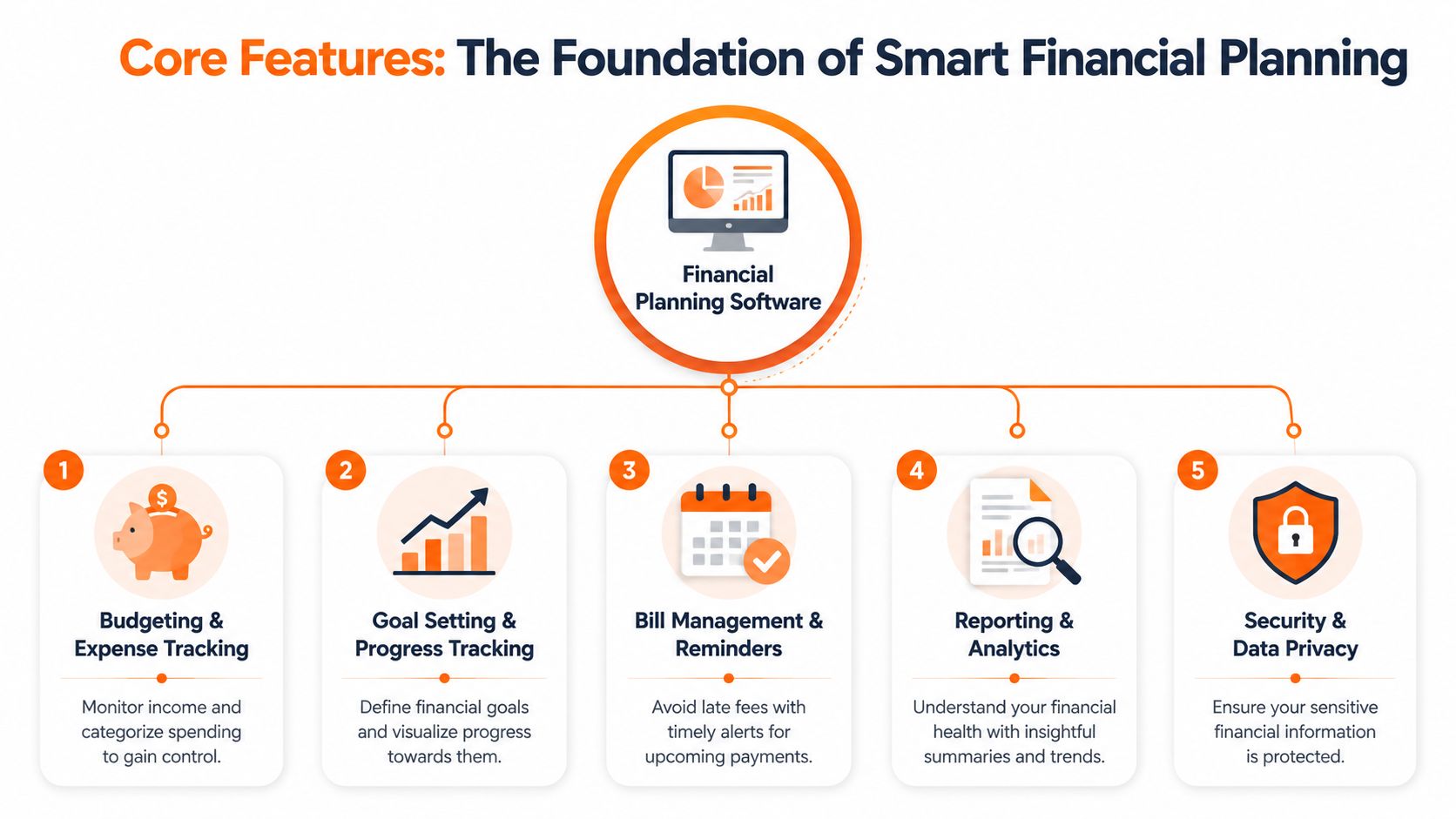
Budgeting and cash flow
This is the foundation. If a tool can't show income, fixed costs, variable spending, and monthly patterns clearly, it's not doing the core job.
Look for software that helps you answer practical questions:
- Spending visibility: Which categories keep drifting over budget?
- Timing awareness: Are bills landing before income arrives?
- Decision support: Can I spot pressure points early, not after the month is over?
A strong dashboard matters here. So does clean categorisation. If you want examples of what that looks like, a personal finance dashboard should make trends obvious without forcing you to dig through menus.
Goal tracking that connects to real life
Saving goals often fail because they sit in isolation. A separate savings target means very little if it isn't connected to your cash flow.
A useful planning tool links your goals to the rest of your finances. That means your emergency fund, travel budget, or debt payoff goal should reflect what you can sustain.
Some goals also connect to protection planning. If you're reviewing family obligations or income replacement, a tool can show room in the budget, but you may still need outside guidance to calculate life insurance needs sensibly.
Net worth and account overview
Plenty of people track spending but never step back to see whether they're building wealth or just managing bills.
That's why net worth reporting matters. It helps you see assets and liabilities together. Even if the number moves slowly, it gives context that a monthly budget alone can't provide.
| Feature | Why it matters |
|---|---|
| Budgeting | Shows what your money is doing now |
| Goal tracking | Connects current behaviour to future targets |
| Net worth view | Shows whether you're building financial strength overall |
| Bill reminders | Reduces missed payments and mental load |
| Reporting | Turns raw transactions into patterns |
Bill management and reporting
Late fees usually aren't a planning problem. They're a systems problem.
Good software should make recurring obligations visible, flag upcoming payments, and summarise trends in plain language. Reporting should help you notice changes quickly, such as rising food costs, duplicate charges, or category creep.
A feature only matters if it helps you act faster or with less effort.
Advanced Capabilities of Modern Planning Tools
The most useful financial planning software now goes beyond retirement charts and broad budgeting categories. The newer standard is practical help with the money leaks people deal with every week.
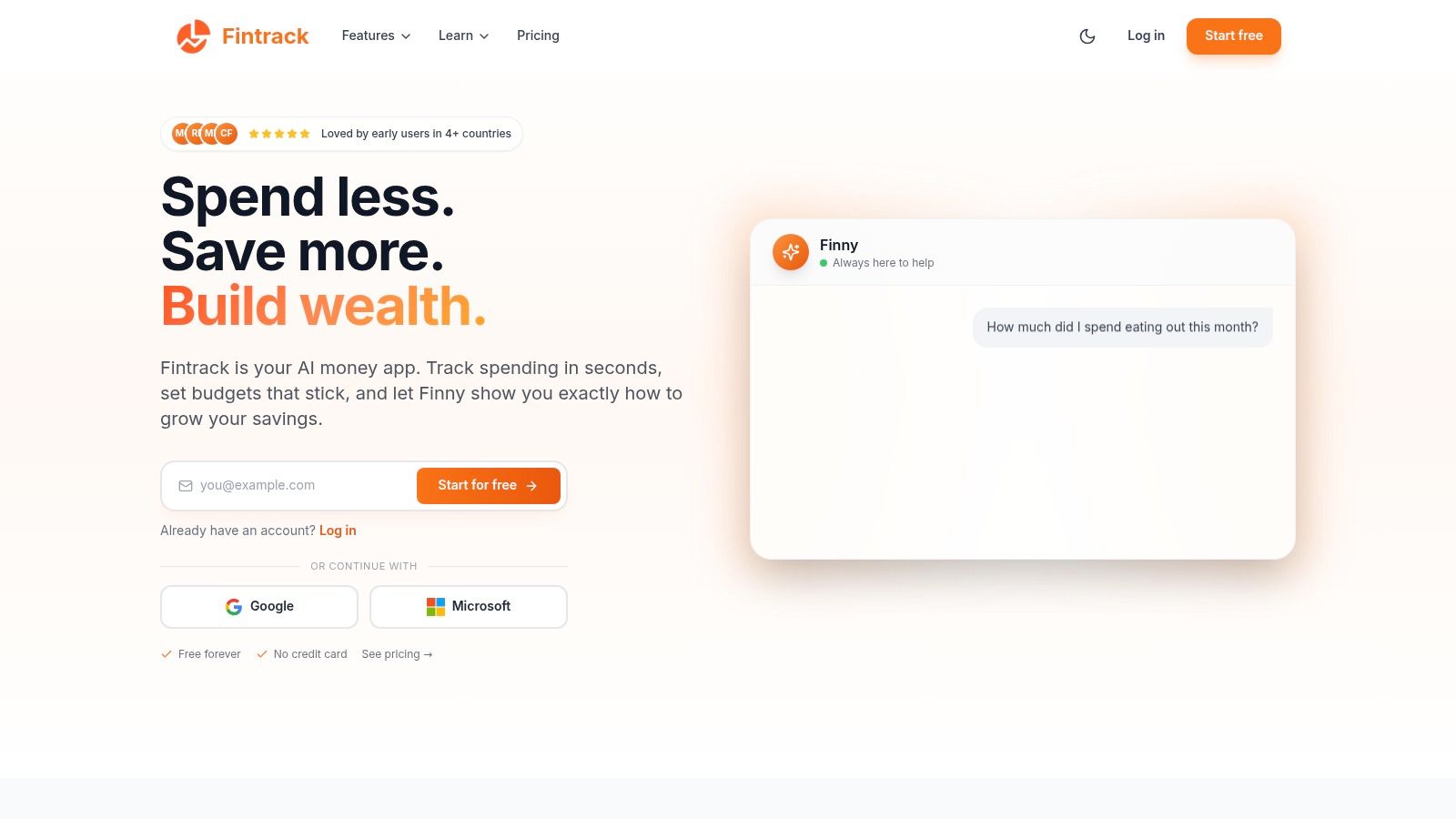
Conversational help instead of menu hunting
A lot of apps still make you work too hard to get basic answers. You click through tabs, filter categories, adjust date ranges, and hope the report tells you what you need.
Modern tools are improving that with conversational assistants. Instead of building a report manually, you ask a direct question in plain English. That's useful when you want a fast answer to something like:
- how much you spent on takeout last month
- whether subscription costs have gone up
- which categories jumped compared with the previous month
That style of interaction lowers the barrier to regular money reviews. People are more likely to engage with their finances when the software feels easy to query.
One example is Fintrack, which combines transaction tracking with an AI assistant so users can review spending and ask natural-language questions without digging through raw data.
Subscription waste and duplicate charges
Traditional planning tools were built around long-range forecasting. That's still useful, but it doesn't solve the irritation of paying for things you forgot you had.
Recurring charges are one of the biggest everyday failures in personal finance systems. They're small enough to hide, but persistent enough to disrupt savings. Good software should detect subscriptions, surface unusual repeats, and help you review what's still worth keeping.
If transaction review is your biggest friction point, tools with stronger AI transaction categorisation and expense tracking can save time and reduce manual cleanup.
Benefits wallets and hidden value
This is the feature category most reviews still underrate. Many people don't just lose money through overspending. They lose it through neglect.
According to the 2025 CALCMS Survey, California residents lost an average of $1,240 annually due to unclaimed loyalty points, expired cashback offers, and duplicate subscription charges, a gap that many traditional planning tools miss entirely.
That matters because reclaiming existing value is often easier than cutting more spending. A platform that helps track credits, rewards, expiring offers, and duplicate bills is doing real financial work, not just producing cleaner charts.
The tools are changing the job
Older software asked you to think like an analyst. Better software now meets people where they are.
Software works better when it helps with today's forgotten charges as much as tomorrow's distant goals.
That shift is important. For many households, financial progress doesn't begin with a retirement projection. It begins with catching the annual renewal, using the credit before it expires, and seeing the cash flow impact immediately.
How Planning Software Differs from Other Money Apps
A lot of confusion comes from the fact that several tools sit next to each other in the app store but do very different jobs.
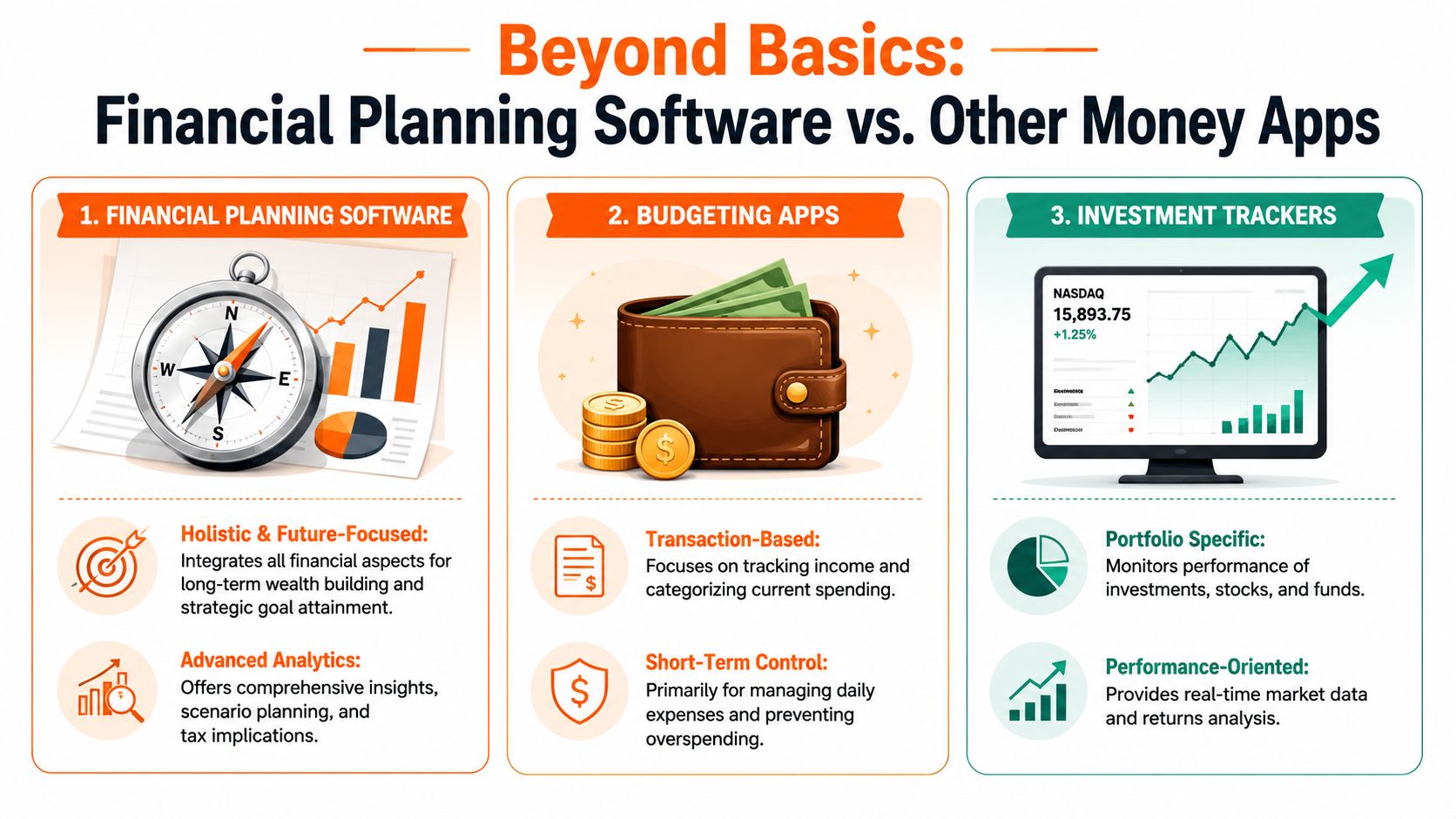
The short version
If you only need spending control, a budgeting app may be enough. If you only care about portfolio performance, an investment tracker may be enough. If you want to connect everyday choices to bigger financial goals, you need planning software.
Side-by-side comparison
| Tool type | Best for | Usually weak at |
|---|---|---|
| Financial planning software | Bringing together spending, goals, cash flow, and bigger decisions | Sometimes more setup at the start |
| Budgeting apps | Daily expense control and category tracking | Long-term forecasting and broader context |
| Investment trackers | Monitoring holdings and returns | Bills, debt, cash flow, and household planning |
| Spreadsheets | Full custom control | Automation, consistency, and ease of upkeep |
Where spreadsheets still fit
Spreadsheets aren't bad tools. They're just demanding tools.
They work well for people who enjoy building models and updating them consistently. They work poorly when life gets busy, accounts multiply, or you need reminders, categorisation, and alerts to happen without constant manual effort.
Which one suits your actual problem
Use this quick filter:
- Choose a budgeting app if your main problem is overspending in a few categories.
- Choose an investment tracker if your focus is asset allocation and portfolio monitoring.
- Choose financial planning software if you want one place to review spending, obligations, goals, and trade-offs together.
- Stay with spreadsheets only if you're willing to maintain the system yourself.
A lot of people don't need more tools. They need one tool that matches the job they're trying to do.
Your Checklist for Choosing the Right Software
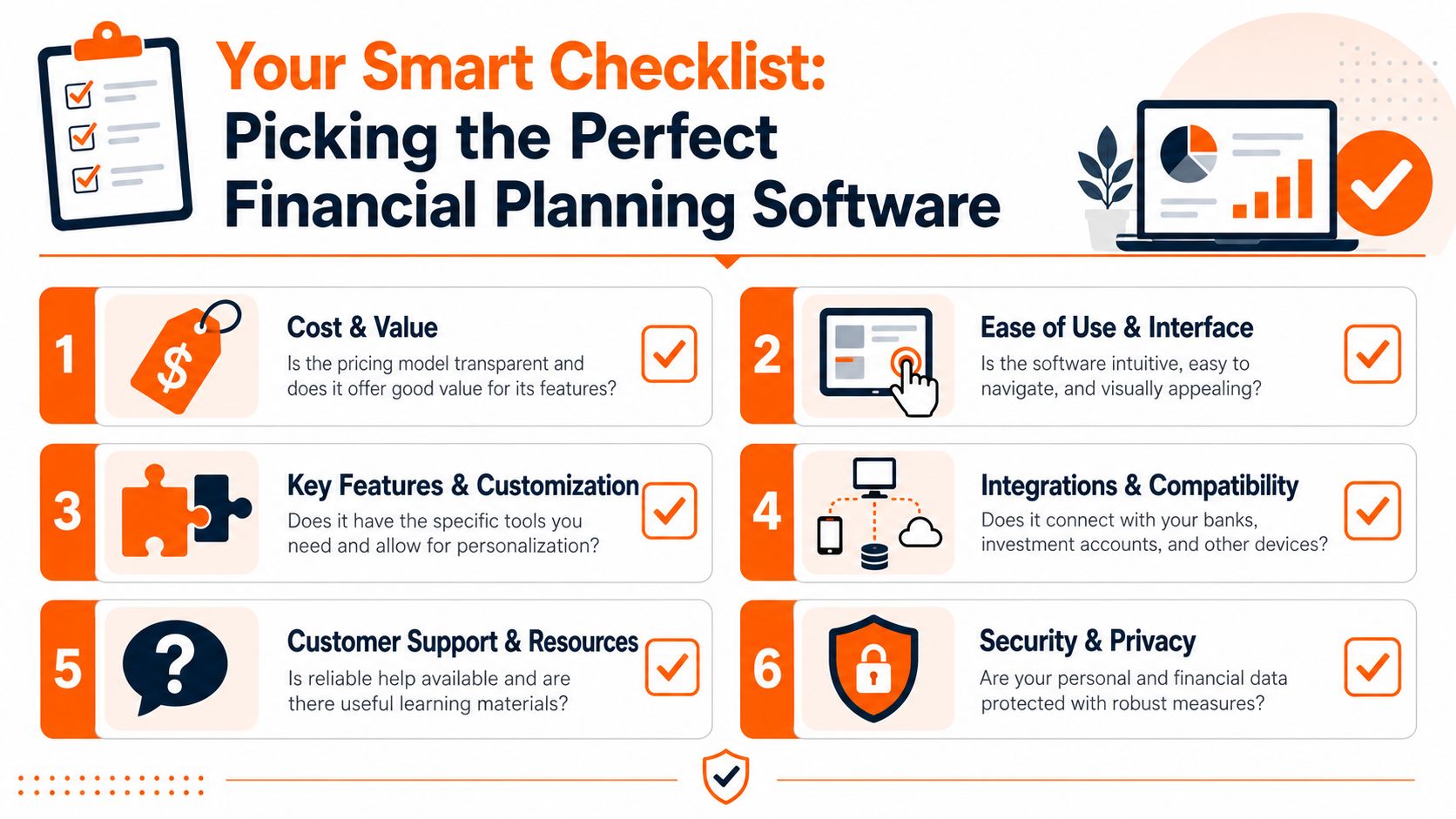
Choosing financial planning software is less about finding the flashiest platform and more about asking the right questions before you commit.
Start with trust, not features
If a tool gives recommendations, ask how those recommendations are produced. That question matters more than many people realise.
In California, 32% of households report high skepticism toward automated financial advice, and a UC Berkeley study found 41% of users switched planners after discovering AI recommendations were weighted by provider revenue agreements, not objective metrics.
That doesn't mean AI is bad. It means you should ask whether the software can explain its logic in plain terms.
Key question: Can I understand why the software is suggesting this, or am I expected to accept a black box?
Questions worth asking before you sign up
- Cost and scope: Are you paying for planning features you'll use, or for enterprise-style extras that don't match a household budget?
- Ease of use: Can you find answers quickly, or does the interface turn every review into a project?
- Manual entry option: If you don't want bank connections, or your institution isn't supported, can you still use the app properly?
- Rewards and subscriptions: Does the software help with recurring charges, expiring credits, and other everyday leaks?
- Privacy controls: What data do you share, and what can you keep manual?
- Recommendation transparency: If the tool suggests products or actions, does it explain the basis clearly?
Canada and US users should check this specifically
Support for accounts and institutions varies. So do user preferences.
For many people in Canada, especially those who value privacy or deal with unsupported institutions, manual entry is not a fallback feature. It's a requirement. A tool that works well without mandatory bank linking is often more practical than one with wider automation but less flexibility.
A simple scoring method
Don't overcomplicate the decision. Score each tool on three things:
- Can I understand it quickly?
- Does it solve a real problem I have right now?
- Do I trust how it handles my data and recommendations?
If a tool fails one of those tests, the rest of the feature list doesn't matter much.
Putting Your Financial Plan Into Action
Many individuals don't need a perfect financial system on day one. They need a starting point that makes their money easier to see and easier to manage.
That's the core value of financial planning software. It replaces scattered information with a clearer routine. You stop relying on memory, rough guesses, and end-of-month surprises. You start making choices with context.
Start smaller than you think
You don't need to build a multi-year forecast this week. Start with a few practical checks:
- Review one month of spending
- List recurring charges
- Set one immediate goal
- Ask one useful question about your cash flow
That's enough to create momentum.
Clarity first, optimisation second
People often jump too quickly to investing strategies, tax tactics, or complex long-term models before they understand the basics of their own spending.
If you're also thinking ahead to tax season, resources with expert tips for a bigger tax return can help with planning questions around refunds and deductions. But tax strategy works much better when your everyday money system is already organised.
For a broader framework on building that routine, this guide to planning your personal finances is a practical next read.
A good first move is simple. Open your money tool, look at the last month, and ask one direct question you've been avoiding. That single answer is often where the plan begins.
If you want a low-effort way to start, try Fintrack and ask a simple question like “How much did I spend on groceries last month?” A tool that can turn raw transactions into a clear answer is often the easiest first step toward a real financial plan.