You open a statement, see last month's minimum payment posted, and the balance has barely moved. Interest ate most of what you paid, a few new purchases filled the rest, and you're left wondering whether an extra $50 or $100 would change the finish line or just make this month tighter.
A debt payoff calculator can answer that, but only if you test every interest-saving path against rent, groceries, and a small buffer first. Treat the fastest payoff month as a candidate, not a promise. Run the numbers, compare the order you pay debts in, then keep only the extra payment you can repeat.
How to Run a Debt Payoff Calculator Step by Step
Start with the statement in front of you, not a guess from memory. The table below shows what each field means and what breaks when it's wrong.
Debt payoff calculator fields and where to find them
| Input | Where to read it | If this is wrong |
|---|---|---|
| Current balance | Amount owing after the latest posted payment | Payoff date and interest are both off |
| APR | Purchase or loan rate on that balance, not a blended guess | Interest savings are overstated or understated |
| Minimum payment rule | Cardholder agreement, percent of balance, flat floor, or both | Minimum-only timeline is fiction |
| Extra monthly payment | Cash left after minimums, housing, and a small buffer | Plan fails the first tight month |
| Target debt | Balance that receives every extra dollar | Avalanche and snowball results get swapped |
| Start month | Next payment you will actually make | Timeline looks shorter than real life |
Steps 1 to 3 Gather and Enter Each Debt
Step 1. List every interest-bearing debt on one page. Write the name, current balance owing after the latest posted payment, APR, and the minimum rule from the cardholder agreement. Leave a mortgage out of the first run if your goal is high-interest consumer debt, then add it in a second run so its long timeline doesn't hide what your cards are doing.
Step 2. Enter one debt at a time without rounding. If a purchase rate is 19.99%, type 19.99%, not 20%. Give a promotional rate its own end date, because the calculator needs to switch to the regular rate when the promo ends. Rounding looks harmless on one card, but it shifts interest on every month that follows.
Step 3. Set the minimum the way the issuer does. In Canada it's often the greater of a percent of the balance or a $10 floor, while US cards follow the formula printed on the statement. The Canadian federal credit-card agreement example shows purchases charged 19.99% after a promotional period, cash advances and balance transfers charged 20%, interest calculated using the daily average balance and charged monthly, and a minimum payment at the greater of 2% of the outstanding balance or $10.
That detail matters because a simple annual-rate estimate can't capture daily balances, transaction categories, or fees. Your result will be close enough to compare paths, but it won't match a statement to the cent.
Enter the rate, balance, and minimum exactly as printed. A calculator can't correct an input you rounded for convenience.
Steps 4 to 7 Run, Compare, and Save
Step 4. Run minimums only first. Record two numbers, the payoff month and total interest. This is your baseline. Without it, you can't tell whether an extra payment saves real money or just feels productive.
Step 5. Add one extra amount you can afford. Work it out in this order: rent or mortgage, groceries, utilities, transport, every minimum, then what's left. Keep a small cash buffer before you name the extra. If you're unsure how payment timing affects a card balance, this guide to how a credit card payment is applied walks through posting and due dates. Rerun and save the new date and interest.
Step 6. Change only which debt receives the extra. First send it to the highest APR. Then rerun with the same extra sent to the smallest balance. Don't change the extra amount between these runs, or you won't know whether the order or the dollar amount caused the difference.
Step 7. Save three lines for each run. Use this short format each time:
- Payoff month: the month the last included balance reaches zero
- Total interest: all finance charges across the full run
- Extra payment: the repeating amount and the debt it targets
Change one input at a time between runs. That's the whole discipline. I would favour the run you can repeat for six ordinary months over the run that looks best in a month with no surprises.
Mistakes That Make the Payoff Date Lie
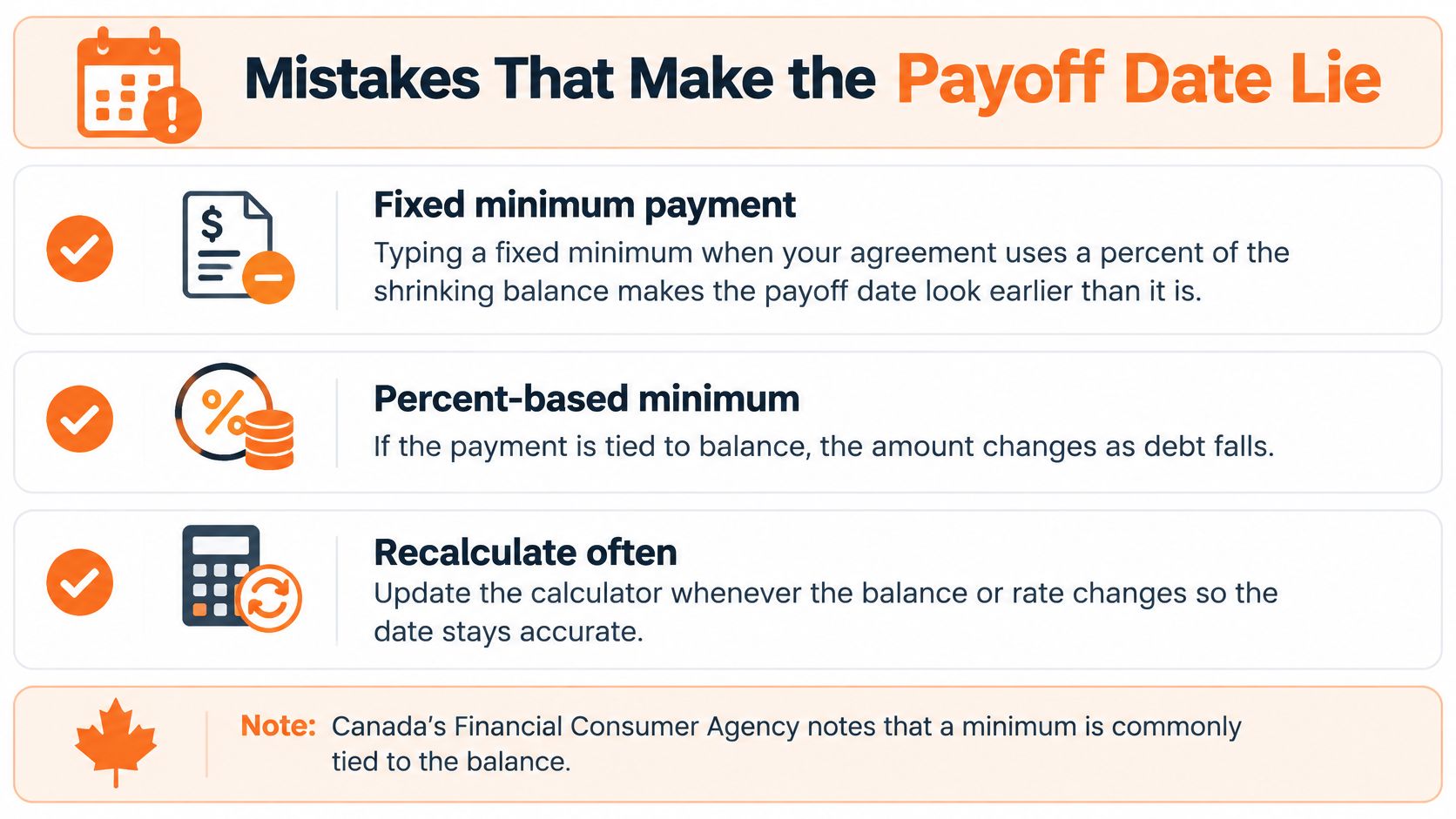
The most flattering mistake is typing a fixed minimum when your agreement uses a percent of a shrinking balance. As the balance falls, the required payment falls too, so a fixed number makes the timeline look steadier than it is. Check the rule you entered in step 3 before you trust any date.
The Financial Consumer Agency of Canada guide to paying off a credit card notes that in Canada a minimum is commonly a flat amount, usually $10, plus interest and fees, or the greater of a fixed dollar amount and a percentage of the outstanding balance, typically 3%, with the exact method set out in the cardholder agreement, and that paying only the minimum takes longer and costs more interest.
Payoff calculator mistakes and the fix
| Mistake | How the result misleads | Fix |
|---|---|---|
| Fixed minimum on a percent-of-balance card | Timeline ignores a falling required payment and real interest cost | Use the agreement rule, often about 3% or a $10 floor |
| Left-out debt | Date looks close while another balance keeps accruing | Add every card, line, and loan, then rerun |
| Promo rate with no end date | Interest looks near zero after the promo expires | Switch to the post-promo APR, such as 19.99% on purchases |
| Same dollars in the extra and in spending | The budget cannot fund the payment shown | Cut the extra until bills and a buffer still fit |
| One-time windfall entered as a monthly extra | Month two already misses the plan | Model the lump sum once, then a smaller repeating extra |
What Each Trap Looks Like on Screen
A left-out debt gives you a date that feels close and encouraging. The missing card is still charging interest, so your real debt-free month is later. Add it, even if the balance is small.
A promo rate with no end date makes interest look almost free forever. Once the promo expires, the balance can jump to a regular purchase rate and the payoff slows. Set the switch date before you compare paths.
Double-counted dollars are quieter. You've assigned $150 as an extra payment, but that same $150 is still sitting in groceries or eating out. The calculator assumes you'll pay it. Your chequing account disagrees. Cut the extra until both the payment and your normal bills fit in the same month.
A tax refund entered as a monthly extra creates a plan that collapses in month two. Model it once as a lump sum, then enter the smaller amount you can repeat.
Quick test: If missing one extra payment would force a new card purchase, the extra is too high. Lower it and rerun.
Fix one trap, rerun, then fix the next. Don't trust the date until every row in the table checks out.
Avalanche, Snowball and the $1,000 Example
You don't need theory first. You need to know where the next extra dollar goes, and what that choice costs.
Payoff paths compared on one calculator run
| Path | Where extra dollars go | Best fit | What the baseline shows |
|---|---|---|---|
| Minimum only | Nowhere, each debt gets its issuer minimum | A tight month when extra cash is not real | $1,000 at 18% with a 3% minimum can take about 10 years and almost $800 interest |
| Avalanche | Highest APR first, others stay at minimum | A wide rate gap and patience for the first win | Compare its date and interest with the minimum-only run |
| Snowball | Smallest balance first, others stay at minimum | Motivation from a quick zero balance | May cost more interest than avalanche on the same extra |
| Balanced extra | Same order as avalanche or snowball, but a capped surplus | Rent, groceries, or medical bills could spike | Slower than the maximum extra, less chance of new borrowing |
The $1,000 Case in Plain Numbers
The Financial Consumer Agency of Canada financial basics video on credit illustrates a $1,000 balance at 18% annual interest with a minimum payment of 3%, which is $30 initially, that could take about 10 years to clear and generate almost $800 in interest.
That one card shows why you need both outputs on screen. This month's $30 payment looks manageable. Ten years and almost $800 in interest tells a different story. A modest fixed extra changes that picture because more of each payment reaches the principal sooner, and there's less balance left for interest to charge against.
Don't use this example as your own forecast. Use it as a reason to run your balance with your rate. Your minimum rule, new purchases, and fees will move the result.
Which Order Fits Which Person
Avalanche sends every extra dollar to the highest APR while other debts get their minimums. It usually reduces total interest the most when you hold the extra amount steady. Favour it when the rate gap between debts is wide and you can wait for the first zero balance without losing momentum.
Snowball sends extras to the smallest balance so one account reaches zero sooner. That cleared account frees its minimum for the next debt, and many people stick with a plan longer after an early win. For a side-by-side breakdown of timing and cost, see this comparison of the avalanche and snowball payoff methods. Favour snowball when a quick zero is what will keep you paying.
Minimum only isn't a strategy. It's the baseline you measure everything against, and it's the right short-term choice in a month when extra cash isn't real.
Balanced extra keeps the avalanche or snowball order but caps the surplus. You pay a bit more interest than the maximum-extra run, and you keep enough cash on hand that an irregular bill doesn't send you back to a card. If minimums themselves don't fit after housing and food, a calculator order won't solve that, and it's worth pausing to find help with overwhelming card debt before you commit to a payment you can't sustain.
Every date is still an estimate. Daily balances, new purchases, fees, and promo end dates will move it, so compare paths with the same inputs and pick the order you'll follow.
Running Two Cards Through Each Payoff Path
Pull your two latest statements and use those balances, one card with a higher APR and one with a smaller balance if that's what you have. Don't invent tidy numbers. Real inputs give you a comparison you can act on this month.
Three Runs, Same Extra
- Minimum only: Enter both cards with their own minimum rules. Record the payoff month and total interest.
- Avalanche: Keep everything the same, add your extra, and target the higher APR card. The other card stays at its minimum.
- Snowball: Keep the same extra, target the smaller balance instead. Nothing else changes.
US readers follow the same steps, but take each minimum rule from the formula on the statement rather than assuming a percent you've seen elsewhere. If a balance transfer is part of your thinking, read how transferring a card balance and its fees work before you model it, because a transfer fee changes the starting balance.
Build the Comparison Table Yourself
Write three rows with three columns, payoff month, total interest, and interest saved versus minimum only. Fill every cell from calculator output, not from memory. Interest saved is a subtraction you do yourself, minimum-only interest minus the interest on that run.
Read the rows in order. First, which path finishes earlier. Second, which costs less interest. Third, how big is the dollar gap between avalanche and snowball when the extra is identical.
If both paths finish in the same month, pick the one with lower total interest. If snowball costs a little more but clears a card much sooner, that trade may still be worth it if it's the version you'll repeat.
Same extra, same start month, different target. If two things changed, you don't have a comparison, you have two guesses.
If even the minimum-only run shows payments you can't make, don't hide that by lowering inputs. Practical Morgan & Morgan debt control advice covers steps for getting card balances manageable again, which is the right problem to solve before choosing a payoff order.
How to Read the Date and the Interest Saved
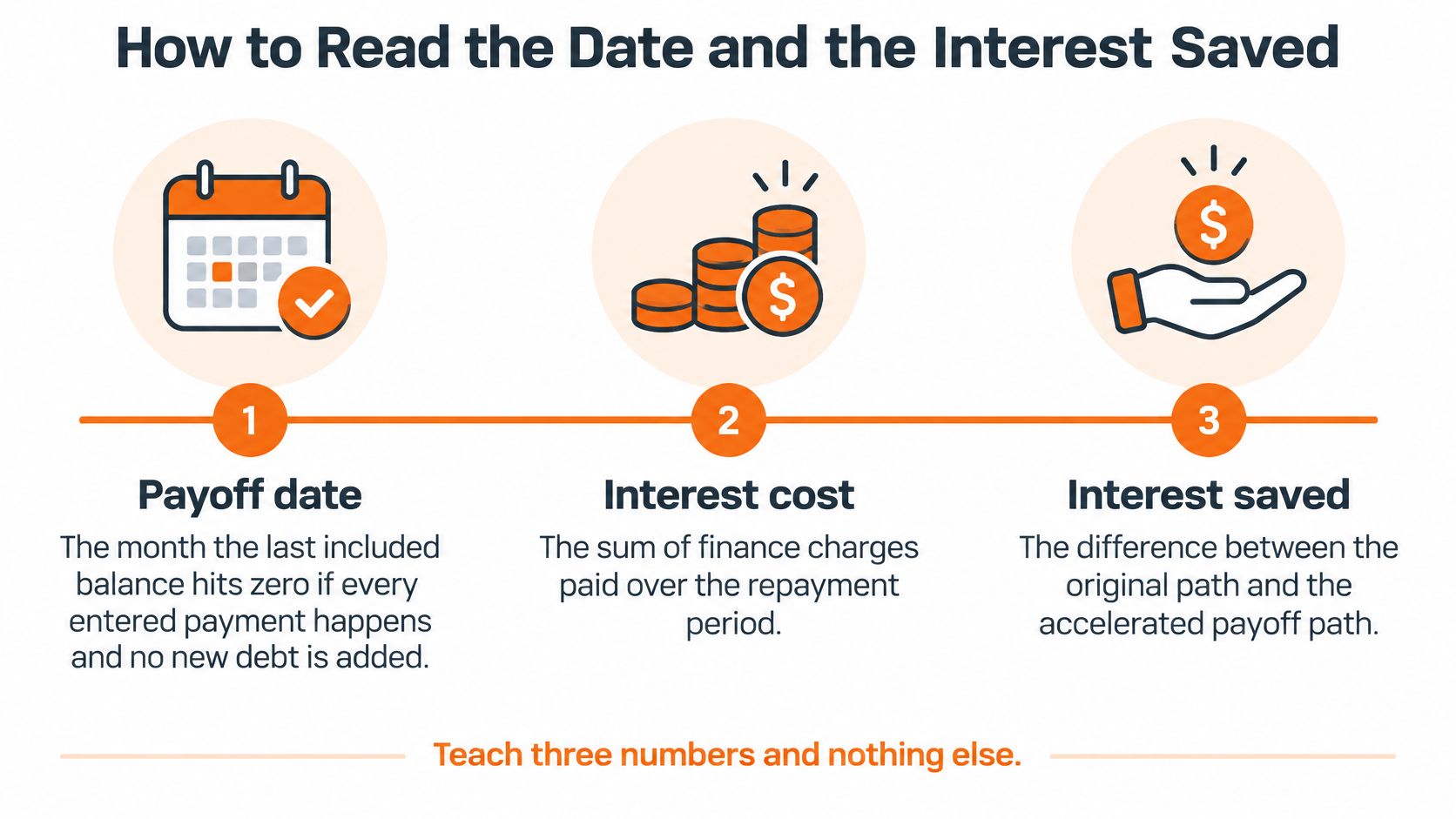
Three numbers do all the work. Learn what each one counts, and what it leaves out.
The Three Numbers Defined
- Payoff date: The month the last included balance hits zero, if every entered payment happens and no new debt is added. Leave a debt out, and this date only describes the debts you entered.
- Interest cost: The sum of finance charges across the whole repayment stretch. It isn't this month's charge, and it isn't an annual figure.
- Interest saved: Minimum-only interest minus interest on your extra-payment run. You need both runs saved before this number exists.
On the $1,000 single-card case, almost $800 over about 10 years is the cost of staying at the opening minimum. Judge any extra against that kind of baseline on your own balance. A run that saves a small amount over many years may not be worth a payment that strains every month, while a run that cuts years of interest for a manageable extra usually is.
Read Two Runs in a Fixed Order
Check the date first. Then compare total interest. Then look at the dollar gap between two runs that differ by only one input, such as the target debt in your two-card comparison. That gap is the price or reward of that single choice, stated plainly.
A shorter date can still be a bad plan. If the extra eats grocery or rent money, you'll borrow the shortfall back, often at the same card rate you were trying to escape. The date improves on screen while your balance grows off screen.
Read the result as a range instead:
- Aggressive date: Every spare dollar goes to debt, no buffer kept back
- Resilient date: A smaller extra, with cash left in your chequing account for an irregular bill
The resilient date is usually later. It's also the one that survives a car repair or a higher utility bill. I would plan around the resilient date and treat any faster finish as a bonus.
Watch for three things that restart the clock. New purchases add balance that interest charges against daily. A promo expiry can move a balance from a low rate to a regular purchase rate. A minimum that falls as the balance falls stretches repayment compared with a fixed payment of the same starting size. Paying balances down also changes how much of your credit limit you're using, and this explainer on calculating credit utilization shows how that ratio moves as balances drop.
Finish by writing one sentence you can keep: which path, which extra, which date, and how much interest it saves versus minimum only. If you can't write that sentence, you don't have a decision yet, you have calculator output.
Lock the Extra Payment Into Your Budget
A payoff date only matters if the payment fits your actual month. Choose an extra that leaves room for rent or mortgage payments, groceries, transport, and a small cash buffer. If it does not, lower the amount and rerun the calculator.
Build the Month in This Order
- Housing: Rent or mortgage, plus utilities
- Essentials: Groceries and transport
- Every minimum: One line per debt, with its due date
- The extra payment: Name the target debt and schedule the payment like a bill
- A small buffer: Cash kept available for an irregular expense
Schedule the target payment as a recurring budget line. That keeps it visible alongside every minimum and due date, even when a busy week makes it easy to forget a payment. A guide to setting up a personal monthly budget can help you lay out these expenses.
Then check the plan against what you spend. A duplicate charge or a new subscription can consume money you meant to put toward debt. Fintrack brings income, expenses, budgets, and goals into one dashboard, with spending alerts, subscription detection, and progress tracking to help you review the month. Its budgets and goals let you name the extra payment and compare it with actual spending.
For practical guidance on keeping household debt under control, pair your budget with a monthly check: did the payment clear, and did new card spending stay at zero?
If the extra only fits by taking your buffer to zero, reduce it until both fit. A later payoff date is better than a payment plan you cannot repeat.
Enter this month's minimums and chosen extra as budget lines. Next month, compare the statement balance with the calculator's estimate. If they differ, check whether the payment cleared or spending changed, then update the inputs.
Put the extra payment where you'll see it each week, alongside each card minimum and its due date. Fintrack's budgets and goals can help you track the amount against actual spending and monitor progress toward your payoff target. Set up this month's lines, then compare your next statement with the payoff estimate.