
You check your chequing account before work, open a second bank app to confirm a savings transfer, then search a third app for the credit card payment. The balances look fine, but you still aren't sure whether the transfer cleared or whether one recurring charge appeared twice.
That's the challenge behind how to manage multiple bank accounts. The answer usually isn't opening another account or closing every account except one. It's assigning each account a clear role, automating predictable movements, and keeping the whole picture visible without maintaining a weekly spreadsheet.
Why Multiple Bank Accounts Create a Visibility Problem
Five accounts across two banks can work well until maintenance becomes the problem. An emergency savings account, rewards credit card, higher-rate account, and shared household account may each have a sensible purpose. Together, they create separate balances, transfer dates, payment schedules, and login screens that are easy to lose track of.
Canadian banking behaviour reflects this pattern. A Financial Consumer Agency of Canada survey found that 39% of respondents used two financial institutions and 26% used three or more, meaning a majority of surveyed Canadians split cards across at least two institutions (federal survey on Canadians' banking arrangements). World Bank Global Findex data reports that 98.4% of Canadian adults had an account at a bank or similar institution in 2024, so this visibility problem exists in a highly included banking environment (World Bank-based Canadian account ownership data).
The number of accounts matters less than the decisions they support. Spending money may be available in one institution while a bill is due from another, leaving you to check several apps before deciding what is safe to use.
Practical rule: Give every account one job, and see every balance before deciding what you can spend.
Account sprawl can still serve legitimate purposes. Separate accounts can isolate bills, reserves, daily spending, or household money. Depositors may also use different insured categories at the same member institution to increase deposit insurance coverage beyond CAD 100,000, subject to the applicable category rules (Department of Finance deposit insurance review). The trade-off is ongoing maintenance: more accounts create more chances for a forgotten fee, missed transfer, or payment that leaves the wrong account short.
Security adds a separate concern. A consolidated dashboard can reduce repeated logins, but account connections still deserve scrutiny. Check how financial services protect financial firms from data leaks, and choose tools that explain their security practices clearly. Read-only access or manual entry may suit you better than full transaction access.
A consolidated review process keeps this system workable without weekly spreadsheet updates. Guidance on bank account aggregation can help you assess how balances and transactions from separate institutions fit into one dashboard, so purpose-based mapping remains useful after the accounts are opened.
Mapping Each Account to a Single Purpose
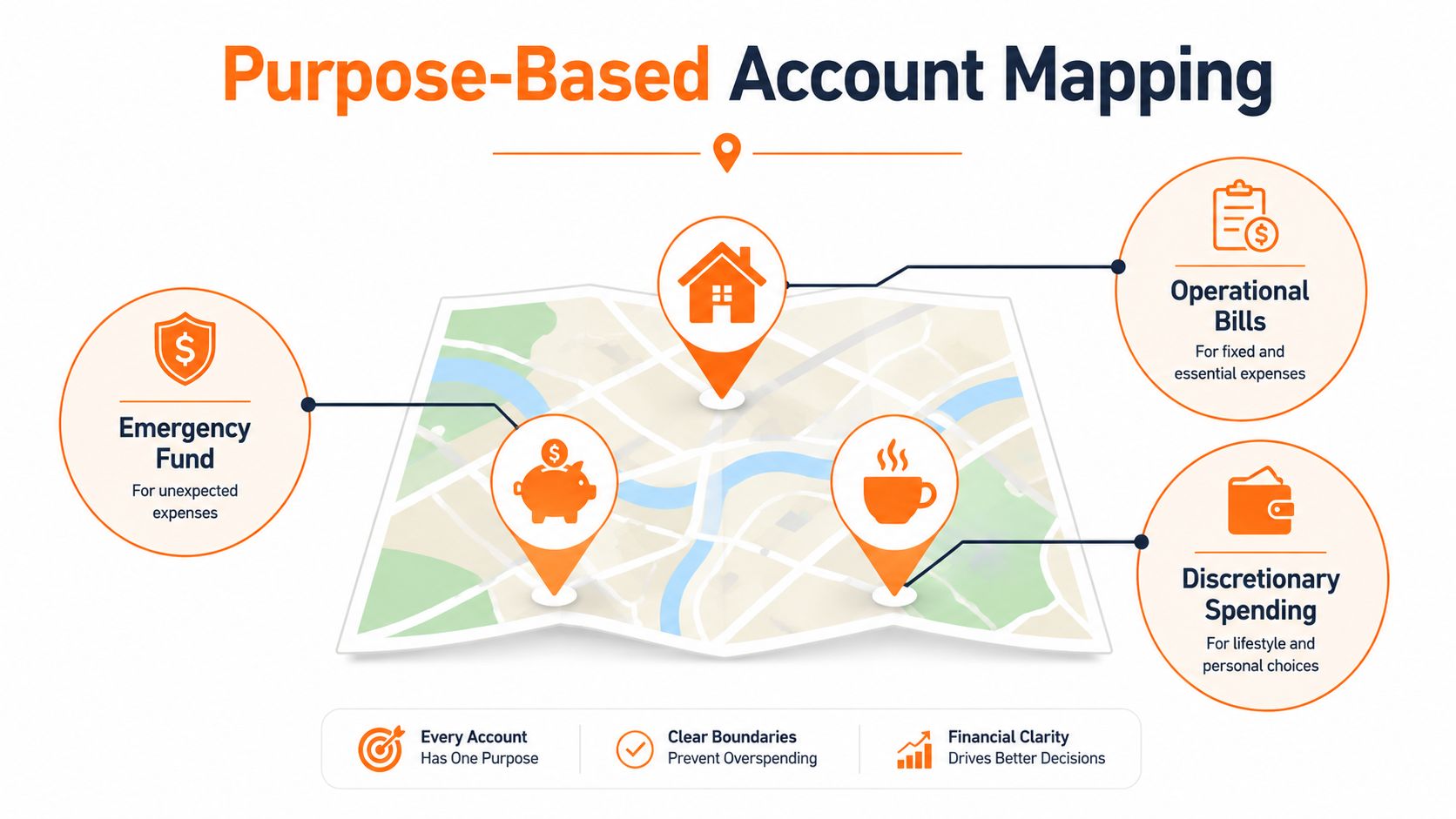
Before changing transfers, write down what each account is for. Don't start with the account name, because “Savings 2” tells you almost nothing. Start with the decision the account is meant to support.
Create a simple account map
Use a note, document, or dashboard with four fields:
- Account: Record the institution and account type.
- Purpose: Give it one specific role.
- Money in: Identify which income or transfer feeds it.
- Money out: List the payments or spending that leave it.
Common roles include:
- Daily spending chequing: Groceries, transport, personal purchases, and ordinary card spending.
- Bills account: Rent or mortgage payments, utilities, insurance, phone bills, and other predictable obligations.
- Emergency savings: Money reserved for genuine financial shocks, not routine overspending.
- Goal savings: A defined target such as a holiday, vehicle repair, annual premium, or home project. A separate sinking fund guide can help when an expense is predictable but doesn't arrive monthly.
- Shared household account: Joint costs that benefit everyone in the household.
- Credit card account: A payment method, not an extra source of income. Track the balance and due date separately from your cash accounts.
Remove overlap before adding complexity
Suppose you have three accounts. A workable setup might be one chequing account for income and bills, one savings account for emergencies, and one savings account for a specific goal. A five-account setup could add a separate daily spending account and a shared household account, while the original chequing account handles fixed payments only.
The important distinction is between purpose and location. Two accounts at different banks may still serve the same job. If both are labelled “general savings” and you can't explain why each exists, one may be redundant.
Review each account and ask:
- Does it have a current purpose?
- Does a payment depend on it?
- Does it carry a fee or balance requirement?
- Would closing or consolidating it create a practical problem?
- Is the account helping you make a decision, or merely adding another login?
Don't close an account before checking pending payments, transfer instructions, linked services, and any account-specific terms. The objective is an account map you can understand at a glance, not an impressive number of buckets.
Building a Unified Budget Across All Accounts
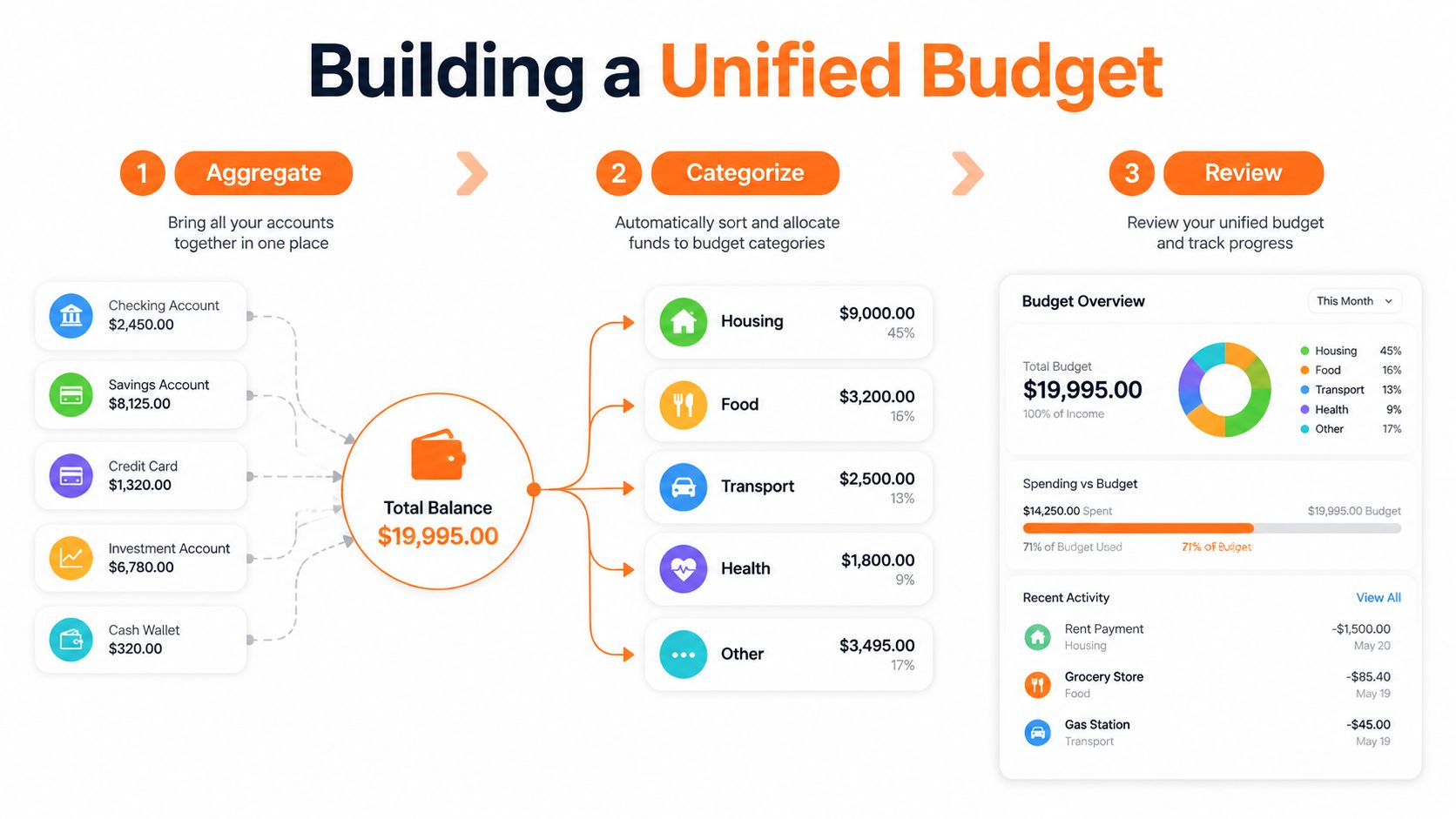
A budget should describe your entire financial life, not just the bank account where your paycheque lands. If groceries come from one institution, utilities from another, and card purchases from a third, reviewing only one balance gives you an incomplete answer.
Start by choosing one budget view. You can import transactions through a supported connection, enter them manually, or combine both methods. Manual entry matters when a Canadian institution isn't supported, when you don't want to connect a bank, or when cash and offline accounts are part of the plan.
Separate transfers from spending
Your own transfers aren't income. Moving money from a bills account to a savings account changes where the cash sits, but it doesn't increase the amount available to your household. If you count that movement as income, your budget will overstate cash flow. If you count it as an expense, it will understate what you spent.
Use a consistent process:
- Bring in all transactions: Include chequing, savings, credit cards, cash entries, and shared accounts that belong in the household picture.
- Categorise actual spending: Assign a restaurant purchase to dining, a utility payment to housing or bills, and a transfer between your own accounts to transfers.
- Attach categories to the account that pays: This keeps the budget operational. Groceries may leave daily spending, while electricity leaves the bills account.
- Review totals across accounts: Ask how much went to food, transport, subscriptions, and discretionary purchases altogether.
- Match income to timing: If income arrives in different accounts or on irregular dates, budget from confirmed cash availability rather than assuming every deposit is immediately spendable.
Fintrack can consolidate connected accounts or imported transactions, categorise spending, and provide a single place to review budgets. Its conversational assistant, Finny, is designed for questions such as how much you spent eating out across accounts, while its account-free workflow supports manual entry when a bank connection isn't the right fit.
Review the whole picture, not isolated balances
Canadian survey data found that 46% of Canadians reported having a budget, while 50% checked accounts weekly and 17% checked monthly (Financial Consumer Agency of Canada budgeting survey). The useful lesson isn't that everyone needs a complicated review. It's that a consistent cadence matters when balances are divided.
When comparing tools, focus on whether they support your preferred workflow. This guide to how to choose a budgeting app by style is useful if you're deciding between automatic connections, manual tracking, or a combination. A personal finance dashboard can also give you a framework for deciding which information belongs on your main review screen.
Automating Transfers and Payment Schedules
Manual transfers are where otherwise sensible account systems tend to fail. You remember to move money most weeks, but a changed payday, holiday processing delay, or unexpected bill can leave the bills account short while cash sits elsewhere.
Build automation around cash arrival and cash obligation. When income lands, route the planned amounts to fixed bills, emergency savings, goal savings, and daily spending. Schedule bill payments only after the money has had time to arrive and clear according to your institution's processing rules.
Use a transfer calendar
Your calendar doesn't need to be complicated. Record:
- Income dates and the account receiving each deposit.
- Automatic transfers and their destination accounts.
- Recurring payment dates and the account responsible for each one.
- Credit card statement and payment due dates.
- A review date for checking whether transfers still match current income.
Canadian users should account for transfer limits when money moves between institutions. Manulife Bank publishes a common Interac e-Transfer limit of CAD 3,000 per transfer, along with rolling limits of CAD 10,000 over seven days and CAD 20,000 over 30 days (Manulife Bank Interac e-Transfer limits). Other banks may apply different limits, so don't assume that a healthy balance guarantees an immediate transfer.
Add a failure check
Automation reduces routine work, but it doesn't remove the need for oversight. A bank can reject a transfer, an employer can change a deposit date, or a bill can be larger than expected. Keep a modest operating buffer in the account responsible for fixed payments, and check that account before major withdrawals.
Automation works best when it moves money after income arrives, not before an assumed payday.
Savings automation should follow the same logic. Assign each contribution to one goal, label the destination clearly, and adjust the amount when income or obligations change. The pay-yourself-first method is useful for designing that order, but it shouldn't become an excuse to underfund essential bills.
Review the transfer calendar whenever your pay schedule, rent, insurance, debt payments, or household contributions change. A system that worked last year can become unreliable after one life change.
Monitoring for Duplicates and Unusual Activity
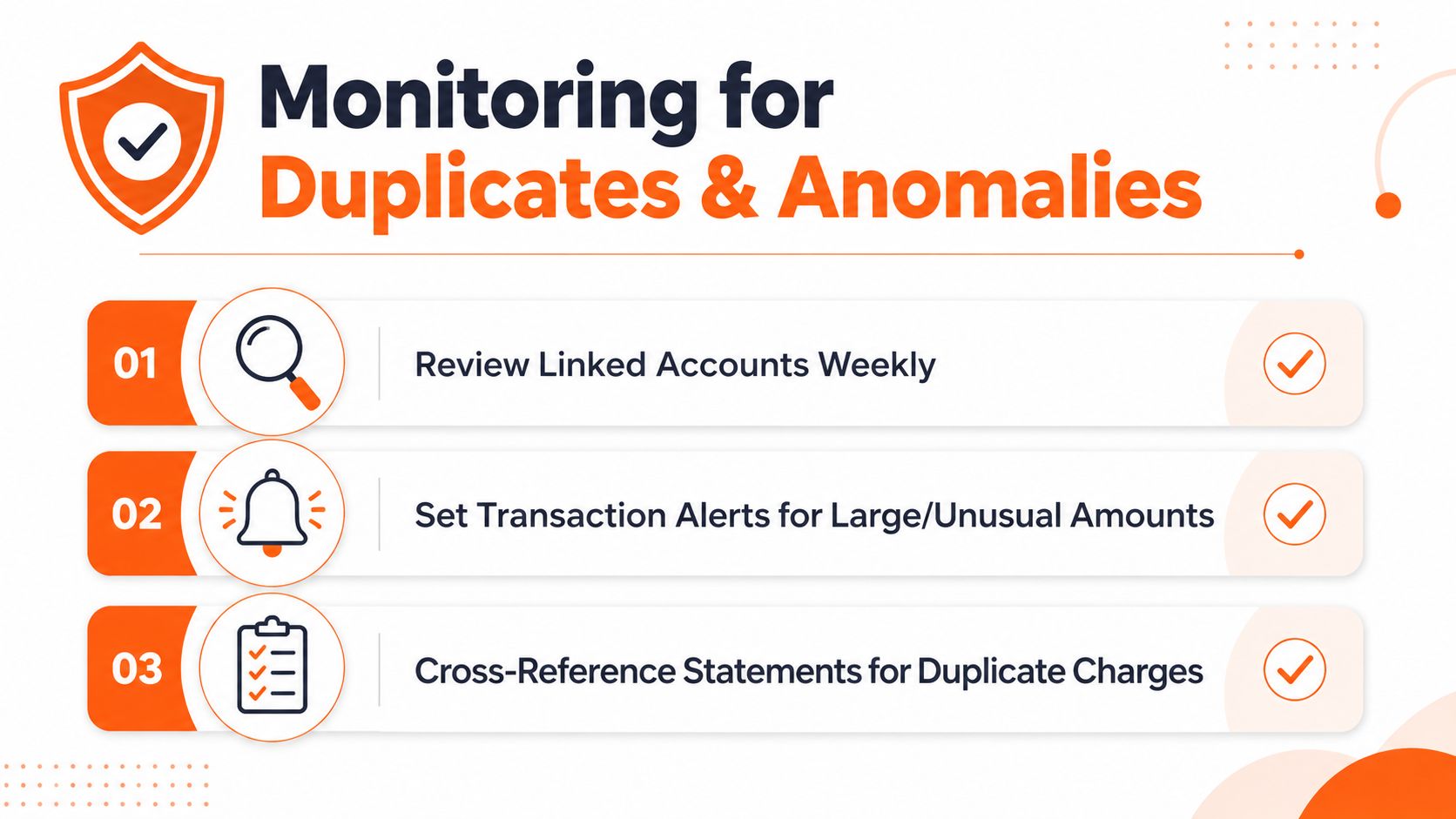
Logging into every bank daily is unnecessary. A repeatable weekly review that catches exceptions is the practical baseline for a multi-account household. Multiple accounts make this review more important because one merchant may charge different cards, a subscription may renew from an old account, and a transfer may look unfamiliar at another institution.
Keep the review focused on new activity and changes rather than rereading your entire history. A consolidated dashboard can show activity across institutions, reducing the maintenance burden that otherwise leads to missed transactions.
Use an exception-first routine
Start with alerts and recent activity, then investigate entries that do not fit:
- Check new transactions: Look for purchases, withdrawals, fees, and transfers you do not recognise.
- Compare merchant names: The same service may use different billing descriptors on separate cards.
- Scan recurring charges: Identify subscriptions that renewed after you stopped using them.
- Watch account balances: A low balance in the bills account matters even when another account has available cash.
- Confirm transfers: Match outgoing transfers with the corresponding incoming entry, allowing for processing time.
Set alerts for large or unusual transactions where your bank supports them. Fintrack's transaction monitoring, subscription detection, and real-time alerts can place activity from multiple accounts in one review. Manual entry remains available for accounts you do not connect.
Reconcile exceptions before they become habits
A duplicate charge is easier to resolve while the transaction is recent. If two entries look similar, compare the merchant, date, amount, and payment method before disputing either one. One could be a pending authorisation while the other is the completed charge, or both could be legitimate purchases.
A feed-matching workflow reduces the manual work of comparing imported transactions. Resources on how to streamline feed matching offer reconciliation ideas that also fit a personal budget.
Use account reconciliation when a balance does not match your records. Check the source transaction, pending items, transfer timing, and duplicated entries, then record the correction in the account that caused the mismatch. This keeps the dashboard reliable without requiring weekly spreadsheet updates.
Managing Shared and Household Accounts
Shared finances work best when every account has a defined job and both people understand the operating rules. A joint chequing account can cover rent, utilities, groceries, and other agreed household costs. Separate personal accounts preserve individual spending control and make contribution records easier to review.
A practical arrangement uses one shared account for joint obligations, with each person transferring an agreed amount or proportion on a set schedule. The household budget should include expenses both people have classified as shared. Personal purchases stay in personal accounts unless the household rules deliberately include them.
Make contribution rules explicit
Record who pays each expense, when transfers occur, and how the arrangement changes after an income or obligation changes. Uneven income does not require equal dollar contributions. The useful test is agreement before a shortfall or large expense creates tension.
Each person should maintain independence alongside cooperative contribution rules. Shared visibility applies to shared money, while personal transaction boundaries remain clear. A monthly household review can cover:
- Upcoming bills and whether the joint account is funded.
- Shared savings goals and recent contributions.
- Unusual charges or duplicate payments.
- Changes to income, rent, childcare, insurance, or debt obligations.
- Transfers that need adjusting before the next payment cycle.
Canadian deposit insurance also needs careful interpretation. CDIC guidance states that joint deposits are insured up to CAD 100,000 total per account, not per person, so two account holders should not assume that one joint account receives a separate full limit for each person (RBC explanation of CDIC protection). Accounts held outside Canada require review under the applicable US or Canadian insurance rules.
Cross-border or reportable accounts can add compliance work. CRA guidance on the Common Reporting Standard says that, when aggregation rules make multiple accounts reportable, each account must be reported individually on the applicable Part XIX Information Return (CRA Common Reporting Standard guidance). Keep account records organised and ask a qualified tax professional about the specific situation.
Fintrack brings connected accounts and imported transactions into one budgeting view. You can assign each account a purpose, review shared spending, and monitor transfers without rebuilding a spreadsheet every week. Visit Fintrack to organise the account map and maintain the routine.