Your paycheque lands, a few bills leave on autopay, you grab coffee, fill the tank, pay for groceries, and by the third week you're staring at your account wondering where the money went. That feeling is usually less about overspending in one dramatic moment and more about money never having a clear job in the first place. A zero based budgeting app helps you fix that by giving every dollar a purpose before the month starts, then showing you what's left to assign.
For a lot of people in Canada and the US, the appeal is simple. You want a plan that works whether you link your bank or enter things by hand, and you want to see the month clearly without doing mental math every day. If you've been living in the gap between “I should budget” and “I know what's happening,” this approach gives you a clean place to start.
Why Your Paycheck Disappears Before the Month Ends
A common month starts the same way. Paycheque in, rent and phone bill out, a grocery run, a couple of subscriptions, maybe dinner out because the week got busy. Nothing feels outrageous in the moment, but the balance keeps shrinking because no one told those dollars where to go.
That's why the problem often feels invisible until it's urgent. You didn't fail at money, you just treated the account like storage instead of a plan. A zero based budgeting app changes that by making you decide in advance what each dollar is for, instead of waiting to see what survives at the end.
Practical rule: if money keeps vanishing before month-end, the fix is usually not more willpower, it's a clearer system.
A good starting point is to name the pressure points in your month. For many households, it's fixed costs, recurring subscriptions, and variable spending that gradually increases. If that sounds familiar, the pattern in living paycheck to paycheck is probably close to home.
The good news is that this method doesn't ask you to become a spreadsheet person overnight. It asks you to give every dollar a job, then check whether the plan matches real life. That's a much calmer way to manage money than guessing and hoping.
What Zero Based Budgeting Actually Means
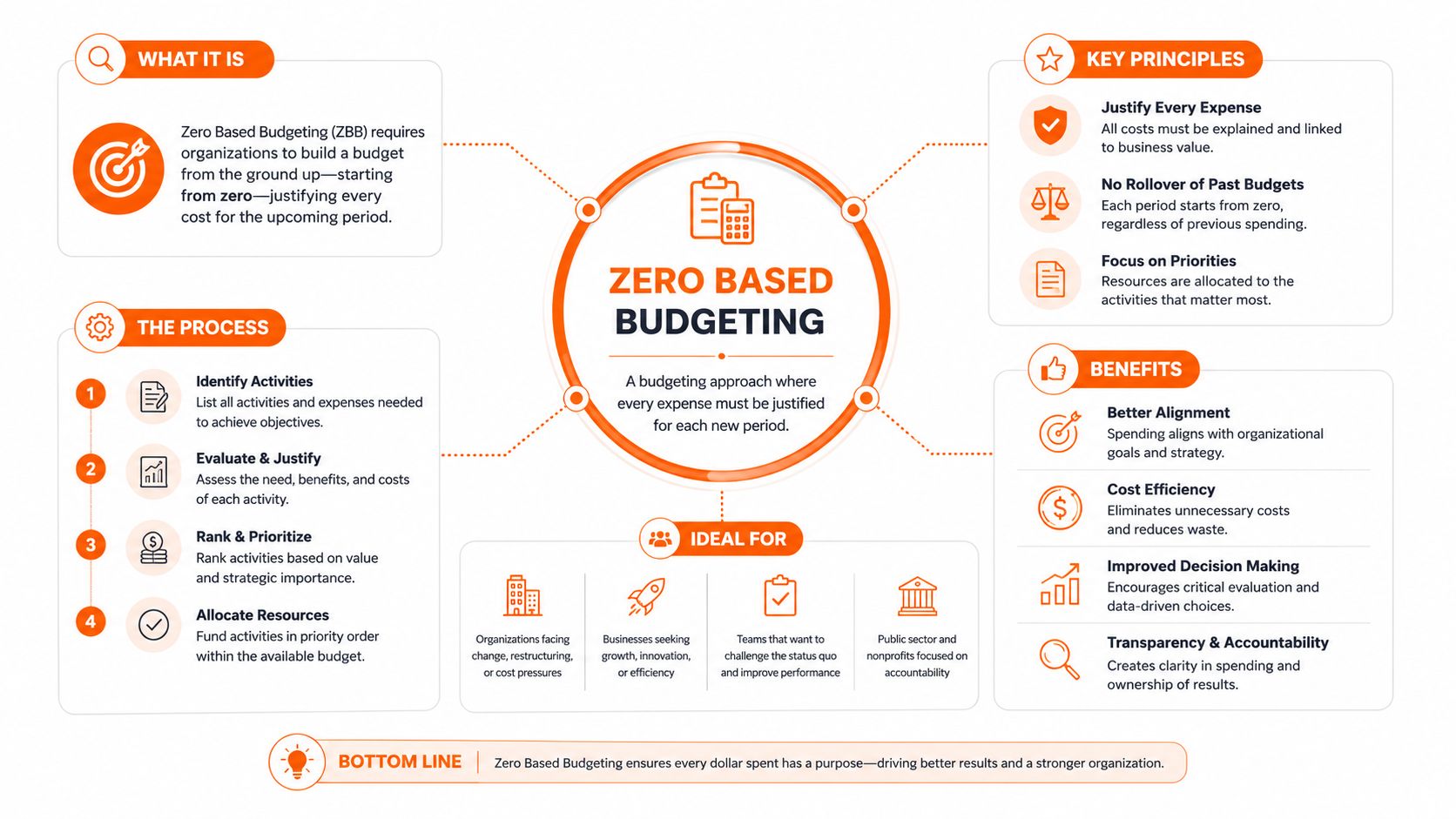
Zero-based budgeting means assigning every dollar of monthly income to a specific category such as expenses, savings, debt payments, or goals so that income minus total allocations equals zero, starting each month from zero and listing fixed and variable expenses until nothing is left unallocated, as described by The Penny Hoarder. In plain English, nothing sits around unassigned. Every dollar gets a job before you spend it.
A simple example
Say your take-home income for the month is $4,000. You might assign it like this in an app or spreadsheet:
- Rent and housing: the amount you need to keep the roof over your head.
- Groceries and transit: the basics you know you'll use.
- Savings: money set aside on purpose, not just whatever remains.
- Debt payment: a line item so the balance is working on your future.
- Small buffer: a bit of room for the stuff that always shows up.
When you finish, the math should land at zero. That doesn't mean your bank account is empty. It means your income has been fully directed into categories before the month begins.
Useful shorthand: zero-based budgeting is “every dollar gets a job” budgeting.
This is different from a percentage rule because it starts with your actual life, not a fixed formula. It's also method-agnostic, which means you can run it on paper, in a spreadsheet, or inside an app. If you're trying to understand the moving parts of the app side, what expense tracking does inside a budget is a helpful companion read.
For anyone who likes practical examples, fresh start budgeting in Minneapolis is a useful reminder that a reset works best when the numbers are handled carefully, category by category. The same idea applies whether you're in Minneapolis or Mississauga. You start from zero, then build a plan that fits the month in front of you.
Benefits of Using a Zero Based Budgeting App
The biggest benefit is visibility. Instead of vaguely knowing you spent a lot, you can see whether it went to groceries, rideshares, subscriptions, or eating out. That's a much better conversation to have with yourself because it turns “where did it all go?” into a concrete answer.
A second benefit is that the method pushes savings into the plan early. Independent industry summaries report that YNAB users save an average of USD 6,000 in their first year and that 92% report less financial stress, with the app priced at USD 109 per year and offering a 34-day free trial source. Those figures aren't a promise for every household, but they help explain why people are willing to pay for software that makes the method easier to stick with.
Why the app format matters
Apps also make irregular expenses easier to handle. Car repairs, annual subscriptions, and seasonal spending don't feel random when they already have a line in the budget. You can give those costs a place to live instead of treating them like emergencies.
There's another practical angle for people who run budgets in a shared household or in a small business-style mindset. Clear category planning makes cash flow conversations less reactive, which is why resources like small business cash flow tips often overlap with personal budgeting habits. The principle is the same. If you plan the outflow before it hits, you make fewer desperate decisions later.
Coach's note: zero-based budgeting doesn't remove tradeoffs, it makes them visible earlier.
That honesty matters. An app won't create money you don't have, but it will show you where the plan is too tight and where you've been underestimating. For many people, that clarity is the actual win because it replaces surprise with choice.
Key Features to Evaluate Before You Choose
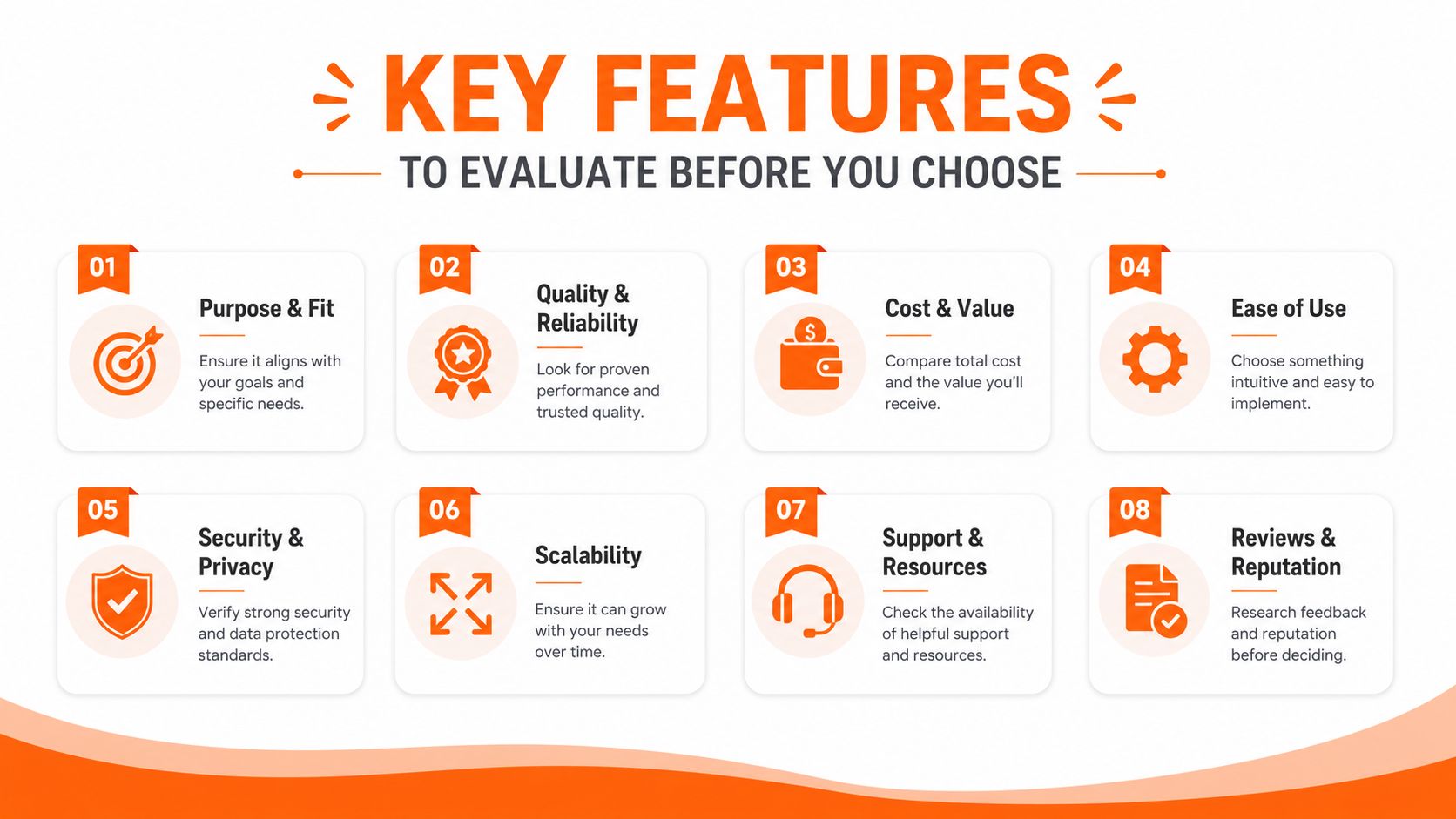
A strong zero based budgeting app should behave like a budget system, not just a spending log. A technically sound design keeps income, categories, and transactions in a single month-keyed data model and recalculates remaining balances from those records instead of storing duplicate totals, which is the approach described in the ZeroBudget architecture reference source. That matters because duplicate totals can drift out of sync.
What to test before you commit
- Monthly income field: Make sure the app starts with take-home income, not gross pay. If the starting number is awkward to enter, the whole workflow gets messy.
- Category-level allocations: You should be able to assign money to rent, groceries, transit, debt, and savings one category at a time. If the app forces you into broad buckets only, it's not really helping you zero out the month.
- A balance that must reach zero: Look for a visible “to assign” or similar figure. That number should shrink as you budget, because it keeps the method honest.
- Manual entry support: This matters if you don't want to connect your bank. Many Canadian users prefer that, especially when they're thinking about privacy and control.
- Bank-sync optionality: Some people want automation, others want manual oversight. A good app should respect both styles.
- Multi-device sync: If you budget on a laptop at home and check totals on your phone at the store, the numbers need to match.
- Upcoming bills view: The app should surface what's due soon, so you don't accidentally budget the same dollar twice.
- Privacy and storage choices: For Canadian users, a bank-free setup can be the deciding factor if they want less account linking and simpler data handling.
If you're comparing tools that automate spending categories, automatic expense categorisation is useful, but it's only one part of the picture. Categorisation helps after the money moves. Zero-based budgeting starts before that.
Canadian users also run into pricing differences that aren't always obvious in US-focused reviews. Some apps list plans in CAD, others in USD, so the cost you see at signup may not feel the same once you check the billing currency. That's one reason manual-first and bank-free options remain attractive here.
How to Set Up Your First Zero Based Budget in an App
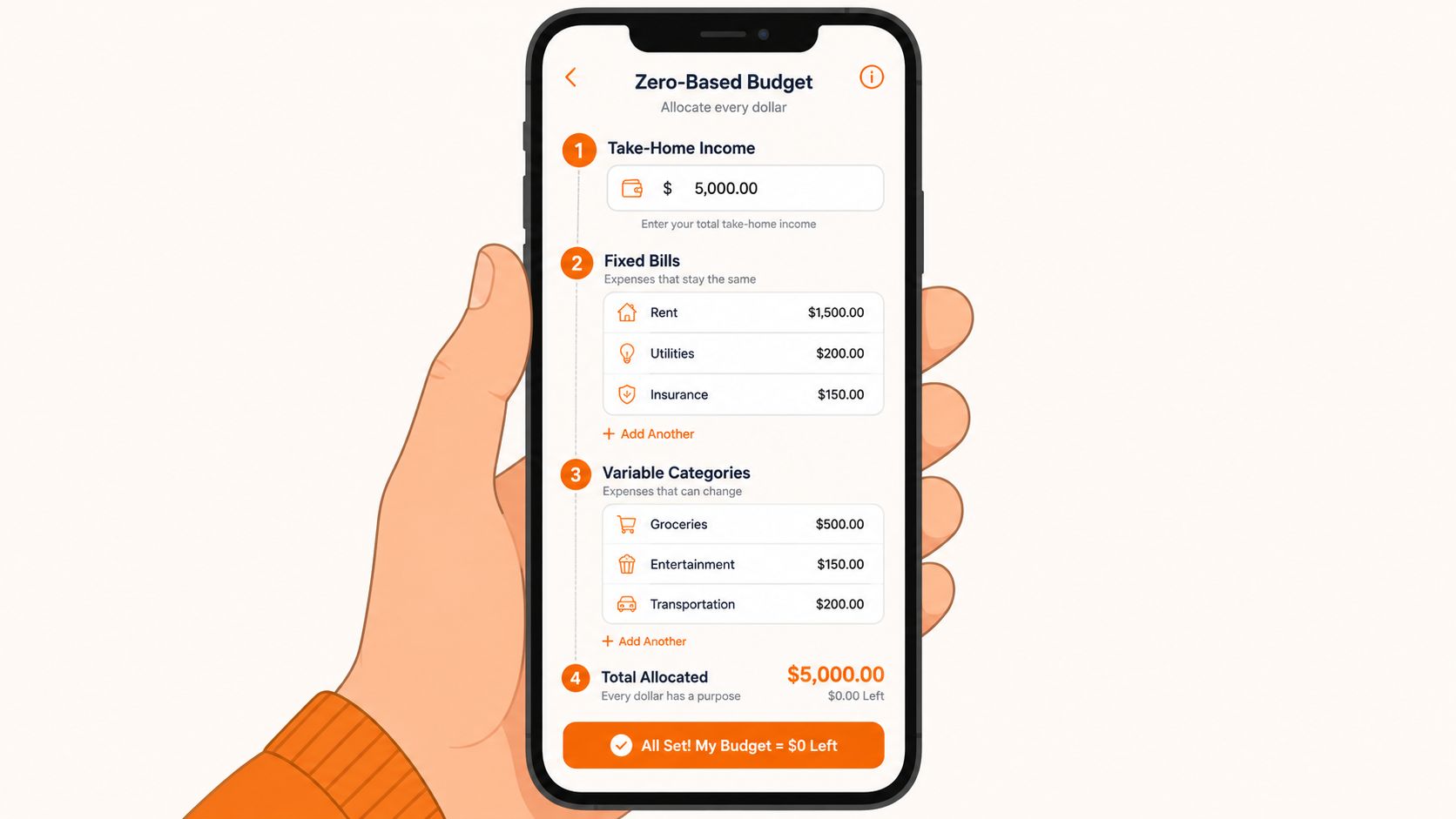
A standard zero-based budget usually begins with take-home income, not gross pay, and the budgeter then subtracts planned spending and saving targets until the remaining balance is exactly zero, as Fidelity explains in its zero-based budgeting guide. That's the core setup inside most budgeting apps too. The trick is to make the app reflect your real month, not an idealised one.
Step 1. Enter your monthly take-home income
Start with the amount that lands in your account after deductions. If you're paid more than once a month, add the paycheques together for the month. In a budget planning screen like the one shown in Fintrack's budget planning feature, this is the number that anchors everything else.
Step 2. List the bills you already know are coming
Add rent, utilities, phone, insurance, transit, and debt payments first. These are the essentials, so they deserve the first pass. If a bill is due yearly or quarterly, break it into a monthly amount so it doesn't catch you off guard later.
Step 3. Add your flexible categories
Groceries, gas, eating out, personal care, and entertainment usually belong here. A useful first draft is to look at the last couple of months and give yourself a realistic cap rather than an optimistic one. That keeps the first budget from collapsing under guesswork.
Step 4. Include savings and debt on purpose
Savings is not “whatever's left.” Debt payoff is not a bonus if the month goes well. Put both into the budget as line items, because they deserve the same seriousness as rent.
Step 5. Check the amount left to assign
Keep adding categories until the app shows zero left to assign. If money is still left over, give it a job. If you've run short, trim a category or lower a goal before the month starts.
Practical rule: if the first budget feels slightly wrong, that's normal. The first month is data collection with a plan attached.
For a simple structure you can copy into an app or spreadsheet, monthly budget template gives you a clean starting point. Use it as your first draft, then adjust after you see real spending.
The first month will be imperfect. That's not failure, it's the point of budgeting before the month begins. By month two, you'll have better numbers, and by month three, you'll know which categories need more room and which ones were too generous.
Zero Based Budgeting vs 50/30/20 and Envelope Budgeting
Zero-based budgeting, the 50/30/20 rule, and envelope budgeting all try to stop money from disappearing, but they ask different things of you. Zero-based budgeting asks for precision. 50/30/20 asks for a quick split. Envelope budgeting asks for discipline around category limits.
The tradeoffs in plain language
With 50/30/20, the appeal is speed. You can start quickly, but the rule doesn't tell you which subscription to cut or how to handle a month where groceries, rent, and utilities are unusually high. It's helpful as a rough framework, less helpful when the month gets messy.
With envelope budgeting, the strength is discipline. Once an envelope empties, spending stops or money has to move from somewhere else. That works well for people who want a hard ceiling on categories, and cash in envelopes is a good reference point if that style feels familiar.
Zero-based budgeting sits between the two. It gives you the same intentionality as envelopes, but with more flexibility in how categories are funded and adjusted. It's a better fit if you want control without having to treat every category like a physical envelope.
| Method | Best for | Main tradeoff |
|---|---|---|
| Zero-based budgeting | People who want every dollar assigned before the month starts | Takes more planning |
| 50/30/20 | Beginners who want a fast starting point | Less detail, weaker control over irregular costs |
| Envelope budgeting | People who like strict category limits | Can feel rigid if spending shifts often |
If you want strict ceilings, envelopes win. If you want a quick percentage split, 50/30/20 is easier. If you want flexibility with intentionality, zero-based budgeting is the better middle ground.
Common Pitfalls and How to Avoid Them
The first mistake is being too optimistic about variable spending. Groceries, fuel, and dining out often look manageable in theory, then creep upward in real life. A simple fix is to build in a small buffer category instead of pretending every week will be average.
The second mistake is forgetting periodic bills. Annual insurance, subscriptions, licences, and holiday spending don't disappear just because they aren't monthly. List them, divide them into monthly amounts, and give them a place in the budget before they surprise you.
The third mistake is leaving savings until the end. That turns savings into leftovers, and leftovers tend to vanish. Treat savings like a bill and fund it first, even if the amount is small to start.
When a rough week derails the plan
A bad week doesn't mean the budget failed. It usually means one category was too tight or you had an expense you hadn't planned for. The answer is to adjust next month, not quit midstream.
Remember this: a first draft budget is supposed to be edited.
If you're using an app, let the numbers teach you. Don't shame yourself for getting one category wrong in month one. The goal is to still be budgeting in month three, with a version that fits your real spending patterns much better.
A Simple First-Month Plan and What Comes Next
A zero based budgeting app works because it turns vague hope into a concrete monthly plan. You tell every dollar where to go, then you compare the plan to reality and improve it the next month.
For the next 30 days, keep it simple. Build the first budget, log spending daily for a week, check which categories run hot, and adjust before month two begins. If you want a clean place to put that into action, Fintrack's budget planning flow is a practical starting point for building the first draft and refining it over time.
If you're ready to turn this into a real monthly plan, try Fintrack with your own categories and take-home income. It gives you a place to build the budget, watch the numbers move, and adjust before the next month starts.